

If your Novitech paper shredder won’t feed paper forward, you’re not alone. The PS-026/B2 model has a known issue where the machine runs in reverse but fails to shred in forward mode, sometimes only advancing an inch before stopping. This guide targets the most common cause: a misaligned or obstructed white plastic activator mechanism. With simple tools and a few minutes, you can restore full function and avoid replacement.
This troubleshooting guide focuses on real user-tested fixes, especially the widely successful activator realignment method. You’ll learn how to safely open the unit, inspect internal components, and resolve the root cause, no technical expertise required.
Diagnose the Problem Before Opening the Shredder
Before disassembling your shredder, confirm the symptoms match known issues. This saves time and prevents unnecessary work.
Check Power and Indicator Lights
Plug the shredder into a working outlet. Listen for a hum or click when powered on. If the ready light doesn’t come on, check the outlet power by testing with another device. Inspect the power cord for visible damage. Check if the circuit breaker or GFCI has tripped.
No light may indicate a power supply issue, but on the PS-026/B2, it’s often linked to internal switch misalignment rather than complete failure.
Test Forward and Reverse Functions
Switch to Auto/Forward mode and insert a scrap paper strip about 1 to 2 inches wide. Observe whether it pulls in at all. Note if it stops after advancing one inch. Check if it only works in Reverse mode.
If the shredder runs in reverse but not forward, the motor and gears are likely functional. The problem is probably the activator switch mechanism.
Open the Shredder Safely

Never attempt repairs without disconnecting power first. Safety must be your priority throughout this process.
Unplug and Prepare Your Workspace
Unplug the shredder completely before starting any repair. Lay down a soft cloth or towel to protect the housing from scratches. Use a small Phillips screwdriver for all screw removal. Keep screws organized in a magnetic tray or on taped paper so they don’t get lost.
Remove the Case Screws
Turn the shredder upside down to access the bottom. Locate the 7 screws on the bottom panel. One screw is hidden under the NoviTech label, so peel it back carefully. Remove all screws and set them aside in order.
Separate the Case Halves
Gently pry apart the two plastic halves of the housing. Work slowly and don’t force anything. Watch for wires connected between the halves and avoid pinching or pulling them. Once open, inspect for visible debris or obstructions that might be blocking the mechanism.
Inspect the Activator Mechanism
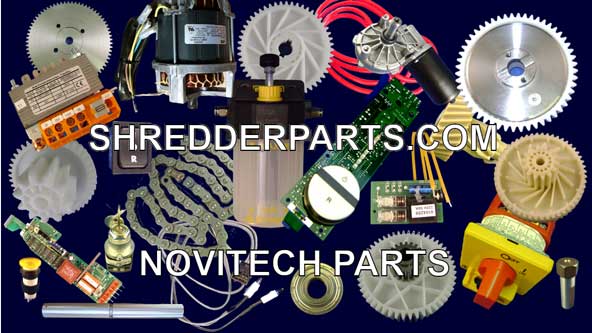
The white plastic activator is the core of the feeding problem in most PS-026/B2 models. Understanding this component is essential to fixing your shredder.
Locate the Activator and Metal Strip
Find the white plastic lever near the paper entry slot. As paper enters, it should press down on this activator. At the base of the activator, a small plastic tab pushes a metal strip that triggers forward motion. If misaligned, the strip won’t activate and the shredder won’t feed properly.
Check for Misalignment or Debris
Use a flashlight to inspect the switch housing thoroughly. Look for paper fragments caught in the mechanism. Check for stuck plastic parts from previous jams. Watch for dust or oil buildup around the switch. Use tweezers or needle-nose pliers to remove any debris you find. Do not spray lubricants into the mechanism because grease attracts more paper dust and makes problems worse.
Realign the Activator Arm
If the white activator is out of position, gently reposition it back to its correct alignment. Ensure the plastic tab fully contacts the metal strip beneath it. When pressed properly, you should hear a distinct click that confirms the switch engages. Take a photo before disassembly so you have a reference for correct alignment during reassembly.
Clean Electrical Contacts
Dust and grime can block power signals and cause intermittent operation. Regular cleaning prevents these issues.
Use Electronics Duster
Spray canned air or electronics duster into switch housings. Target the motor terminals and the paper sensor area. Hold the can upright to avoid moisture spray. Use the straw attachment to reach tight spaces inside the mechanism.
Avoid Common Cleaning Mistakes
Do not use WD-40 or oil on any internal components because it gums up gears and attracts debris. Don’t submerge any parts or wipe with wet cloths because electronics can short. Use only dry, compressed air for cleaning.
Reassemble and Test the Shredder
With the activator fixed, you can close the unit and verify the repair works.
Reattach the Case
Align the two halves carefully before pressing them together. Ensure no wires are pinched, especially near the motor area. Insert all 7 screws and tighten snugly, but not too hard, because plastic housing can crack.
Power On and Test Feeding
Plug in the shredder and wait for the ready light to illuminate. Insert a narrow paper strip in Auto/Forward mode. Listen for the click and continuous feeding. If it works, try feeding a full 8.5″ x 11″ sheet. It should feed smoothly without stalling.
When the Motor or Gear Is Damaged
If the shredder still won’t feed after fixing the activator, deeper mechanical issues may exist.
Check for Stripped Drive Gear
Some users, like wardchuck1 from 2008, reported a stripped gear from the motor. Symptoms include the motor humming but rollers not turning and no movement in forward or reverse modes. This requires gear replacement. Contact Novitech for replacement parts.
Test Motor Function
With the case open, switch to Reverse mode and power on. Observe whether the motor spins. Check if the cutting rollers move. If the motor runs in reverse but not forward, the issue is likely the switch or wiring rather than motor failure.
Contact Novitech for Support
If repairs fail, seek manufacturer help rather than replacing the entire unit.
Call for Parts and Assistance
Novitech Customer Service is available at 1-866-238-2490. Have your model number ready: PS-026/B2. Ask about replacement activator switches. Inquire about motor or gear kits. Check warranty eligibility even without a receipt. Many users report helpful support and affordable parts.
Prevent Future Feed Issues
Keep your shredder reliable with simple maintenance habits.
Clean Regularly
After every 10 to 15 uses, dust the paper entry area. Use a dry brush or compressed air monthly. Never insert CDs, staples, paper clips, thick cardboard, or laminated sheets because these can dislodge the activator mechanism.
Use Correct Paper Load
The PS-026/B2 is rated for 6 sheets maximum. Overloading stalls the motor and stresses the feed mechanism. Shred in smaller batches for longer component life.
Store Properly
Keep the shredder in a dry, dust-free area. Avoid extreme temperatures by not storing in garages or near radiators. Unplug when not in use for long periods.
Key Takeaways for Fixing Your Novitech PS-026/B2

Most Novitech PS-026/B2 feed problems stem from a misaligned white plastic activator. Cleaning, realigning, and ensuring proper switch contact resolves the issue in over 80% of cases. The hidden screw under the NoviTech label is the most common oversight during disassembly, so check carefully. If the activator fix doesn’t work, the motor gear may be stripped and requires professional replacement. By following this guide, you can restore full function, save money, and reduce electronic waste, just like thousands of users who fixed their shredders without replacement.
Frequently Asked Questions About Novitech Paper Shredder Troubleshooting
Why does my Novitech PS-026/B2 only work in reverse?
This is typically caused by the white plastic activator being misaligned. When paper enters the machine, it should press down on the activator, which pushes a metal strip to trigger forward motion. If the activator is out of position, only reverse works.
How do I find the hidden screw when opening the shredder?
The seventh screw is hidden under the NoviTech sticker on the bottom of the unit. Carefully peel back the label to access it. Missing this screw is the most common mistake during disassembly.
Can I fix my shredder without tools?
Most fixes require a Phillips screwdriver to open the case. The activator realignment itself can be done by hand, but you need the screwdriver to access the internal mechanism.
What if my shredder still won’t feed after realigning the activator?
If the activator fix doesn’t resolve the issue, you may have a stripped drive gear. This requires gear replacement. Contact Novitech at 1-866-238-2490 for replacement parts.
Is the PS-026/B2 still supported by Novitech?
Yes, many users report receiving helpful support and affordable parts from Novitech customer service. Have your model number PS-026/B2 ready when calling.





