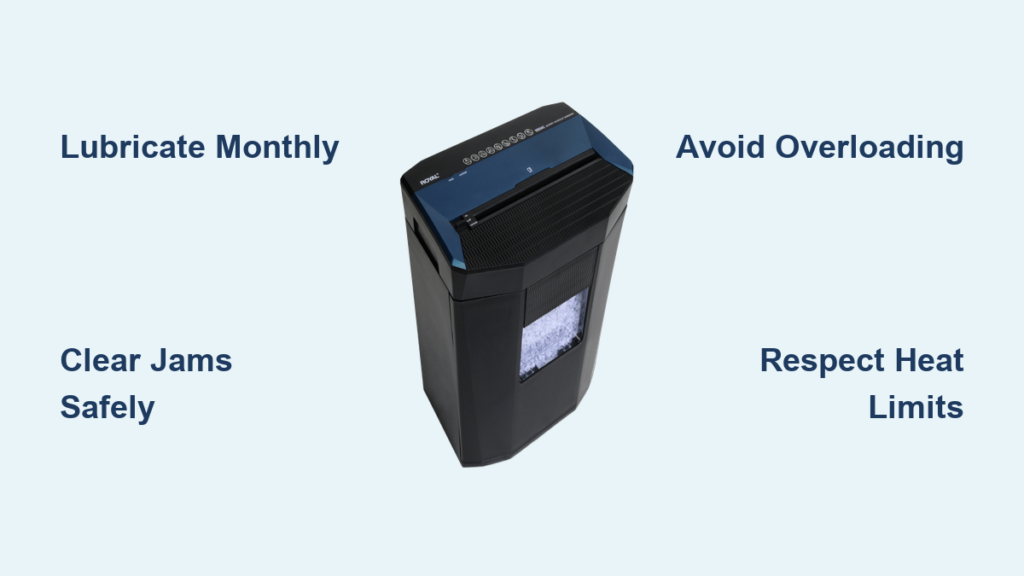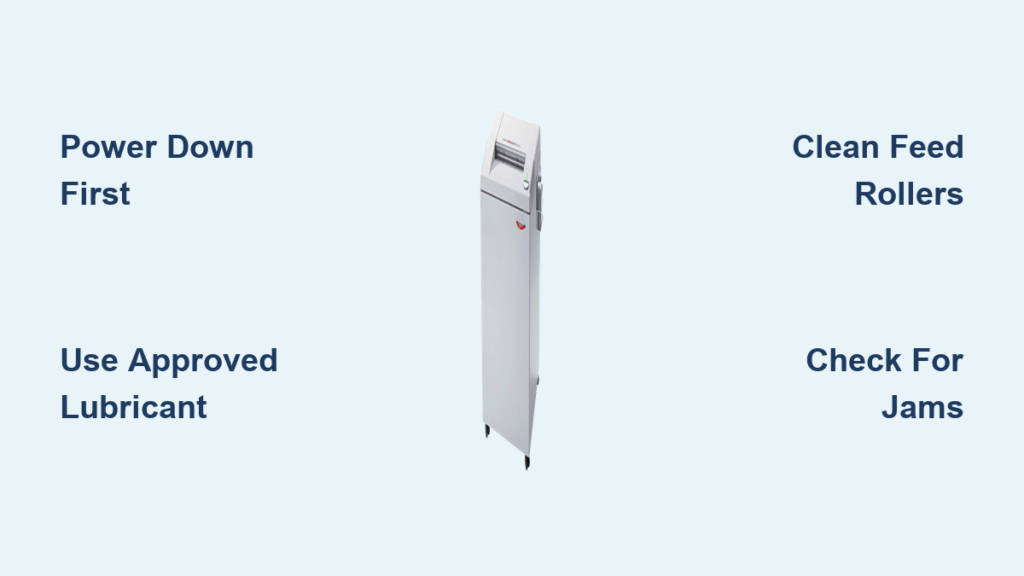
Keeping your NSA-rated paper shredder in peak condition is critical for protecting sensitive data and ensuring long-term reliability. These high-security machines use precision micro-cut blades to destroy documents to P-4 or higher standards, so even minor buildup of paper dust or lack of lubrication can lead to jams, motor strain, or compromised cutting performance. Over time, internal friction increases, reducing efficiency by up to 30% before symptoms become obvious. Without proper care, your shredder may fail when you need it most, risking data exposure. This guide delivers a step-by-step maintenance protocol tailored specifically for NSA-rated models, based on manufacturer standards and technical best practices. You will learn how to clean safely, lubricate correctly, prevent jams, and extend your machine lifespan, ensuring it continues to meet strict security requirements with every use.
Power Down and Cool Off
Before any cleaning, safety must come first. NSA-rated shredders have powerful motors and sharp internal blades that can activate unexpectedly if not properly isolated. Always unplug the unit directly from the wall outlet, never rely on the power switch alone. This prevents accidental startup, especially on models with auto-sense feeding. After unplugging, allow the shredder to cool for at least 15 minutes if it has been in use. Hot components can cause burns and increase fire risk during maintenance. Never remove fixed casings or covers unless designed for user access. Doing so may void your warranty or expose live electrical parts.
Use Only Approved Tools and Cleaners
Using the wrong tools or chemicals can permanently damage your shredder. Never spray water, cleaners, or lubricants directly onto the machine. Aerosols and petroleum-based products like WD-40 contain solvents that degrade rubber rollers and plastic housings. They also pose flash fire hazards due to propellants. Instead, apply cleaning solutions to a lint-free cloth first. Only use non-metallic tools, such as plastic-tipped tweezers, wooden picks, or nylon brushes, to remove debris. Metal objects can scratch or misalign precision blades, leading to poor cuts or irreversible damage.
Avoid Spray Cleaners and WD-40
Spray cleaners leave residue that attracts dust and clogs internal mechanisms. More critically, their flammable propellants can ignite from motor sparks. WD-40 is not a lubricant for shredders. It dissolves rubber and plastic over time. Stick to isopropyl alcohol applied via cloth for cleaning rollers and sensors. For lubrication, use only manufacturer-approved shredder oil or lubricant sheets.
Never Use Household Oils
Vegetable or canola oil may seem like a cheap alternative, but they turn rancid and create sticky sludge that traps paper dust. This buildup increases friction and leads to frequent jams. Always use synthetic shredder oil, which remains stable and provides consistent lubrication without residue.
Check for Maintenance Warning Signs
Regular performance monitoring helps catch issues early. A well-maintained NSA-rated shredder should run quietly, handle its rated sheet capacity, and produce uniform micro-cut particles. When performance declines, it is time to clean and lubricate.
Ragged Cuts or Incomplete Shredding
If strips are uneven or paper passes through partially intact, the blades are likely dulled by debris or lack lubrication. This is often the first visible sign of maintenance need, though efficiency may have dropped by 30% already.
Frequent Jams Below Capacity
Increased jamming, especially with fewer sheets than normal, signals internal buildup. Fine paper dust from micro-cutting accumulates between blade sets, increasing friction. Regular cleaning reduces jams by up to 70% in high-use environments.
Grinding or Straining Noises
Unusual sounds indicate debris trapped between cylinders or excessive motor load. A grinding noise often means paper fragments or staples are lodged in the cutting head. Straining suggests dry blades or overheating from friction.
Overheating or Auto Shutdown
If the shredder shuts off during normal use, it is likely overheating due to internal resistance. This triggers thermal protection circuits. Immediate cleaning and lubrication are required before further use.
Clean the Exterior and Feed Path

Start with the outside. Wipe the housing with a cloth dampened in mild soapy water or isopropyl alcohol. Never soak the machine. Moisture can seep into electronics. Focus on the paper entry slot and surrounding areas where adhesive residue from labels or sticky notes collects.
Wipe the Feed Rollers
Auto-feed models rely on clean rollers to pull paper in smoothly. Dust and glue buildup reduce traction, causing misfeeds or double-sheet feeding. Use a lint-free cloth slightly dampened with isopropyl alcohol to gently clean the rollers. For stubborn residue, use an alcohol-based electronics cleaner applied to the cloth, not directly on the rollers.
Clear the Optical Sensors
Small lenses near the feed slot detect paper insertion and bin fullness. Dust on these sensors causes errors like “no paper detected” or premature “bin full” warnings. Clean them with a dry microfiber cloth using gentle strokes. Test sensor function after cleaning by inserting a single sheet to confirm detection.
Clear Internal Debris from Blades
Micro-cut shredders generate fine dust that packs tightly between blade sets. Left unchecked, this dust increases friction and dulls cutting edges.
Use Compressed Air Safely
Turn the shredder upside down, if possible, to access the cutting mechanism from below. Use short bursts of compressed air to blow out paper particles. Aim the nozzle to push debris out of the unit, not deeper in. Avoid prolonged spraying, which can force dust into motor compartments.
Remove Debris Manually
For stubborn jams or compacted dust, use a small non-metallic brush to sweep between blades. Brush in the direction of blade alignment to avoid damage. For tangled paper, use plastic-tipped tweezers to gently extract it. Never force objects into tight spaces.
Clear a Jam the Right Way
If a jam occurs, switch to reverse and hold for 2 seconds. Switch to forward for 2 seconds. Repeat until cleared. Do not rapidly toggle between directions. This stresses the motor. If the jam persists, apply a few drops of shredder oil to the entry slot, wait 10 minutes to soften the paper, then resume reverse-forward cycling.
Lubricate for Peak Performance

Lubrication is the most critical maintenance step for NSA-rated shredders. Micro-cut blades have dense, interlocking patterns that require consistent oiling to prevent wear and overheating.
Use Only Approved Lubricants
Never use household oils, WD-40, or aerosol sprays. These damage components and create fire risks. Use only synthetic shredder oil or lubricant sheets designed for high-security models. These are silicone-free and formulated to resist gumming.
Apply Oil in a Zigzag Pattern
With the shredder off, apply oil in a slow zigzag across the full width of the paper slot. Turn the machine on and run in reverse for 20 seconds to coat all blade surfaces. Run in forward for 10 seconds. Feed 1 to 2 blank sheets to absorb excess oil and prevent dripping into the bin.
Use Lubricant Sheets for Consistent Coverage
Insert a dedicated shredder lubricant sheet and run in forward mode. Then run in reverse for 10 seconds, followed by forward for 10 seconds. This ensures full coverage in complex micro-cut assemblies. Lubricant sheets are ideal for preventing oversaturation and are preferred for strip-cut and cross-cut models.
Try Wax Paper in a Pinch
If no oil or sheet is available, running a sheet of wax paper through the shredder provides temporary lubrication. However, this is not a long-term substitute. Dedicated shredder oil is required for sustained performance in NSA-rated units.
Follow Model-Specific Maintenance Schedules
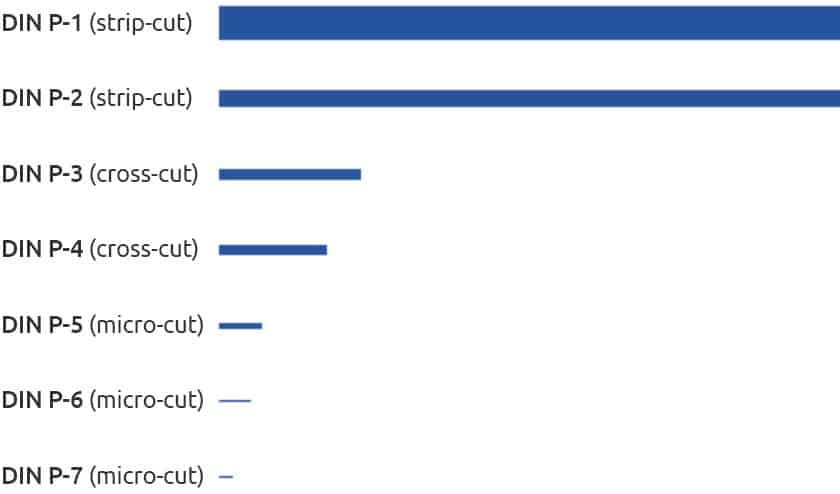
Maintenance frequency depends on shredder type and usage volume. NSA-rated micro-cut models need more frequent care due to their intricate blade systems.
Strip-Cut Shredders
Clean after every bin emptying. Lubricate monthly or every 100 sheets. Use lubricant sheets to prevent long strips from clumping in the bin.
Cross-Cut Shredders
Clean monthly with cleaning sheets. Lubricate after every third bin emptying. Run blank paper after oiling to clear excess from extra cutting surfaces.
Micro-Cut NSA-Rated Shredders
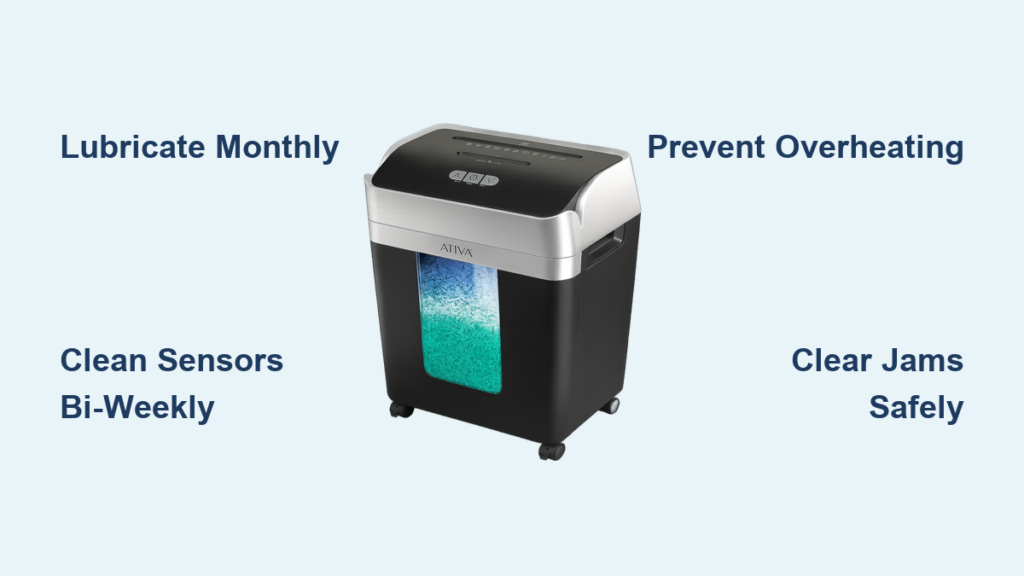
Clean every two weeks. Lubricate bi-weekly or after every 30 minutes of operation. Use specialized high-security lubricant sheets and extend reverse-forward cycles for full blade coverage.
Auto-Feed Shredders
Clean rollers monthly with alcohol cloth. Lubricate weekly under heavy use. Test sensors after cleaning by verifying paper detection with single-sheet tests.
Empty and Clean the Waste Bin
A full bin creates back-pressure that forces paper fragments into the cutting head, increasing jams and motor strain.
Empty at 75% Capacity
Never wait until the bin is full. Empty it when it reaches 75% to maintain smooth operation and prevent debris from being pushed back into the mechanism.
Wash Plastic Bins Thoroughly
Remove the bin and wash with mild soap and water. Rinse well and allow complete drying before reinserting. Moisture can damage internal components or promote mold.
Replace Bag Systems Regularly
Micro-tears in paper bags allow fine dust to escape and settle on motors or electronics. Replace bags frequently and inspect for holes. Use high-quality, reinforced bags designed for micro-cut shredders.
Fix Common Post-Cleaning Issues
Even after maintenance, problems can occur. Here is how to resolve them quickly.
Grinding Noise Persists
If grinding continues, debris may still be trapped between cylinders or a staple could be lodged in the blades. Run 2 to 3 lubricant sheets to coat hard-to-reach areas. If noise remains, inspect manually with a flashlight and remove any foreign objects with non-metallic tools.
Reduced Shredding Capacity
If the machine jams with fewer sheets than rated, it may be under-lubricated or have dried cleaning residue blocking the cutters. Reapply oil in a zigzag pattern, run reverse for 20 seconds, then feed blank paper to distribute lubricant and clear residue.
Rattling After Cleaning
A loose rattling sound usually means a component shifted. Check that the waste bin is fully seated and pressing against the bin-full sensor. Ensure the shredder head is locked securely onto the base. Loose parts can cause misalignment and damage over time.
Maximize Longevity with Best Practices
Proper daily use extends your shredder life and maintains its NSA compliance.
Never Exceed Sheet Capacity
Overloading causes jams, motor burnout, and blade stress. Even heavy-duty models have limits. If the machine struggles, reduce the load. Stick to 70 to 80% of the rated capacity for consistent performance.
Shred Only Approved Materials
Most NSA-rated shredders handle paper and staples, but avoid sticky notes, adhesive labels, wet paper, and plastic unless rated for those materials. Adhesives build up on blades and rollers, causing permanent damage.
Respect Duty Cycles
Run times are limited, typically 5 to 15 minutes depending on the model. After reaching the limit, allow a full cool-down of 15 to 30 minutes before resuming. Overuse leads to overheating and fire risk. Watch for LED indicators that signal rest periods.
Run Cleaning Sheets Monthly
Even without shredding, run a lubricant sheet every month. This keeps blades coated and mechanisms free. Regular operation prevents stiffness and ensures readiness for high-security tasks.
Register Your Warranty
Register your shredder immediately. Many manufacturers require proof of regular maintenance, every 15 to 20 hours of use, to honor warranty claims. Keep a log of cleaning and oiling dates.
Stock the Right Maintenance Supplies
Keep these essentials on hand for quick, effective maintenance.
- Synthetic shredder oil in bottle or spray form
- Lubricant sheets designed for NSA-rated models
- Isopropyl alcohol at 70% concentration or higher
- Lint-free microfiber cloths
- Compressed air canister with directional nozzle
- Non-metallic brush and plastic-tipped tweezers
- Replacement waste bags designed for micro-cut shredders
Having these items ready ensures you can perform maintenance promptly, keeping your NSA-rated shredder secure, efficient, and reliable for years.
Frequently Asked Questions About NSA-Rated Shredder Maintenance
How often should I lubricate my NSA-rated micro-cut shredder?
Lubricate bi-weekly or after every 30 minutes of continuous operation for NSA-rated micro-cut models. Heavy-use environments may require weekly lubrication. The intricate blade systems in these machines need consistent oiling to prevent friction and overheating.
Can I use WD-40 to lubricate my shredder?
No. WD-40 contains petroleum solvents that degrade rubber rollers and plastic components. It is not a lubricant for shredders. Use only manufacturer-approved synthetic shredder oil or dedicated lubricant sheets designed for high-security models.
Why does my shredder jam even though I am below the rated capacity?
Frequent jams below capacity indicate internal debris buildup. Fine paper dust accumulates between blade sets, increasing friction. Clean the cutting mechanism with compressed air and non-metallic brushes, then lubricate thoroughly. This can reduce jams by up to 70% in high-use environments.
What causes grinding noises after cleaning?
Grinding noises usually mean debris is still trapped between cylinders or a foreign object like a staple is lodged in the blades. Run multiple lubricant sheets to coat hard-to-reach areas. If noise persists, inspect manually with a flashlight and remove any remaining debris with plastic-tipped tools.
How do I clean the optical sensors on my shredder?
Locate the small lenses near the feed slot. Clean them gently with a dry microfiber cloth using gentle strokes. Dusty sensors cause false “bin full” signals or failure to detect paper insertion. Test sensor function after cleaning by inserting a single sheet.
Can I use vegetable oil as an alternative to shredder oil?
No. Vegetable and canola oils become rancid and create sticky sludge that traps paper dust. This causes increased friction and frequent jams. Always use synthetic shredder oil, which remains stable and provides consistent lubrication without residue.
Key Takeaways for Maintaining Your NSA-Rated Shredder
A well-maintained NSA-rated shredder is a cornerstone of data security. By following this guide, unplugging before service, using only approved lubricants, cleaning sensors and rollers, and adhering to model-specific schedules, you ensure consistent micro-cut performance and protect against data breaches. Regular maintenance prevents 70% of jams, extends motor life, and keeps your machine compliant with high-security standards.
The most critical maintenance step is proper lubrication. Apply synthetic shredder oil in a zigzag pattern across the paper slot, then run reverse for 20 seconds followed by forward for 10 seconds. This distributes oil evenly across all blade surfaces. For micro-cut models, extend these cycles to ensure complete coverage in the dense blade configuration.
Treat your shredder like any critical security device. Clean it regularly, oil it according to usage volume, and test it after each maintenance session. Keep your maintenance supplies stocked and log every cleaning and oiling date. This documentation protects your warranty and ensures consistent performance. When your shredder runs smoothly, your sensitive information remains secure.