
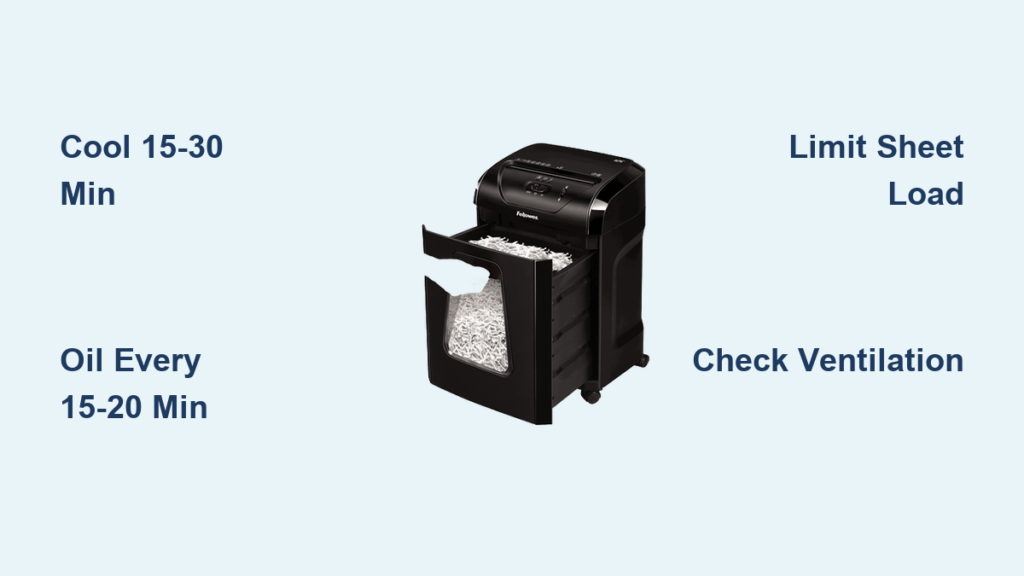
Your Fellowes paper shredder suddenly stops mid-job. No warning. You press the power button, but nothing happens. If this sounds familiar, your shredder is likely overheating. This is not a sign of immediate failure. It is a built-in safety response. Fellowes shredders use a thermal overload sensor to shut down the motor when it gets too hot, protecting the internal components from permanent damage.
The good news? Most overheating issues are preventable with proper use and maintenance. This guide covers exactly why your Fellowes paper shredder overheats, how to fix it fast, and what steps to take to prevent future shutdowns. You will learn model-specific duty cycles, cooling times, cleaning routines, and upgrade triggers.
Decode Overheating Warning Signs
Shredder Stops Mid-Use
When your Fellowes shredder powers off during use and will not restart immediately, it has triggered its thermal overload protection. This is normal for short-term safety, but frequent shutdowns indicate a problem. The motor generates heat during operation, and once it hits a preset temperature, the sensor cuts power. You will typically see no lights or a blinking indicator, depending on your model. Do not force a restart. Wait at least 15 to 30 minutes for the motor to cool. Restarting too soon traps residual heat, making the next shutdown happen faster.
Warm Restart Failure
One of the most common mistakes is restarting too quickly. Many users stop shredding for just a few minutes, assuming the machine is fine to use again. But if the motor has not returned to ambient temperature, the next duty cycle starts with a heat deficit. For example, if your model allows 10 minutes of continuous use, a warm restart might cause it to overheat in just 2 to 3 minutes. This creates a frustrating loop. The solution is to let it cool completely. Use a timer to enforce 15 to 30 minute rest periods after every 10 to 15 minutes of operation.
Overheating vs. Motor Failure
Not every shutdown is overheating. True motor failure means the unit will not restart even after a full cool-down. If your shredder still will not work after 30 minutes, check the power source and reset any internal fuses. But if it comes back online after cooling, overheating is the culprit. A key clue is that overheating units often feel hot to the touch near the motor housing. If the case is warm but not hot, and operation resumes after cooling, the thermal sensor is doing its job. Persistent overheating can lead to permanent motor damage, so do not ignore recurring issues.
Match Model to Your Shredding Load

Home Models: Avoid Stack Shredding
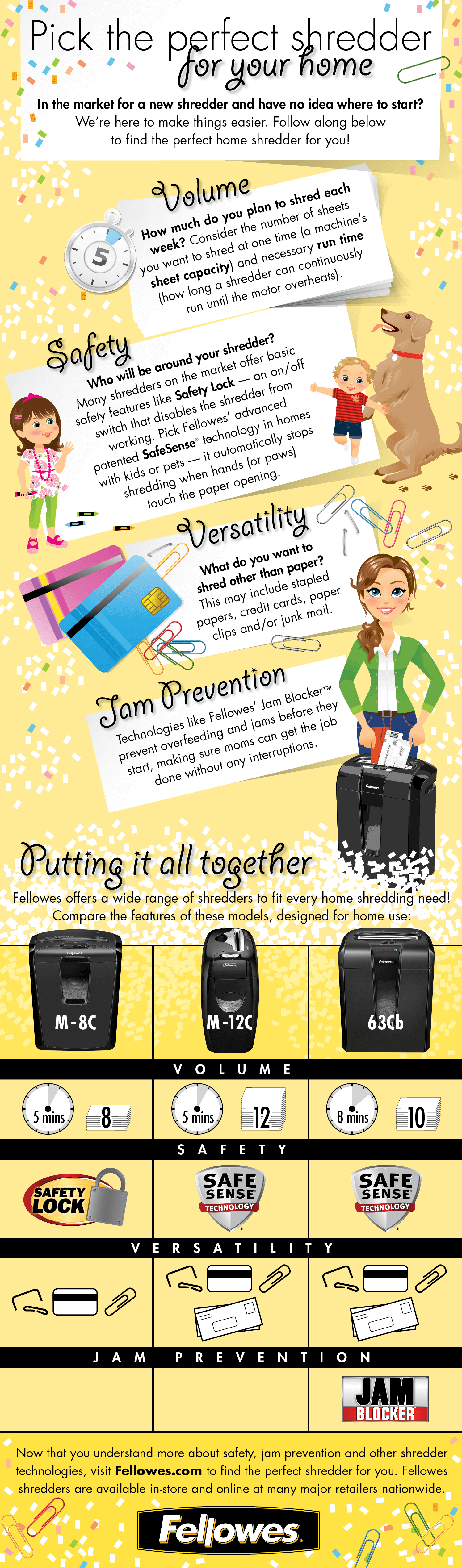
Personal-use Fellowes shredders like the PS-77Ci or HS-40 are built for light, intermittent use. They have short duty cycles, typically allowing only 2 to 5 minutes of continuous operation before requiring 20 to 30 minutes of cooling. When users try to shred a months worth of accumulated paper in one session, the motor overheats fast. The fix is to break jobs into small batches. Stick to 5 to 10 sheets per feed and stop every few minutes. If you are regularly facing large shredding tasks, your needs have outgrown a home model. Consider upgrading to a higher-capacity unit.
SOHO Models: Watch Duty Cycle Limits
Small Office/Home Office models like the Powershred 79Ci offer longer run times, around 10 minutes continuous, before needing a 15 to 20 minute cool-down. These support 3 to 5 users but still are not designed for non-stop use. Frequent overheating in a SOHO unit signals capacity mismatch. You might be asking it to do a commercial job. If you are shredding for more than five people or handling thick stacks daily, move to a departmental model. Also, ensure you are oiling blades every 15 to 20 minutes of use. Without lubrication, even SOHO motors overheat under normal loads.
Office and Departmental Units: Respect Continuous Claims
High-capacity models like the Powershred 160Cs advertise continuous duty, but this does not mean infinite runtime. It means longer cycles, up to 30 minutes, before a mandatory cool-down. These units still rely on thermal protection. Pushing them past limits causes rapid heat buildup, especially in poorly ventilated areas. Always follow the 10 to 15 minutes on, 15 to 30 minutes off rule unless your model specifies otherwise. If your departmental shredder overheats often despite correct use, internal wear may be forcing the motor to work harder. Schedule professional inspection if symptoms persist.
Automax: Hands-Free Has Limits
Automax models like the 125M offer automated feeding, ideal for large volumes. But they have strict run-time limits based on motor heat tolerance. Once the auto-feed cycle ends, the unit locks out until fully cooled. Never bypass this lockout. Some users try to force-feed or restart early, which risks permanent damage. Instead, use scheduled batches. Shred for 10 minutes, walk away for 20. Also, oil Automax blades before and after heavy jobs. Friction from unlubricated blades drastically reduces safe run time.
Prevent Overheating With Proper Use

Never Exceed Sheet Capacity
Most Fellowes shredders handle 5 to 10 sheets of standard 20 lb paper at once. Exceeding this forces the motor to strain, generating excess heat. Even if the paper feeds smoothly, overloading causes internal stress. Always check your model is rated capacity, printed on the feed throat or in the manual. Thicker paper? Reduce the load. Jam-prone models? Stick to 5 sheets. Test your paper stack against the manufacturer is sample. A ream of office paper varies. Some reams are heavier than others.
Shred Only Approved Materials
Fellowes units are designed for standard paper. Avoid staples unless your model is rated for them. Also avoid paper clips, cardstock, binders or plastic covers, and non-paper items like credit cards or CDs. These materials increase resistance, forcing the motor to draw more power and heat up. Some cross-cut and micro-cut models tolerate staples, but always verify your unit is specs. When in doubt, remove metal. Shredding a single binder can dull blades and trigger overheating. If the motor slows or strains during feeding, stop immediately. That is your warning sign.
Keep Area Cool and Clear
Overheating is not just about use. It is about environment. Fellowes shredders need 6 inches of clearance on all sides for airflow. Placing the unit against a wall, under a desk, or near a heater traps heat. Direct sunlight raises internal temperatures. A hot room above 85°F reduces safe run time. Move the shredder to an open, shaded area. Keep vents unblocked. Do not stack items on or around it. If your office is warm, shorten shredding sessions and extend cool-down periods.
Maintain Blades and Motor Health
Oil Blades Every 15 to 20 Minutes
Lubrication is the single most effective way to prevent overheating. Oil reduces friction between cutting blades, lowering motor strain and heat. Use Fellowes-brand shredder oil. Never use WD-40 or household oils, which can gum up blades. Apply 2 to 3 sprays across the throat, then run the shredder in reverse for 10 seconds to distribute. For heavy use, oil every 15 to 20 minutes of operation. Light use? Once a week or after 1 to 2 small jobs. Skipping oiling can double heat buildup, leading to premature shutdowns.
Clean Dust and Paper Fibers
Paper dust accumulates on blades, gears, and sensors, increasing friction and blocking airflow. Clean every 15 to 20 minutes during heavy use. Use Fellowes cleaning sheets, a lint-free cloth for external vents and feed opening, and a soft brush for hard-to-reach areas. Run a cleaning sheet through, then reverse for full clearance. For deep cleaning, unplug the unit and wipe accessible parts. Never use water or liquid cleaners. If your shredder sounds louder than usual or runs hotter, dust buildup is likely the cause.
Replace Worn Components Early
Even with perfect care, parts wear out. Dull blades require more motor power to cut, generating excess heat. Worn gears slip or bind, increasing strain. If your shredder overheats despite correct loading, cooling, and oiling, internal wear is probable. Watch for these symptoms. Slower cutting speed, unusual grinding noises, paper jams with light loads, and overheating after minimal use all signal wear. At this stage, repair costs may exceed replacement value. For home models, replacement is often smarter. For office units, contact Fellowes service or an authorized technician.
Troubleshoot Overheating Fast

No Lights After Shutdown
Wait 30 minutes. The thermal sensor must reset. If lights return, it was overheating. If not, check the power outlet by testing with another device. Check the power cord for damage. Check the internal fuse by referring to your manual.
Still Overheating After Cooling
Run through this checklist. Are you exceeding sheet limits? Reduce load. Is the area ventilated? Move unit, clear space. When was it last oiled? Apply oil now. Are you shredding staples or thick paper? Stop and remove. Is dust clogging the blades? Clean thoroughly. If all checks pass but overheating continues, the motor or internal components are likely degraded. For older models, replacement is recommended.
Upgrade When Overheating Is Frequent
If you are constantly waiting for cool-downs, your shredder is too small. Upgrade triggers include more than 5 users, daily shredding over 10 minutes, frequent batch jobs, and regular use of Automax cycles. Move to a higher-duty model with longer run times and better heat dissipation.
Frequently Asked Questions About Fellowes Paper Shredder Overheating
Why does my Fellowes shredder keep overheating?
Your shredder overheats because it is being pushed beyond its design limits. This happens when you exceed the recommended sheet capacity, run the unit past its duty cycle, skip blade lubrication, or place the shredder in a poorly ventilated area. The thermal overload sensor shuts down the motor to prevent permanent damage.
How long should I let my Fellowes shredder cool down?
Allow 15 to 30 minutes of cool-down time after every 10 to 15 minutes of continuous use. The thermal sensor needs this time to reset and the motor to return to ambient temperature. Restarting too soon causes rapid overheating and can damage the motor over time.
Can I use WD-40 to oil my shredder?
No. Never use WD-40 or household oils on your shredder blades. These products can gum up the blades and internal components, causing more friction and heat. Use only Fellowes-brand shredder oil or a certified shredder lubricant.
How often should I oil my Fellowes shredder?
Oil your blades every 15 to 20 minutes of continuous use. For light use, oil once a week or after every 1 to 2 small jobs. Regular lubrication reduces friction, lowers operating temperature, and extends the life of your shredder.
What is the duty cycle for home shredders?
Home-use Fellowes shredders typically allow 2 to 5 minutes of continuous operation before requiring a 20 to 30 minute cool-down period. These models are designed for intermittent use, not heavy shredding sessions.
When should I upgrade to a higher-capacity shredder?
Upgrade when you experience frequent overheating despite following proper use and maintenance. Signs include more than 5 daily users, regular shredding sessions exceeding 10 minutes, frequent batch jobs, or constant need for cool-down periods. A SOHO or departmental model better handles these demands.
Key Takeaways for Preventing Fellowes Shredder Overheating
Overheating in Fellowes paper shredders is a protective mechanism, not a defect. The thermal overload sensor shuts down the motor to prevent permanent damage, but frequent triggers mean your machine is being pushed beyond its limits. Respect your model is duty cycle by limiting continuous use to 10 to 15 minutes and enforcing 15 to 30 minute cool-down periods. Never exceed the recommended sheet capacity of 5 to 10 sheets, and only shred approved materials like standard paper. Regular oiling every 15 to 20 minutes is the single most effective prevention method, reducing friction and heat buildup dramatically. Keep the unit in a cool, well-ventilated area with 6 inches of clearance on all sides. If overheating persists despite proper care, your shredding needs have likely outgrown the machine. Upgrade to a higher-capacity model to match your workload and avoid motor damage.





