
Your paper shredder suddenly stops mid-feed. It’s not jammed, and no paper is stuck. But the machine feels hot and won’t restart. This is a classic sign of thermal overload, the most common cause of shredder failure. When the motor generates too much heat from friction, strain, or extended use, internal sensors cut power to prevent motor burnout, fire hazards, or permanent blade damage. A single shutdown is normal, but frequent overheating means something is wrong with your usage habits, maintenance routine, or machine capacity.
The good news is that most overheating issues are fixable. In this guide, you’ll learn how to safely reset an overheated shredder, identify the underlying causes, and implement long-term strategies to keep your machine running cool and efficient.
Immediate Reset Steps for an Overheated Shredder
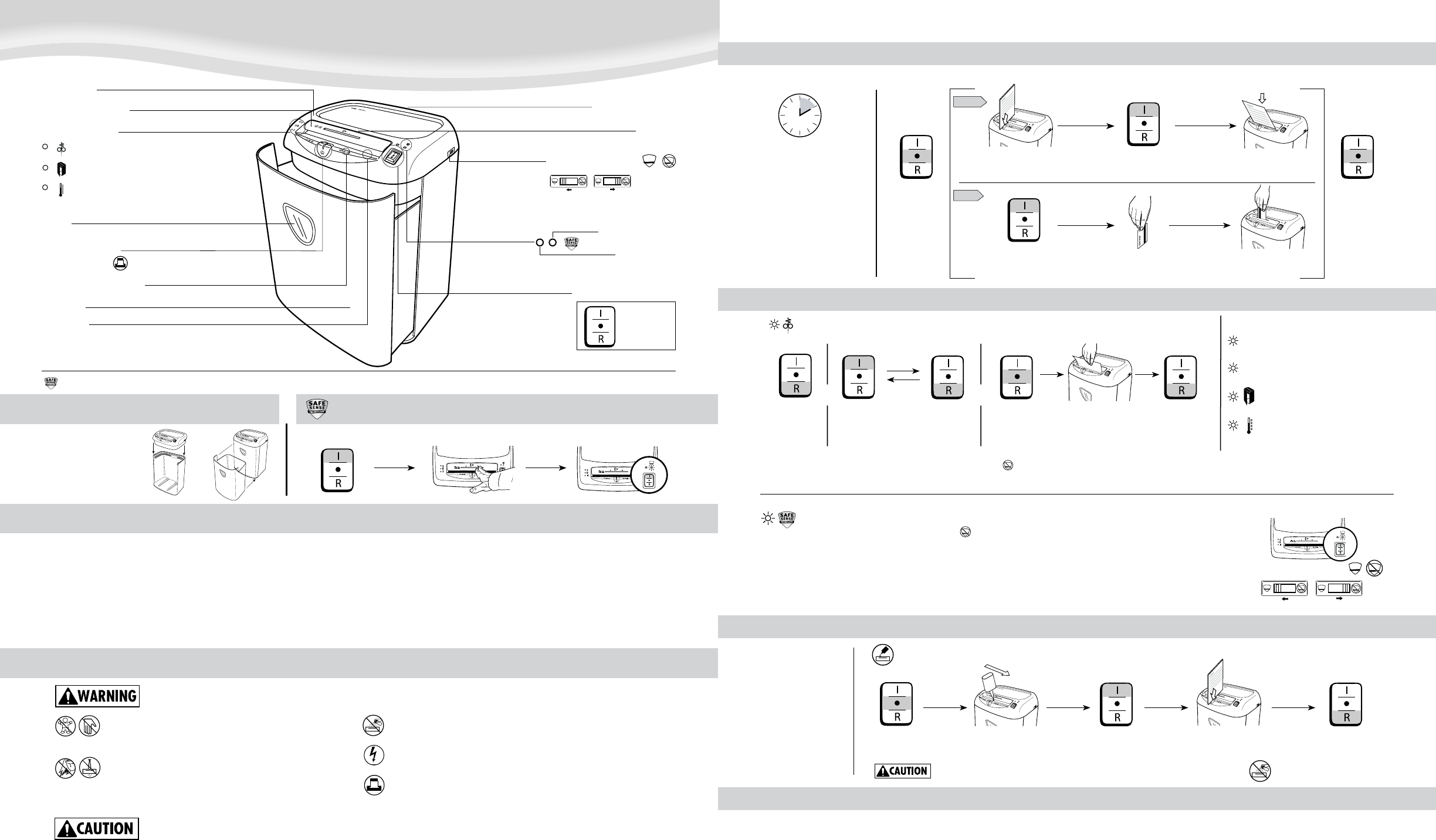
When your shredder shuts down from overheating, you need to act quickly but safely. The goal is to cool the motor, clear hidden obstructions, and reset the system without causing further damage.
Power Down and Unplug the Unit
Turn off the shredder immediately using the power switch, then unplug it from the wall outlet. This stops all electrical flow and prevents accidental restarts during inspection. It also allows the internal circuit board to fully reset. Never skip this step, even if the machine appears completely dead, because residual power can still pose a risk.
Wait for a Full Cool-Down Period
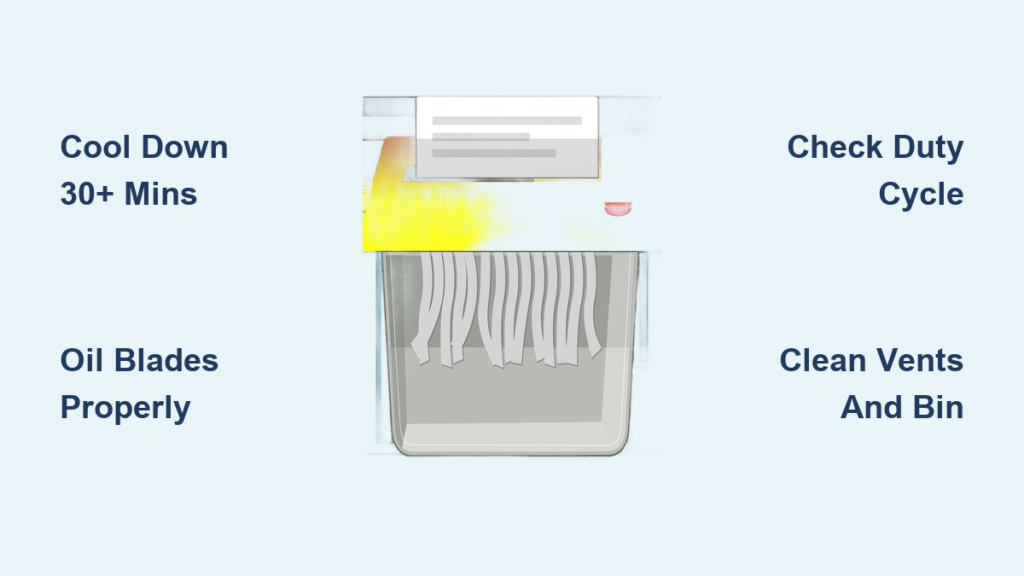
Let the shredder rest for at least 30 minutes before attempting any restart. The motor must return to ambient temperature before the thermal sensor resets. If you try to power it on too soon, the sensor will trigger again instantly. For heavy-duty sessions or older shredder models, extend the wait time to 45–60 minutes. Use this waiting period to clean or oil the machine.
Check for Hidden Jams and Blockages
While the unit cools, inspect the feed slot and waste bin carefully. Even when no paper is visible, small shreds or dust clumps can block sensors or the exit chute. Use the reverse function if available and safe to back out debris. Otherwise, use tweezers or a soft tool to remove obstructions. Never use your fingers or metal tools that could scratch the blades.
Clear Sensor and Bin Issues Causing Shutdowns
Many shutdowns mistaken for overheating are actually triggered by sensor interference or poor airflow from an overfilled bin.
Empty and Clean the Waste Bin
Remove the waste bin completely and empty it, even if it doesn’t look full. Shredded paper can pack tightly and restrict internal airflow, forcing the motor to work harder. Replace the bin liner if you use one, and wipe down the bin compartment with a dry cloth. A full bin creates back-pressure that accelerates heat buildup.
Clean the Bin-Full and Feed Sensors
Dust-covered sensors can falsely signal a full bin or no paper present, disrupting normal operation. Locate the optical or mechanical sensors near the bin slot and feed path. Use a cotton swab or canned air to remove dust buildup. Do not use liquids on these components. A blocked feed sensor may prevent auto-start, making users think the motor is dead when it’s simply misreading input.
Diagnose the Real Cause of Overheating
Overheating is a symptom, not the root problem. Identifying what caused the heat buildup is essential to prevent repeat failures.
Was the Duty Cycle Exceeded?
Every shredder has a duty cycle: a safe run time followed by a required cool-down. Personal models may only handle 2–5 minutes of continuous use, while office models might support 10–15 minutes. If you ran the shredder longer than its limit without breaks, you triggered the thermal cutoff. Check your user manual for exact timing. If you’re consistently hitting the limit, you need a higher-capacity machine.
Was Lubrication Missing?
Dry blades create friction, which generates heat. If you haven’t oiled your shredder in weeks, or ever, this is likely the primary culprit. Look for grinding noises or slow performance before shutdown, as these are early warning signs. Lack of lubrication forces the motor to work harder, accelerating heat buildup with every sheet.
Were Too Many Sheets Fed at Once?
Overloading the feed slot is a fast track to overheating. Even if the paper feeds smoothly at first, the motor strain accumulates quickly. Always stay below the maximum sheet capacity listed on the machine or in the manual. When in doubt, shred fewer sheets per pass. It’s slower, but far safer for your equipment.
Perform Critical Maintenance to Prevent Recurrence
Once the shredder cools and resets, perform essential maintenance to reduce future heat risk. This step is not optional; it’s critical for long-term performance.
Oil the Blades Properly
Lubrication is the number one defense against overheating. Use only shredder-specific oil, never cooking oil, WD-40, or aerosol sprays, because these can gum up gears or damage plastic parts.
- Drizzle oil in a zigzag pattern across a sheet of plain paper
- Feed the paper through in forward mode
- Run the shredder in reverse for 5–10 seconds to coat both blade sets
- Oil every 15–20 minutes of continuous use, or once monthly for light users
Blow Out Dust and Debris Regularly
Paper dust insulates heat and increases friction. Use canned air every two weeks to blast dust from the cutting head, feed slot, and sensor areas. Hold the can upright and use short bursts. For heavy users, vacuum the interior monthly with a nozzle attachment, taking care to avoid touching the blades directly.
Inspect Cooling Vents and the Internal Fan
Ensure air can flow freely around and through the machine. Don’t place the shredder in a closed cabinet or near a heater. Check intake and exhaust vents for blockages. If your model has a visible cooling fan, confirm it spins freely when powered on. A stuck fan drastically reduces heat dissipation and leads to rapid overheating.
Prevent Future Overheating with Better Habits
Fixing one incident isn’t enough. Build habits that keep your shredder cool and functional for years to come.
Follow the 15-Minute Rule
As a general guideline, shred no more than 15 minutes at a time, then let the machine rest for 20–30 minutes. This mimics manufacturer duty cycles and prevents heat accumulation. For large jobs, split them into multiple sessions throughout the day rather than pushing through in one sitting.
Upgrade If You’re Constantly Overloading
If you’re frequently waiting for cool-downs, your shredder is too small for your workload. Match your machine to your actual volume:
- Home use: Occasional shredding under 5 minutes per day
- Small office (2–5 people): Daily use up to 10 minutes per day
- Departmental use: High volume needing 15+ minutes continuous or auto-feed capability
Frequent overheating means it’s time to upgrade to a more capable model.
Shred Only Approved Materials
Avoid staples, paper clips, plastic, and thick cardboard unless your shredder is explicitly rated for them. These materials increase friction and jam risk significantly. Even “staple-safe” models can overheat if fed too many stapled sheets at once. Remove binders and clips whenever possible.
Place the Shredder in a Well-Ventilated Area
Keep the shredder in an open space with good airflow. Never run it inside a closed desk or pressed against a wall. Leave at least 6 inches of clearance around all vents. Avoid direct sunlight or proximity to radiators, space heaters, and other heat sources.
Recognize Warning Signs Before Shutdown Happens
Catch problems early before they cause complete shutdowns. These signals indicate your shredder is under stress:
- Slower cutting speed than normal
- Grinding or screeching noises during operation
- Unusual warmth after only short use
- Frequent auto-stops mid-feed
At the first sign of any of these symptoms, stop, unplug, and oil the machine. Don’t wait for a full thermal shutdown.
When to Replace or Seek Professional Repair
Some issues cannot be fixed with routine maintenance alone.
Motor Damage from Repeated Overheating
If the shredder runs for only a few seconds before shutting down, even after a full cool-down and thorough oiling, the motor may be damaged. Repeated thermal stress degrades windings and insulation permanently. No amount of oiling will restore a burned-out motor.
Faulty Thermal Sensor or Circuit Board
If the machine shuts down instantly with no heat or recent use, the thermal sensor or control board may be faulty. This requires professional repair or complete unit replacement, as these components are not user-serviceable in most consumer models.
Dull or Damaged Blades
If paper comes out partially shredded or you must feed fewer sheets than before to get clean cuts, the blades are worn. Dull blades require more motor power, increasing heat generation. Some models allow blade replacement, but many require full unit replacement once blades degrade significantly.
Frequently Asked Questions About Fixing an Overheated Shredder
How long does a shredder need to cool down after overheating?
A standard cool-down period is at least 30 minutes for most personal and small office models. For heavy-duty sessions or older machines, extend the wait to 45–60 minutes. The motor must return to ambient temperature before the thermal sensor will reset and allow operation.
Can I use cooking oil or WD-40 to lubricate my shredder?
No. You should only use shredder-specific oil designed for cutting mechanisms. Cooking oil can gum up gears and leave residue, while WD-40 and aerosol sprays can damage plastic components and fail to provide adequate viscosity for blade protection.
Why does my shredder keep overheating even after I oil it?
If overheating persists despite proper lubrication, the issue likely involves exceeding the duty cycle, overloading the sheet capacity, poor ventilation, or a failing motor. Check that you’re following the 15-minute rule, staying below maximum sheet counts, and keeping vents clear. Persistent problems may indicate the need for a higher-capacity machine.
Is it safe to keep using a shredder that frequently overheats?
No. Frequent thermal shutdowns indicate the machine is being pushed beyond its design limits. Continued use without addressing the root cause can lead to motor damage, fire hazards from accumulated paper dust near hot components, or complete unit failure. Address the underlying issue immediately.
How often should I oil my shredder to prevent overheating?
For regular or heavy users, oil every 15–20 minutes of continuous operation. For occasional home users, oiling once a month is sufficient. Always use the indirect method with a zigzag oil pattern on paper, followed by a brief reverse cycle to coat all blade surfaces thoroughly.
Key Takeaways for Preventing Shredder Overheating
Overheating is a protective feature designed to save your machine, not a defect in the design. But frequent activation means your shredder is struggling with friction, overuse, or environmental stress. By following a strict cool-down protocol after any shutdown, oiling regularly with the correct products, respecting duty cycles, and ensuring proper ventilation, you can prevent most overheating issues before they start.
If problems persist despite consistent maintenance, your workload exceeds the machine’s capacity, and it’s time to upgrade to a higher-tier model. A well-maintained shredder can last for years of reliable service. One pushed beyond its limits may fail in just a few months. Treat your shredder with proper care, and it will keep your sensitive documents secure without the frustration of constant shutdowns.





