
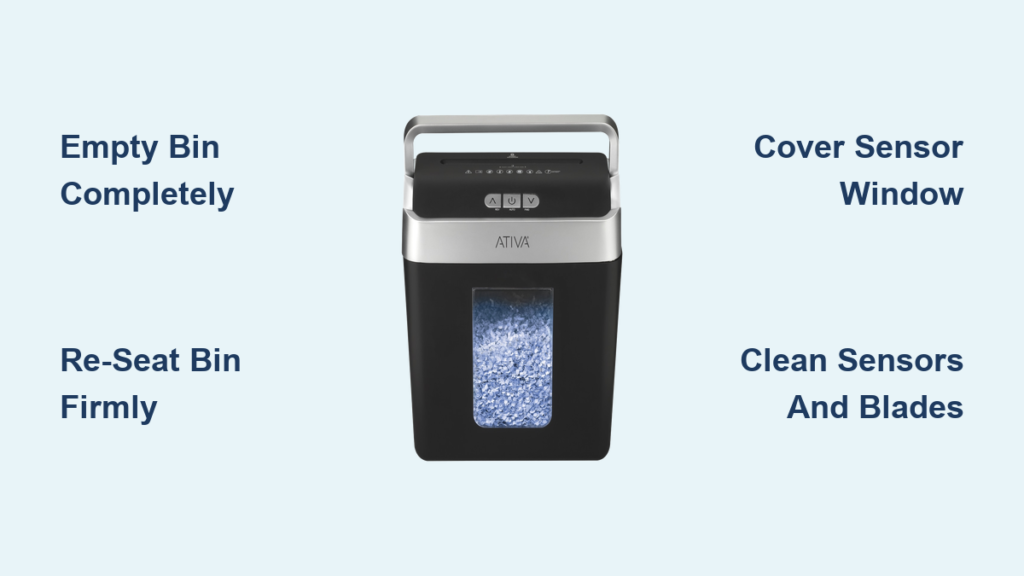
You press the power button on your Ativa shredder, expecting it to hum to life, but instead the blue light blinks steadily and nothing happens. This is one of the most common frustrations Ativa owners face, and it almost always points to a specific issue: the shredder thinks the waste bin is full. In many cases, the bin is nowhere near full, and the real culprit is a sensor problem, a loose bin, or hidden debris. This guide walks you through exactly how to diagnose and fix the blinking blue light, so you can get back to shredding in minutes.
You will learn how to interpret every LED signal, reset sensor errors, clean the components that trigger false alerts, and know when the problem requires professional repair or replacement.
Decode Your Ativa Shredder LED Signals
Before you start taking anything apart, confirm what your shredder is actually telling you. Ativa uses color-coded lights to communicate status, and misreading them leads to wasted time on the wrong fix.
Solid Blue: Normal Operation
A steady blue light means the shredder is powered on and in Auto mode. It is ready to accept paper. No troubleshooting needed here.
Blinking Blue: Bin Full or Door Open
A flashing blue light almost always signals that the bin is full or the bin door is detected as open. The shredder locks out operation to prevent overflow. Even if the bin looks half-empty, the sensor may be triggered by debris, ambient light, or misalignment.
Alternating Red and Blue: System Error
On models like the A14MC19, alternating red and blue blinking indicates a system error. This is often caused by minor jams, motor strain, or the need for a full reset. It is not a bin issue but a lockout state that requires a power cycle.
Solid or Flashing Red: Heat or Overload
A solid red light means the shredder overheated and needs 30 to 50 minutes to cool. A flashing red light means too much paper was fed at once. Use the Reverse button to clear the jam.
Knowing these signals prevents misdiagnosis. If your blue light blinks but the bin is empty, the real issue is sensor-related, not capacity.
Empty and Re-Seat the Waste Bin
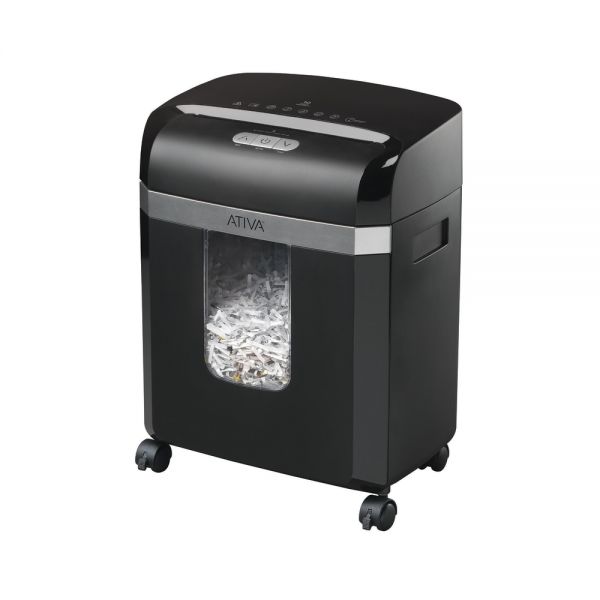
The fastest fix for a blinking blue light is often the simplest one: resetting the bin detection system.
Empty the Bin Completely
Even if the bin appears only 70 percent full, empty it entirely. Shredded paper expands and compacts unpredictably, and sensors can trigger early warnings. Do not rely on visual estimates. Empty the bin every time the blue light blinks.
Remove and Reinsert the Bin Firmly
- Pull the bin out fully.
- Inspect the bottom for residual paper fragments.
- Push the bin back in firmly until you hear a click.
Many models, especially the HD Pro 2000, require full mechanical engagement. A slightly loose fit prevents the safety switch from closing, which causes a false “bin open” signal.
Tap to Reset Sticky Sensors
If the bin is empty and seated but the light still blinks, try this: remove the bin, then while reinserting it, tap the bottom of the bin lightly with your foot. This jostles mechanical sensors that may be stuck, especially in older models like the 10MC02.
Block Light Interference on the Bin

Some Ativa models use optical sensors that detect bin full status by measuring light reflection. If ambient light enters the bin chamber, it can trick the system into thinking the bin is full, even when it is empty.
Check for a Clear Window
Inspect your waste bin for a clear plastic window. These are common on models like the 10MC02 and A14MC19.
Cover the Window
- Cut a small piece of opaque paper or tape.
- Tape it over the inside or outside of the window.
- Reinsert the bin and test the shredder.
This blocks stray light from hitting the sensor and has resolved the issue for many users immediately.
Clean the Sensors and Feed Area

Dust, paper fibers, and oil buildup can coat sensors and prevent accurate detection. A thorough cleaning often clears persistent blinking.
Power Down and Unplug First
Switch the master power to OFF and unplug the shredder. Never clean internal components while the unit is powered.
Vacuum the Bin Interior
- Lay the bin upside down or on its back.
- Use a vacuum with a brush attachment to clean the bottom, sides, and top rim where sensors are located.
- Pay special attention to any visible infrared sensor ports.
Clean LED and Sensor Lenses
Dampen a cotton swab with isopropyl alcohol and gently wipe the LED near the paper intake, as well as any small lens or dot on the shredder head or bin housing. Avoid scratching and let everything dry completely before reassembly.
Inspect Under the Blades
Use a flashlight to peer beneath the cutting blades. Look for paper fragments wedged underneath or dust clumps blocking sensor paths. Use tweezers or compressed air to remove debris. Do not insert tools while the shredder is powered.
Reset the System with a Power Cycle
When cleaning and reseating do not work, a full system reset is required, especially for models showing alternating red and blue lights.
Unplug for 20 to 30 Minutes
- Unplug the shredder from the wall outlet.
- Wait at least 20 minutes, or 30 to 50 minutes if overheating is suspected.
This allows the thermal protector to reset, the internal logic board to clear error states, and sticky relays to cool and release.
Try Reverse Before Auto
After replugging, press and hold the Reverse button for 3 seconds. Listen for motor engagement, then release and try Auto mode with a single sheet. This clears latent jams and confirms the motor is functioning.
Fix Alternating Lights on Model A14MC19
This model is prone to red and blue blinking after heavy use. Follow this sequence:
1. Unplug for 20 or more minutes.
2. Empty the bin and clean the sensors.
3. Reinsert the bin firmly.
4. Hold Reverse to reset the motor.
Most units resume normal operation after completing these steps.
Prevent Future Blinking Light Errors

Avoid recurring issues with these simple maintenance habits.
Do Not Overfill the Bin
Empty the bin when it is about three-quarters full. Shredded paper compacts and expands, triggering sensors prematurely if overfilled.
Oil the Blades Regularly
Use shredder oil every 15 to 20 uses. Feed oil sheets or spray into the intake, then run in Auto or Reverse mode to distribute. Oiling reduces paper dust, prevents jams, and keeps sensors clear.
Respect Sheet and Card Limits
Do not exceed 10 sheets per pass on cross-cut models, and insert only one credit card at a time. Feeding multiple cards can jam blades and strain the motor, which may cascade into sensor errors.
Keep the Feed Area Clean
Wipe the feed slot weekly with a dry cloth. Dust buildup around sensors leads to false readings over time.
Know When to Seek Repair or Replacement
If all troubleshooting steps fail, the issue may be hardware-related.
Check for Internal Failures
Models like the DX180D may suffer from faulty internal switches, blown fuses, or failed motor relays. These require disassembly and are not user-serviceable without technical skill.
Use Warranty and Support Options
If your shredder is under warranty, contact Ativa support for a possible free replacement. If it is out of warranty, consider the official Ativa helpline for diagnostics or a third-party shredder repair service for models like the X1800 or AT 1250.
Consider Replacement
If your shredder is over three years old and frequently malfunctions, replacement may be more cost-effective than repair. Modern Ativa models offer better sensor reliability and longer duty cycles.
Frequently Asked Questions About Ativa Shredder Blinking Blue Light
Why is my Ativa shredder blinking blue but the bin is empty?
A blinking blue light with an empty bin usually points to a sensor issue. Dust on the optical sensor, ambient light entering through a bin window, or a loose bin can all trigger a false “Bin Full” alert. Try reseating the bin firmly, covering any clear windows with opaque tape, and cleaning the sensors with a cotton swab and isopropyl alcohol.
How do I reset my Ativa shredder?
Unplug the shredder and wait at least 20 minutes. This allows the thermal protector and internal logic board to reset. After replugging, press and hold the Reverse button for 3 seconds to clear any latent jams, then test with a single sheet in Auto mode.
What does alternating red and blue light mean on the Ativa A14MC19?
Alternating red and blue blinking on the A14MC19 indicates a system error, often caused by minor jams, motor strain, or debris beneath the blades. Unplug the unit for 20 or more minutes, empty the bin, clean the sensors, and hold the Reverse button to reset the motor.
Can I keep shredding if the blue light is blinking?
No. The shredder locks out operation when the blue light blinks to prevent overflow or damage. Continued attempts to force shredding can strain the motor and worsen the underlying issue.
How often should I oil my Ativa shredder?
Oil the blades every 15 to 20 uses, or whenever you notice increased noise or slower shredding. Regular oiling reduces paper dust buildup, which is a common cause of sensor errors.
When should I replace my Ativa shredder instead of repairing it?
Consider replacement if your shredder is over three years old, frequently malfunctions despite troubleshooting, or requires costly internal repairs. Modern models offer improved sensor reliability and longer continuous run times.
Final Thoughts on Fixing Your Ativa Shredder Blinking Blue Light
A blinking blue light on your Ativa shredder is rarely a serious failure. In most cases, emptying the bin, reseating it firmly, and cleaning the sensors will restore full function within minutes. For stubborn issues, especially alternating red and blue lights on the A14MC19, a 20-minute power cycle often resets the system completely.
The best long-term strategy is prevention. Empty the bin before it overflows, oil the blades regularly, and respect the sheet and card limits. These habits keep sensors clean and reduce false triggers. Keep this guide bookmarked so the next time that blue light starts blinking, you will know exactly what to do.





