

Is your Aurora paper shredder jammed and refusing to power through documents? A paper jam can halt productivity and leave sensitive materials unshredded. For models like the Aurora AU820MA, jams are often caused by paper buildup, lack of lubrication, or overloading the feed slot. Simply pressing reverse may not clear deep obstructions, so full disassembly is sometimes required. In this guide, you will learn how to safely unjam your Aurora shredder, remove trapped debris, properly lubricate the blades, and prevent future jams. Whether you are dealing with a stubborn paper tangle or recurring clogs, these steps will restore your shredder to smooth operation.
Unplug Before Starting
Prevent Electrical Shock and Accidental Activation
Always disconnect the shredder from the power outlet before attempting any repair. This prevents accidental motor activation while your hands or tools are near the blades. Even models with automatic reverse can engage unexpectedly during troubleshooting. Unplugging eliminates electrical risk and ensures safe access to internal components.
Warning: Never attempt to clear a jam while the unit remains plugged in.
Identify the Jam Type
Simple Jam or Deep Obstruction?
Understanding the severity helps determine your next move.
No Paper Movement
If the shredder makes noise but paper will not feed or reverse, the jam is likely deep. Paper is wedged between blades or gears inside the cutting chamber.
Reverse Function Works
If pressing reverse ejects paper easily, the jam is minor. Feed fewer sheets next time to avoid repeat issues.
Motor Does Not Engage
No sound could mean a safety interlock is triggered or the motor is overloaded. First, unplug the unit and wait 30 minutes for a full reset.
Clear Minor Jams Without Tools
Use Reverse and Manual Pull
For light jams, avoid disassembly entirely.
- Switch the shredder to Reverse mode.
- Press the power button to eject paper.
- If paper tears, use tweezers to gently pull out stuck fragments.
- Switch back to Auto or Forward once the jam clears.
Pro Tip: Feed a lubrication sheet or oil strip after clearing to reduce friction.
Disassemble for Stubborn Jams
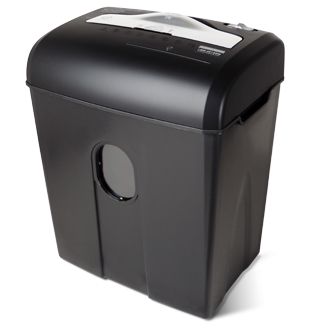
Required Tools and Preparation
When reverse fails, opening the unit becomes necessary. This is common with the Aurora AU820MA, which traps paper deep in the cutting assembly.
Gather Precision Tools
- Phillips #0 or #1 screwdriver
- Plastic prying tool
- Tweezers
- Small brush (a clean toothbrush works)
- Magnetic mat or tray to hold screws
Never use a larger screwdriver. The screws are tiny and strip easily.
Remove the Housing
Open the Casing Safely
- Place the shredder on a soft surface to avoid scratches.
- Locate all external screws, usually on the bottom and back.
- Remove each screw and place it on a magnetic mat to avoid loss.
- Insert a plastic prying tool at the seam between casing halves.
- Gently twist and work around the edges until the cover releases.
Avoid metal tools. They can crack or scratch the plastic housing.
Extract Jammed Paper
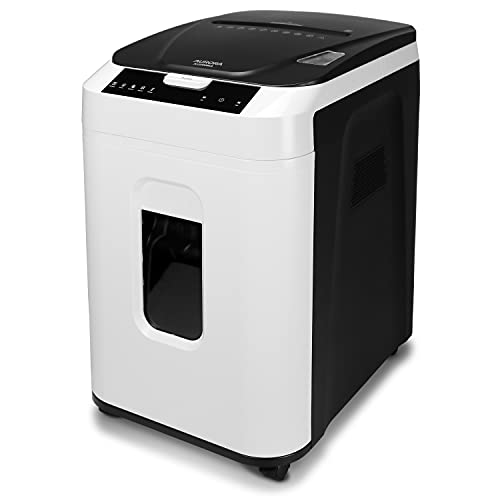
Inspect and Clean Internal Components
With the housing off, visually inspect the blade assembly.
What to Look For
- Wadded paper between blades
- Shreds caught in gear teeth
- Dust buildup around the motor shaft
Clear Debris Thoroughly
- Use tweezers to pull out paper fragments.
- Sweep gears and blade edges with a small brush.
- Check both entry and exit sides of the cutter.
Even a small shred can cause an immediate re-jam. Be thorough.
Lubricate the Blades
Prevent Future Jams with Proper Oil
Dry blades create friction, leading to recurring jams. Lubrication is critical after any deep cleaning.
Use Correct Oil Only
- Shredder-specific oil (available online or with shredder accessories)
- No vegetable oil, WD-40, or motor oil. These gum up blades or damage plastic
Apply Properly
- Turn the blade shaft by hand to expose the full length.
- Apply a few drops of oil along the blade edges.
- Manually rotate the blades to spread oil evenly.
- Let sit 5–10 minutes before reassembly.
Frequency Tip: Oil every 15–20 minutes of continuous use for best performance.
Reassemble Carefully
Align and Secure the Housing
- Ensure all internal parts are seated with no wires pinched.
- Match the top and bottom casing precisely.
- Insert all screws by hand first to avoid cross-threading.
- Tighten gently. Do not overtighten. Plastic threads strip easily.
Check flush fit: Gaps mean misalignment or a missing screw.
Test After Repair
Verify Smooth Operation
- Plug in the shredder.
- Run in reverse briefly to ensure free movement.
- Feed one sheet slowly to test cutting.
- Switch to auto mode and shred a few pages.
If it jams again, repeat inspection. Tiny debris may remain inside the chamber.
Prevent Future Jams
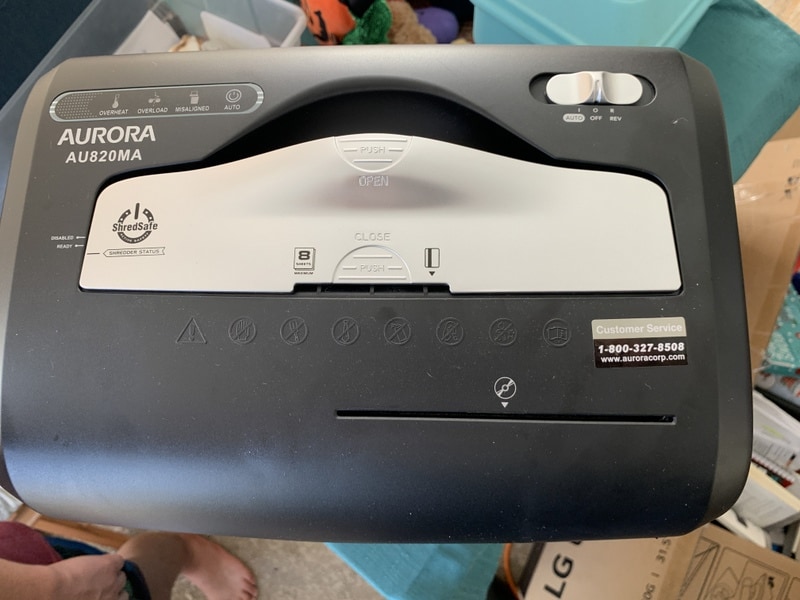
Follow Best Practices
Avoid repeat issues with smart usage habits.
Do Not Overload the Throat
- Shred small batches at a time for cross-cut models.
- Even if rated for higher capacity, smaller batches reduce strain.
Avoid Non-Paper Materials
- Remove staples and paper clips before shredding.
- Only shred plastic cards if your model supports them.
- Cardboard and thick mailers are usually too dense.
One staple can misalign blades or cause an immediate jam.
Maintain a Cleaning Schedule
Regular Upkeep Prevents Buildup
Prevention beats repair. Stick to this routine:
- Blade lubrication: Every 15–20 minutes of use
- Dust cleaning: After heavy use
- Full inspection: Every 3 months
Use a dedicated shredder cleaner sheet monthly to remove residue.
When to Seek Professional Help
Some Situations Require Expert Hands
Call a Technician If:
- Screws are stripped and the casing will not open
- The motor runs but blades do not turn
- You feel uncomfortable with disassembly
- The unit overheats repeatedly
Find Local Support
In Maryland, look for appliance repair services that specialize in office equipment. For warranty-covered units, contact Aurora customer support directly.
Some local shops offer jam clearing for $20–$40. Cheaper than replacement.
Frequently Asked Questions About Aurora Paper Shredder Jams
Why does my Aurora shredder keep jamming?
Frequent jams usually result from paper buildup in the cutting chamber, overloading the feed slot, or dry blades creating excess friction. Regular lubrication and smaller batch sizes prevent most recurring jams.
Can I use WD-40 on my Aurora shredder blades?
No. WD-40, vegetable oil, and motor oil should never be used. These substances can gum up blades or degrade plastic components. Always use oil specifically formulated for paper shredders.
How do I open an Aurora AU820MA without stripping screws?
Use a Phillips #0 or #1 precision screwdriver with steady, even pressure. A magnetic mat helps keep screws organized. If screws are already stripped, seek professional repair to avoid further damage.
How often should I oil my Aurora shredder?
Oil the blades after every 15 to 20 minutes of continuous use. This reduces friction, prevents heat buildup, and extends blade life. Use a lubrication sheet weekly for light maintenance.
What should I do if the reverse function does not work?
Unplug the unit and wait 30 minutes for the motor to reset. If reverse still fails, the jam is likely deep inside the cutting assembly and requires disassembly to clear manually.
When is it time to replace my Aurora shredder instead of repairing it?
Consider replacement if the motor fails repeatedly, the casing is cracked beyond repair, or screws are stripped and the unit cannot be opened safely. For minor jams and routine maintenance, repair is usually the better option.
Key Takeaways for Fixing Your Aurora Paper Shredder
A jammed Aurora paper shredder is often fixable at home with patience and the right tools. Always unplug the unit first, disassemble the housing carefully using a precision screwdriver and plastic prying tool, and remove all debris from the blades and gears. Lubricate with shredder-specific oil every 15–20 minutes of use to prevent friction-based jams. The AU820MA model can be tricky due to small screws, but a magnetic mat and steady hands make the job manageable. Follow preventative steps like batch feeding and regular oiling to avoid future issues. If screws are stripped or you feel unsure, contact Aurora customer support or a local Maryland repair technician for safe, affordable service.





