You’ve fed countless documents through your shredder without a second thought, watching sensitive papers transform into confetti. But behind that hum of the motor lies a fascinating interplay of mechanical precision and electronic intelligence. How does a paper shredder work to turn your confidential documents into unreadable fragments? The answer involves high-torque motors, interlocking blade systems, and safety sensors all working in harmony to protect your information.
This guide walks you through the complete operating mechanism of paper shredders. You’ll learn how universal motors drive the cutting action, why gear reduction systems are essential for clean cuts, and what distinguishes strip-cut from micro-cut security levels. We also cover maintenance tips, common troubleshooting steps, and how to choose the right shredder for your security needs.
The Core Shredding Mechanism

At its most basic level, a paper shredder uses an electric motor to drive rotating cutting blades that slice paper into strips or particles. The motor sits at the heart of this process, connected to the blades through a gear system that converts high-speed rotation into powerful, slow cutting action.
How the Motor Powers the Blades
Most consumer and office shredders use a universal motor, which operates efficiently on both AC and DC power. These motors deliver high torque at low speeds, making them ideal for slicing through stacks of paper without stalling. Typical motor speeds range from 1,700 to 3,300 RPM, but this high speed must be reduced significantly for effective cutting.
The gear reduction system steps down motor speed while multiplying torque. A typical configuration might include a 5:1 first-stage reduction followed by a 2:1 second stage. Without this gearing, the blades would spin too fast to cut cleanly, resulting in jams and overheating.
The Paper Feed and Cutting Process
When you insert paper into the shredder’s feed slot, it breaks an infrared optical beam that spans the entry point. This sensor signals the control board to activate the motor automatically. The moment paper contacts the rotating blades, friction pulls it in, a process known as self-feeding.
The cutting assembly then takes over, slicing the paper based on its design. Mounted on rotating shafts, cutting cylinders interlock with stationary plates or with each other in dual-shaft models. Small rubber or plastic strippers on the cylinder edges help remove fragments from the blade surfaces, preventing buildup and ensuring consistent performance.
Types of Paper Shredders and Their Cuts
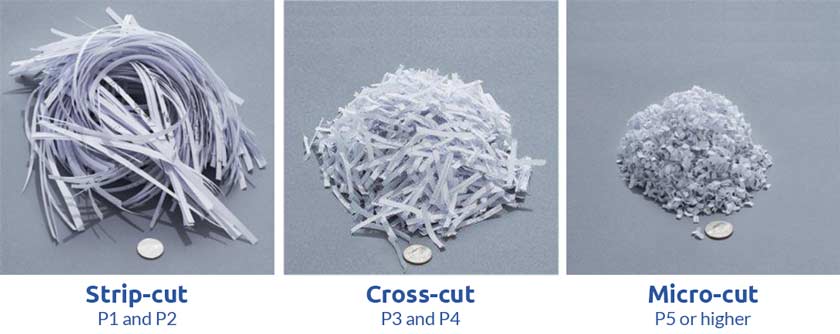
The security level of a shredder depends entirely on its cutter geometry. Understanding the differences helps you choose the right machine for your needs.
Strip-Cut Shredders
Strip-cut machines use a single horizontal shaft with circular disc blades rotating against a fixed plate. This produces long vertical strips typically 5 to 7mm wide. These shredders offer the lowest security level (P-1) because the long strips retain vertical text continuity, making reconstruction relatively easy.
The mechanical simplicity of strip-cut models means fewer moving parts, less motor strain, and lower costs. They’re best suited for non-sensitive documents like junk mail or draft copies where security isn’t a concern.
Cross-Cut Shredders
Cross-cut shredders use two interlocking shafts that counter-rotate, cutting paper both vertically and horizontally. This produces confetti-sized rectangular or diamond-shaped particles typically 3 to 6mm in size. A single sheet can be reduced to 500 to 800 pieces, making reconstruction extremely difficult.
These machines provide security levels P-3 to P-4, making them ideal for offices handling financial records, HR files, or personal data. However, the dual-shaft design requires more complex mechanics and more frequent oiling to prevent paper dust buildup.
Micro-Cut Shredders
Micro-cut models represent the highest security option for most users. An advanced version of cross-cut with tighter blade spacing and more complex geometries, these machines produce particles as small as 2mm by 11mm. Security levels reach P-5 to P-7, nearly impossible to reconstruct.
The NSA requires shreds no larger than 1mm by 5mm for classified material, and only certified shredders meet this standard. These high-security machines cost between $20,000 and $30,000 and can shred up to 500 sheets at once.
Internal Components and Their Functions
Understanding the internal architecture helps when troubleshooting problems or maintaining your shredder.
The Universal Motor Explained
Universal motors use electromagnets for both the stator and rotor, unlike motors with permanent magnets. When AC power is applied, current reverses direction, but magnetic fields in both components reverse simultaneously, ensuring consistent torque direction for continuous rotation.
These motors typically draw 1 to 1.5 amps, translating to 140 to 240 watts. Higher-wattage models handle heavy-duty use better. A start capacitor provides the initial power boost needed for the motor to overcome inertia and start reliably.
The Gear Train System
The multi-stage gear train is critical because shredding blades require slow, powerful rotation rather than the motor’s high-speed spin. Gears reduce speed while multiplying torque, allowing blades to cut through paper without overheating.
These gear systems often use standard spur gears for efficiency. However, gear teeth are a common failure point under repeated stress. If teeth strip completely, the machine becomes inoperable even if the motor still functions.
Control Board Electronics
The main control board manages all electronic functions, including motor activation through a large relay, sensor input monitoring, reverse function control, and safety shutdown logic. Minimalist designs reduce component count for improved reliability.
A start capacitor provides the initial torque boost required for reliable motor ignition. The board also manages thermal cutout protection and monitors bin-seating sensors to prevent operation when the unit isn’t properly assembled.
Sensors and Automatic Features
Modern shredders rely on multiple sensors for safe, convenient operation.
Optical Beam Sensor for Auto-Start
An infrared beam crosses the paper entry throat. When paper breaks this beam, the sensor triggers the motor to start automatically. If the beam is blocked by dust, oil, or debris, the machine won’t activate, often indicated by a red light.
Cleaning the lens through a small exterior access hole is a standard maintenance task. Many users encounter this issue when the shredder refuses to start despite having paper in the slot.
Bin Sensors for Safety
Three key sensors ensure safe operation. The bin-full sensor stops the machine when waste reaches capacity. The bin-seating sensor prevents startup if the bin isn’t properly inserted. The door-open sensor immediately cuts power if the top housing opens during operation.
These safety features prevent jams, spills, and accidental contact with moving blades. Always ensure the bin is fully seated before operating your shredder.
Thermal Protection Systems
Continuous use generates heat, and thermal cutout switches disable the motor if temperatures exceed safe limits. If your shredder stops mid-use and won’t restart, it likely triggered thermal protection.
Most units require a 45-minute cool-down period before resuming operation. Bypassing this feature risks permanent motor damage. Watch for specific indicator lights that signal overheating versus other problems.
Security Standards and Data Protection

Shredder security is classified by international standards that define acceptable particle sizes for different sensitivity levels.
DIN 66399 Classification System
This German standard defines shredder security levels based on particle size. P-1 level allows particles up to 2,000mm² or strips up to 12mm wide, suitable for general internal documents. P-3 requires fragments under 1.5mm by 11mm. P-4 requires fragments under 2mm by 11mm. Higher levels (P-5 through P-7) progressively reduce particle size for top-secret data.
Choosing the right security level depends on your specific needs. Personal identity information typically requires P-4 or higher, while financial records benefit from P-3 or above.
Historical Examples of Reconstruction Vulnerabilities
Strip-cut vulnerabilities have been demonstrated multiple times. During the 1979 Iranian hostage crisis, embassy staff used strip-cut machines, but Iranian experts reconstructed documents using skills from Persian carpet weaving. The recovered documents were later published by the Iranian government.
The DARPA Shredder Challenge in 2011 offered $50,000 for solving shredded document puzzles. The winning team used automated sorting combined with human review, solving the puzzles in 33 days. These examples demonstrate why cross-cut and micro-cut shredders are essential for sensitive documents.
Forensic experts can also identify the specific machine used based on blade spacing and wear patterns, linking shredded material to a particular shredder like a fingerprint.
Maintenance and Best Practices
Regular maintenance extends your shredder’s lifespan and ensures consistent performance.
Oil Frequency by Shredder Type
Lubrication reduces friction and clears paper dust from blade mechanisms. Strip-cut shredders need oiling every 2 to 3 bin emptyings. Cross-cut models require oiling every bin emptying. Micro-cut shredders need oiling every 30 minutes of use due to higher friction from tighter blade spacing.
To oil properly, apply shredder oil in a zigzag pattern across the feed slot, then run the machine in reverse for 10 to 15 seconds to distribute oil to all cutting surfaces. Always use shredder-specific oil, never household lubricants.
Feeding Guidelines for Optimal Performance
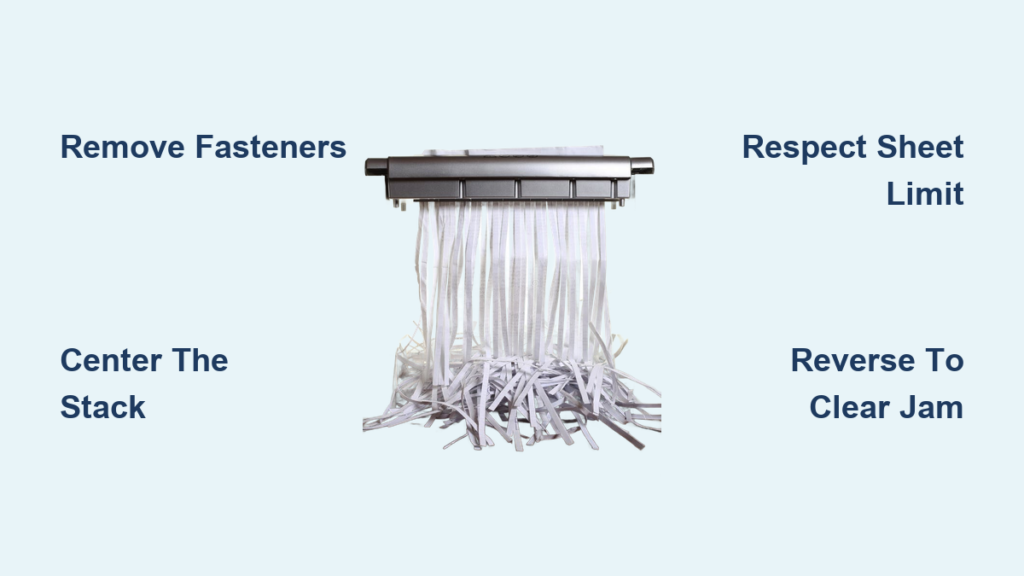
Never exceed your shredder’s rated sheet capacity. For cross-cut models, operate at 70% of rated capacity. For micro-cut models, stay at 65% or below. This extends motor and blade life significantly.
Feed documents so text runs perpendicular to the blades for maximum security. Feeding documents the “wrong way” (text parallel to blades) makes reconstruction easier, a technique famously used during the Enron scandal.
Common Materials to Avoid
Do not shred wet or sticky paper, which causes jams and blade damage. Remove excessive staples and paper clips, though occasional staples are usually tolerated. Avoid plastic cards unless your model includes a specific slot for them. Oversized items can damage the cutting mechanism.
Troubleshooting Common Problems
Knowing how to diagnose issues saves time and prevents unnecessary service calls.
Resolving Paper Jams
If paper jams, switch to reverse mode first. Let blades spin backward to eject paper naturally. If this doesn’t work, unplug the unit and use needle-nose pliers to gently remove remaining pieces. Always unplug before manual clearing.
Paper wraps around shafts are a common cause of feeding problems. Engaging reverse for 15 to 30 seconds often dislodges these thin layers without disassembly.
Addressing Power and Startup Issues
If your shredder won’t start, check if the bin is properly seated. Verify the optical sensor isn’t blocked by dust or oil. If the unit has overheated, wait the required cool-down period, typically 45 minutes.
A red light often indicates a dirty sensor. Clean the lens with a dry paper towel through the access hole. If lights remain off after checking these items, internal wiring or the control board may be faulty.
Fixing Inconsistent Cuts
Inconsistent cut quality usually indicates dull blades or insufficient lubrication. Try oiling first. If the problem persists, the cutting assembly may need professional service or blade replacement.
Excessive noise during operation often signals gear problems. If grinding sounds occur, stop immediately to prevent complete gear failure.
Industrial vs. Commercial Shredders
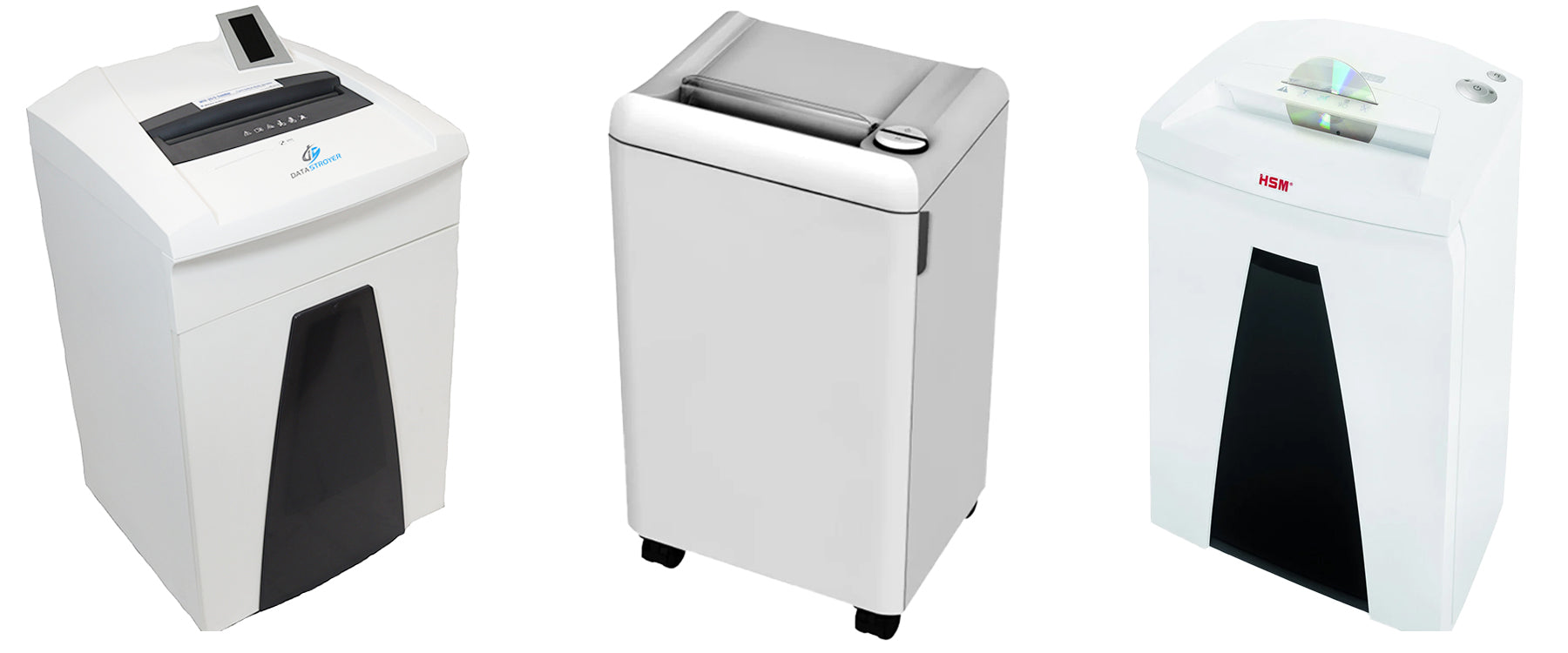
Understanding the difference helps when selecting equipment for specific needs.
Commercial Shredder Applications
Commercial shredders target home offices, small businesses, and department copy rooms. They handle moderate volumes, typically 12 to 20 sheets per pass. These units feature compact designs, often 1 to 2 feet tall, with noise reduction features for shared workspaces.
Operation involves intermittent use cycles with required cooling periods. Running continuously beyond designed limits causes overheating and premature component failure.
Industrial Shredder Capabilities
Industrial shredders process hundreds of kilograms per hour, capable of shredding over 500 sheets at once. They’re designed for continuous operation in recycling centers, government archives, and document destruction services.
These machines handle various materials beyond paper, including cardboard, plastics, hard drives, and uniforms. Industrial units often feed directly into compactors that bale output for efficient transport to recycling facilities.
Frequently Asked Questions About Paper Shredders
What is the difference between strip-cut and cross-cut shredders?
Strip-cut shredders use a single shaft with circular blades to produce long vertical strips, offering lower security as documents can potentially be reconstructed. Cross-cut shredders use two interlocking shafts to cut paper both vertically and horizontally, producing confetti-sized pieces that are much harder to reassemble.
How often should I oil my paper shredder?
Oiling frequency depends on your shredder type. Strip-cut models need oiling every 2 to 3 bin emptyings. Cross-cut models require oiling every bin emptying. Micro-cut shredders need oiling every 30 minutes of use due to higher friction from tighter blade spacing.
Can shredded paper be reconstructed?
Yes, especially with strip-cut shreds. During the 1979 Iranian hostage crisis, Iranian experts reconstructed strip-shredded documents using carpet-weaving skills. Modern computer algorithms can also piece together strips, though cross-cut and micro-cut particles make reconstruction extremely difficult or impossible.
What does the NSA require for shredding classified documents?
The NSA requires shreds no larger than 1mm by 5mm for top-secret material. Only certified shredders meet this standard, and they typically cost between $20,000 and $30,000, capable of shredding up to 500 sheets at once.
Why does my shredder stop working mid-use?
Your shredder likely triggered thermal protection due to overheating. Continuous use generates heat, and if the motor exceeds safe temperatures, the thermal cutout disables operation. Wait 45 minutes before retrying, and ensure you’re not exceeding rated capacity.
What causes paper jams in shredders?
Paper jams occur when too many sheets are fed at once, when paper is fed at an angle, or when the blades need lubrication. A paper wrap around the shaft can also prevent feeding. Try reverse mode first to clear jams, and maintain regular oiling schedules.
Key Takeaways for Understanding Paper Shredder Operation
Understanding how a paper shredder workshelps you choose the right machine and maintain it properly. The universal motor drives the process, but the gear reduction system is what transforms high-speed rotation into powerful, clean cutting action. Without this critical component, blades would spin too fast to cut effectively.
The cutter geometry determines your security level. Strip-cut offers convenience and lower cost but provides minimal security. Cross-cut balances security with reasonable maintenance requirements. Micro-cut delivers maximum protection for sensitive documents but requires frequent oiling and careful capacity management.
Regular maintenance matters. Oil your blades according to manufacturer schedules, avoid overloading capacity, and feed documents perpendicular to blades for optimal security. Troubleshooting common problems like sensor blockages and paper wraps extends your machine’s lifespan significantly. With proper care, your shredder provides years of reliable document destruction.