
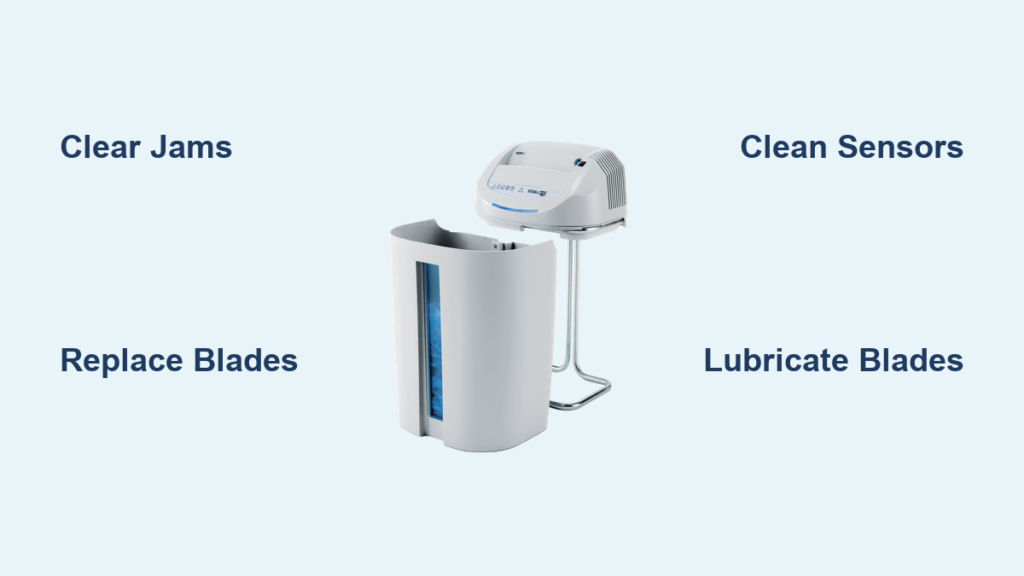
Is your Kobra shredder jamming, running nonstop, or making grinding noises? You are not alone. Kobra shredder repair is a common need across offices and industrial settings, especially as blades dull, sensors fail, or gears wear down. Whether you own a deskside model like the Kobra 240 C2 or a heavy-duty cardboard recycler like the Kobra 400 C4, timely repair keeps your documents secure, your workflow uninterrupted, and your equipment running efficiently. This guide walks you through diagnosing common problems, sourcing the right replacement parts like the 310064KBA KOBRA Blade B, and deciding whether to DIY or call a factory-trained technician.
Diagnose Common Shredder Failures
Before disassembling your Kobra shredder, identify the root cause. Most issues fall into five categories: jams, motor failure, sensor faults, cutting problems, and abnormal noise. Pinpointing the issue saves time and ensures you replace only what is necessary.
Paper Jams and Feeding Issues
Jams are the most frequent complaint. If paper stops feeding or gets stuck mid-shred, check these areas:
- Blade blockage: Paper fragments or staples may be packed between cutting cylinders
- Sensor misalignment: Auto-feed sensors can become dirty or displaced, preventing activation
- Worn feed rollers: Over time, rollers lose grip, especially on thicker stacks
Pro Tip: Always power off and unplug before clearing a jam. Use tweezers or needle-nose pliers. Never use your fingers to remove debris.
Shredder Runs Continuously
If your Kobra runs nonstop even with no paper, the problem is likely electronic:
- Faulty optical sensor: Dust or paper dust buildup can trick the sensor into thinking paper is always present
- Stuck switch: The start/stop switch may be jammed in the on position
- Control board glitch: Rare, but possible in older models
Quick Fix: Power cycle the unit. If that fails, clean the sensor window with a dry cotton swab.
Poor Cutting Performance
Torn or partially shredded paper indicates mechanical wear:
- Dull blades: Most common in high-volume units. Replace or sharpen.
- Misaligned cutters: Impact from jams can knock blades out of alignment
- Low torque transmission: Worn belts or gears reduce cutting force
Visual Cue: Inspect shreds. If strips are uneven or fibers are frayed, blades need attention.
Unusual Noises During Operation
Grinding, squealing, or rattling sounds signal internal damage:
- Worn gears: Common in industrial models. Listen near the drive train.
- Bearing failure: Often causes a high-pitched whine.
- Foreign object: Paper clips, staples, or plastic can get lodged in cutters.
Warning: Stop use immediately if noise persists. Continuing can cause cascading damage to motors and other components.
No Power or Motor Failure
If the shredder will not turn on:
- Check power cord: Inspect for fraying or loose connections
- Test outlet: Plug in another device to confirm power
- Internal motor fault: Burnt windings or failed capacitors require replacement
Troubleshooting Step: Use a multimeter to test continuity in the power cord and switch.
Replace Critical Kobra Shredder Parts
Once you have diagnosed the issue, source the correct replacement component. Kobra parts are model-specific. Always verify compatibility before ordering.
Install New Shredder Blades
Blades are the heart of your Kobra shredder. For high-capacity models, the 310064KBA KOBRA Blade B is engineered for durability and clean cuts.
Replacement Steps:
- Unplug the unit and remove the waste bin
- Open the cutting head housing. Screws or clips depending on your model.
- Carefully remove old blades. Note the orientation for proper reassembly.
- Insert new blades, ensuring alignment pins fit securely
- Reassemble and test with a single sheet
Pro Tip: Lubricate new blades with Kobra-approved oil before first use for optimal performance.
Fix Gear and Belt Problems
Gears and belts transmit power from motor to cutters. Wear leads to slippage or complete failure.
Symptoms of Failure:
- Motor runs but cutters do not turn. Belt slip is the likely cause.
- Intermittent operation during use
- Grinding sound coming from the gear train
Replacement Tips:
- Match belt size exactly. Measure if part number is missing.
- Inspect gear teeth for chipping or wear.
- Replace both belt and gears if one is damaged to prevent mismatched wear patterns.
Upgrade Motors and Sensors
For total power loss or erratic behavior, replace the motor or sensor.
Motor Replacement:
- Disconnect all wiring before removal.
- Match voltage, RPM, and shaft size exactly.
- Secure mounting brackets tightly to prevent vibration.
Sensor Replacement:
- Locate near feed opening. Usually infrared type.
- Clean before replacing. Many failures are just dirt accumulation.
- Align new sensor per manufacturer specs to ensure reliable auto-start functionality.
Swap Switches and Power Cords
User interface components degrade with use.
When to Replace:
- Switch feels loose or unresponsive during use
- Power cord is frayed or kinked
- Intermittent power delivery to the unit
Safety First: Use only UL-listed cords. Never splice or tape damaged wiring.
Source Genuine Kobra Parts Efficiently
Using OEM or high-quality compatible parts ensures fit, performance, and safety.
Buy from Specialized Suppliers
Kobraparts.com and similar vendors offer:
- Model-specific part filtering for accurate fits
- Clear images and descriptions for identification
- Direct support for compatibility checks
Advantage: Avoid generic parts that may not meet Kobra engineering tolerances.
Avoid Retailer Markups
General retailers often charge more. Save by:
- Ordering directly from Kobra specialists
- Using bulk discounts for office fleets
- Qualifying for free shipping on larger orders
Pro Tip: Keep spare blades and belts on hand to minimize downtime during repairs.
Choose DIY vs Professional Repair
Decide whether to fix it yourself or call a technician based on complexity and equipment value.
When to DIY
Ideal for:
- Simple jam clearing in residential or small office settings
- Blade replacement on deskside models
- Lubrication and routine cleaning tasks
- Power cord or switch swaps
Skill Level: Basic mechanical aptitude required. Always follow safety protocols and disconnect power before working.
When to Call a Technician
Call for:
- Internal gear or motor replacement
- Control board issues requiring diagnostics
- Industrial models like the Kobra 400 C4
- Recurring jams or unexplained failures despite troubleshooting
Expert Advantage: Factory-trained technicians understand Kobra-specific mechanics and can diagnose hidden issues that DIYers miss.
Schedule On-Site Service in the Tri-State Area
For heavy industrial units, on-site repair eliminates transport risks and saves time.
Service Coverage Areas
Available across:
- New York: NYC, Long Island, Westchester, Rockland, Orange Counties
- New Jersey: Bergen, Essex, Morris, Passaic, Union Counties
- Extended Tri-State: Parts of Connecticut and Pennsylvania. Coverage varies by provider.
Benefit: Same-day service available. Critical for businesses with compliance needs and tight deadlines.
Request Repair with Full Details
To get a fast quote or dispatch:
- Provide full address including ZIP and state
- Include contact info: name, phone, email
- Specify model number like Kobra 240 C2
- Describe symptoms clearly. Say grinding noise, wont start, or continuous run.
Support Channels:
- Phone: 800-634-9329 for general inquiries, 732-283-0414 for New Jersey
- Online Form: Use validated digital request forms for faster processing
- Expert Help: Technicians can guide part selection if you are uncertain about the component needed.
Maintain Your Shredder to Prevent Failures
Proactive care extends life and avoids emergency repairs.
Follow Lubrication Schedule
Lubrication is mandatory, not optional.
Best Practices:
- Use Kobra-recommended oil or shredder-specific lubricant sheets
- Oil blades every 30 minutes of continuous use or weekly in office settings
- Never use WD-40. It attracts dust and degrades performance over time.
Result: Smoother operation, cooler running temperatures, and reduced wear on internal components.
Inspect Blades and Gears Regularly
For industrial units, schedule monthly checks.
What to Look For:
- Blade dullness. Look for rounded edges versus sharp edges.
- Gear tooth wear or chipping on the drive train
- Belt tension and cracking from age
- Sensor cleanliness and alignment
Action: Replace at first sign of wear. Do not wait for complete failure.
Replace Parts Before Failure
Prevent cascading damage by replacing aging components early.
Example: A worn belt strains the motor. Replacing the belt proactively saves a 200 dollar motor replacement.
Rule of Thumb: If one part shows wear, inspect related components for early replacement.
Optimize Repair for Security and Sustainability

Repair is not just about function. It supports compliance and environmental goals.
Ensure Secure Document Destruction
A malfunctioning shredder may not meet security standards.
Risk: Partially shredded documents can be reconstructed by determined parties.
Solution: After repair, test with sensitive material and verify shred size. Cross-cut versus strip-cut makes a significant security difference.
Support Green Office Initiatives
Extending equipment life reduces e-waste.
Benefits:
- Less landfill volume from discarded equipment
- Lower carbon footprint compared to new manufacturing
- Aligns with corporate sustainability policies
Bonus: Kobra systems often integrate with color-coded waste sorting bins. Keep recyclables uncontaminated by proper separation.
Troubleshoot Model-Specific Issues
Different Kobra models have unique repair needs.
Kobra 400 C4 Repair Guide
This industrial cardboard recycler demands robust maintenance.
Common Failures:
- High-torque motor burnout from continuous use
- Blade wear from cardboard processing
- Sensor blockage from dust accumulation
Fix Strategy:
- Use heavy-duty belts and gears rated for industrial use
- Replace with 310064KBA Blade B for consistent performance
- Clean sensors daily in dusty environments
Kobra 240 C2 Desk-Size Fixes
Compact but prone to overloading if misused.
Frequent Issues:
- Jams from exceeding sheet capacity
- Dull blades from infrequent lubrication
- Power switch wear from daily use
Prevention:
- Never exceed 8 to 10 sheets at once
- Oil blades weekly during regular use
- Handle switch gently to prevent premature wear
Extend Shredder Lifespan with Best Practices
Maximize ROI by treating your Kobra like critical office equipment.
Use Genuine or High-Quality Compatible Parts
Avoid cheap knockoffs that fit poorly.
Why It Matters:
- OEM parts match original engineering tolerances exactly
- Compatible parts from reputable suppliers perform similarly well
- Generic parts may cause misalignment or premature failure
Testimonial: Users report 2 to 3 times longer life with genuine blades compared to generic alternatives.
Keep Environment Clean and Dry
Dust, moisture, and heat reduce reliability over time.
Ideal Conditions:
- Temperature between 60 and 80 degrees Fahrenheit
- Humidity below 60 percent
- Location away from windows, vents, or printers
Result: Fewer jams, less corrosion on metal components, and stable electronics.
Train Staff on Proper Use
Human error causes many avoidable repairs.
Training Tips:
- Remove paper clips and staples before shredding
- Do not shred plastic or CDs. These damage blades.
- Follow sheet capacity limits strictly
- Report issues immediately to prevent escalation
Outcome: Offices with trained staff report 40 percent fewer service calls.
Frequently Asked Questions About Kobra Shredder Repair
How do I fix a Kobra shredder that keeps jamming?
Check for blade blockage from paper fragments or staples. Inspect sensor alignment and verify feed rollers are not worn. Clear any debris, lubricate the blades, and test with a small stack of paper. If jams persist, replace the blade assembly or feed rollers.
Why does my Kobra shredder run continuously without paper?
A faulty optical sensor is the most common cause. Dust accumulation on the sensor tricks the machine into thinking paper is always present. Clean the sensor window with a dry cotton swab. If the problem persists, the sensor may need replacement.
Where can I buy replacement parts for my Kobra shredder?
Purchase from specialized suppliers like Kobraparts.com for OEM parts. These vendors offer model-specific filtering and compatibility support. Avoid general retailers that charge higher markups for the same components.
How often should I lubricate my Kobra shredder?
Oil blades every 30 minutes of continuous use or weekly in standard office settings. Use only Kobra-recommended oil or shredder-specific lubricant sheets. Never use WD-40 or generic lubricants that attract dust.
Can I repair my Kobra shredder myself or do I need a professional?
Simple repairs like jam clearing, blade replacement on deskside models, lubrication, and power cord swaps are suitable for DIY. Call a professional for internal gear or motor replacement, control board issues, industrial models, or recurring failures.
What is the 310064KBA Blade B used for?
The 310064KBA KOBRA Blade B is designed for high-capacity Kobra shredders. It delivers clean, consistent cuts in demanding environments and is engineered for durability and performance in industrial applications.
Key Takeaways for Kobra Shredder Repair Success
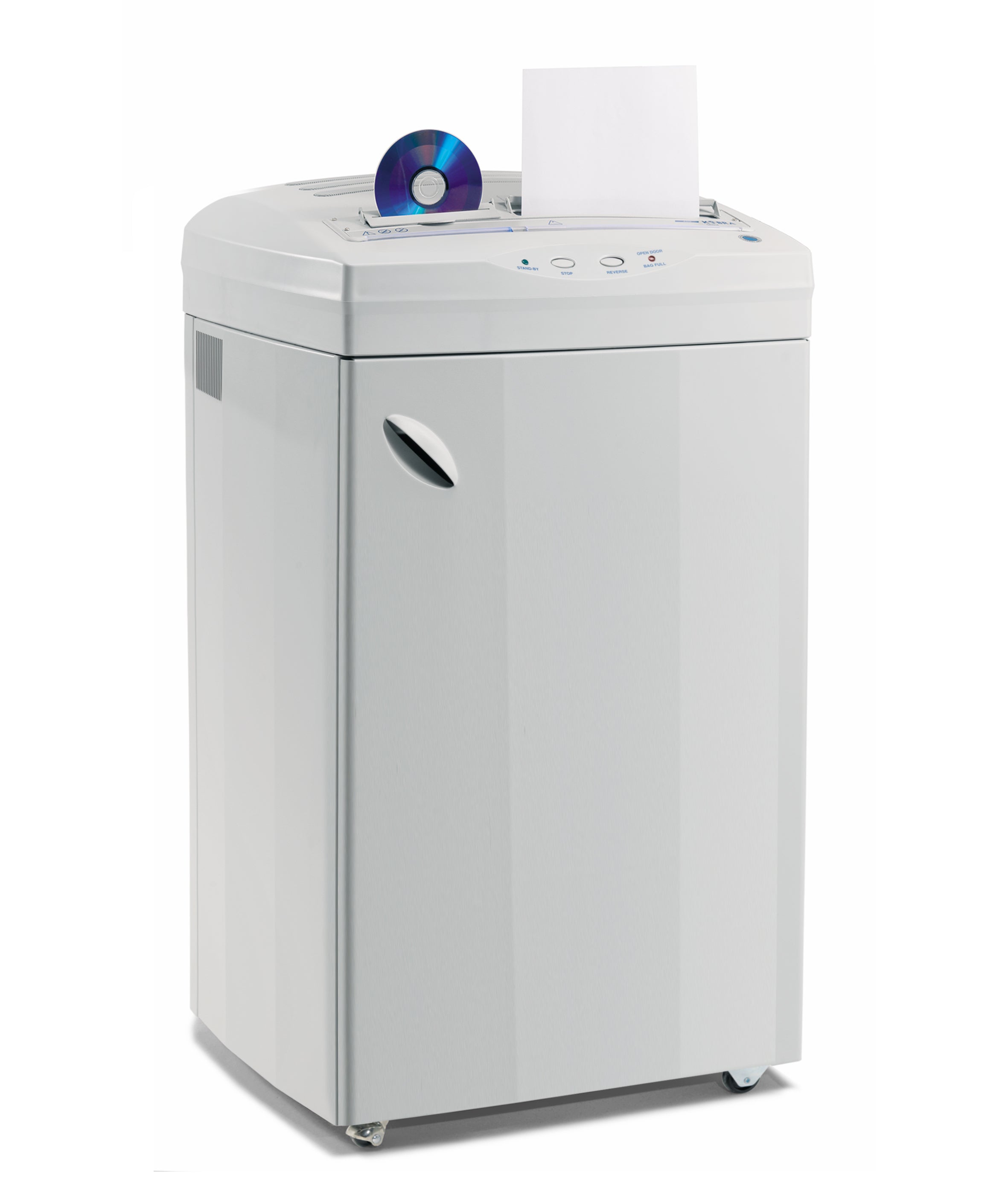
Whether you are repairing a Kobra 240 C2 or maintaining a fleet of industrial 400 C4 units, timely informed action prevents downtime and secures sensitive data. Use model-specific parts like the 310064KBA Blade B for reliable performance, follow lubrication schedules to extend component life, and leverage factory-trained technicians when needed. This is especially important in the Tri-State area where same-day service is available for businesses with compliance needs. Combine DIY know-how with professional support to keep your Kobra shredder running efficiently, securely, and sustainably for years to come.





