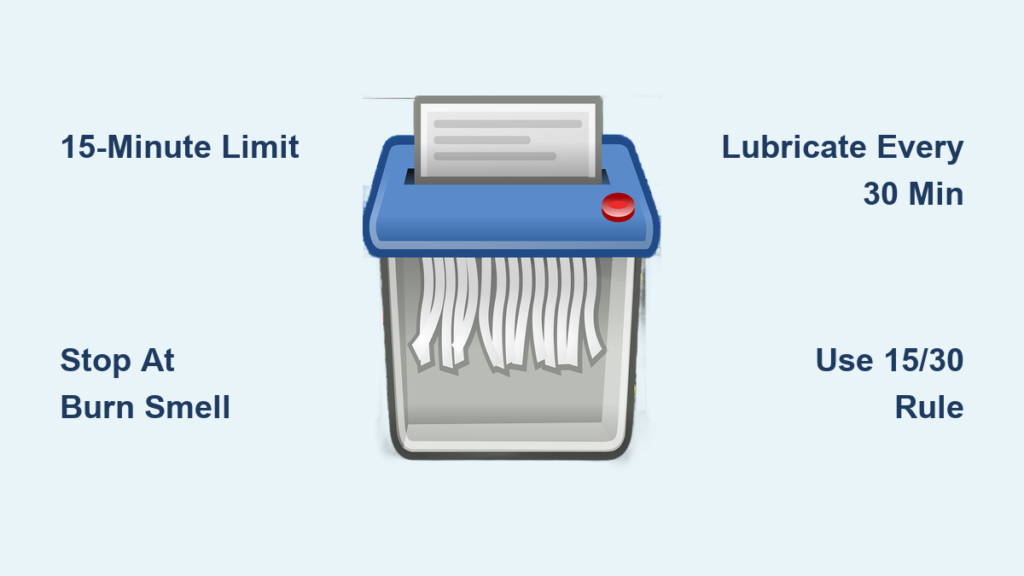
A well-maintained paper cutter is the backbone of any efficient print or paper converting operation. Whether you operate a manual, electric, or hydraulic model, consistent paper cutter maintenance ensures clean cuts, extends equipment life, and protects your team from avoidable accidents. Without proper care, even trusted machines from Polar, Challenge, or Harris-Seybold can develop alignment issues, dull blades, or safety failures that halt production.
Colter & Peterson brings over 85 years of hands-on experience servicing industrial paper cutters. In that time, we have learned that small maintenance oversights lead directly to expensive downtime. This guide walks you through daily, weekly, and monthly routines, warning signs to watch for, and the best moments to bring in professional support. You will learn how to keep your cutter performing at its best and how to plan for long-term reliability.
Run a Daily Paper Cutter Maintenance Inspection
Check Blade Cleanliness and Sharpness
Paper dust, fibers, and adhesive residue collect on the blade during normal use, reducing cut quality and accelerating wear. Inspect the knife at the end of every shift for visible buildup, nicks, or dull spots. Wipe the blade with a soft cloth and a manufacturer-approved cleaner. Avoid abrasive pads that can scratch the cutting edge.
Frayed or torn paper edges are a clear signal that the blade is dull. While full sharpening belongs in the hands of a professional technician, some models allow light honing on-site. Track how often you cut coated stock or synthetic sheets, since these materials wear blades much faster than standard paper.
Test the Clamp and Back Gauge
The clamp should lower evenly and grip the stack firmly before each cut. A weak or uneven clamp causes shifting paper and inaccurate cuts. Manually test the clamp pressure and listen for grinding, hissing, or other unusual sounds from the hydraulic or electric system.
The back gauge must move smoothly and lock securely at every programmed position. Verify digital readouts against a calibrated ruler. If the gauge drifts, skips, or hesitates, the problem may involve the motor, encoder, or control board. Address these issues early to keep job accuracy consistent.
Confirm Safety Features Are Working
Never bypass safety systems. Test dual-hand controls, light curtains, and emergency stops at the start of every shift. Attempt a cut cycle with a hand out of position; the machine should not activate. Worn or misaligned sensors can silently disable safety functions, so any erratic indicator light or failed safety prompt warrants an immediate service call. Compliance with ANSI B65 standards is not optional; it is a baseline for safe operation.
Lubricate and Clean Your Paper Cutter Weekly
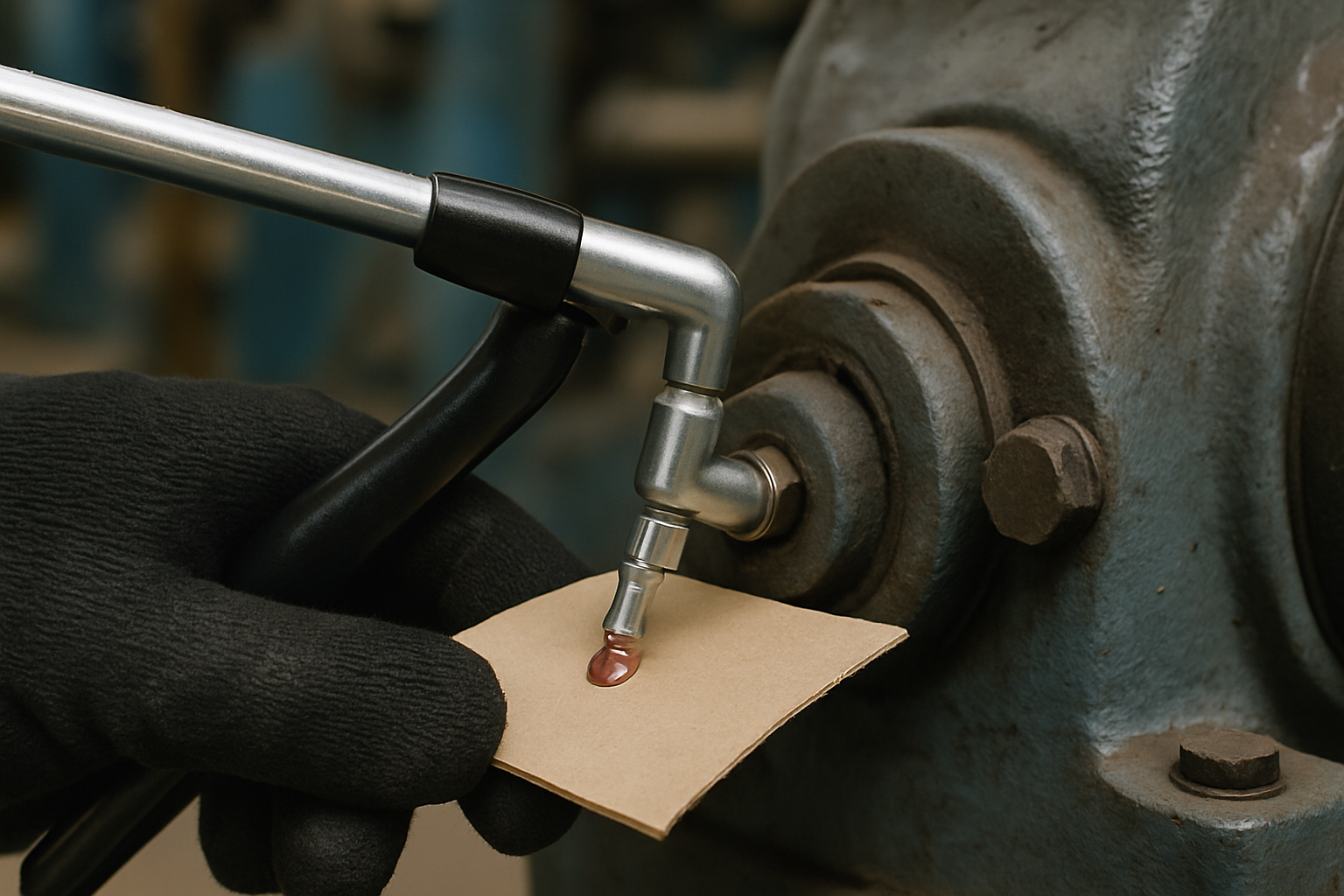
Lubricate the Right Components the Right Way
Friction in guide rails, lead screws, and pivot joints causes premature wear. Always follow the operator’s manual for approved lubrication points, oil grades, and grease types. Too much lubricant attracts dust and forms sticky residue; too little causes metal-on-metal contact.
Focus your weekly lubrication on these areas:
- Knife carriage rails
- Back gauge drive screws
- Clamp linkage joints
- Hydraulic cylinder rods
Apply a thin, even layer with a precision grease gun or oiler. Wipe away any excess to prevent contamination of paper stacks. Record the lubrication date in a maintenance log to keep your team consistent.
Clear Dust and Debris From the Machine
Paper dust is one of the biggest threats to precision machinery. It clogs sensors, infiltrates electronics, and speeds up mechanical wear. Power down the machine and disconnect it from power before cleaning.
Use compressed air below 30 psi to clear dust from control panels, motor housings, and under the cutting table. Vacuum around electrical cabinets and empty the waste tray. Pay extra attention to the back gauge scale, where even a thin layer of dust can cause measurement errors. Avoid water or solvent sprays near electronics, and use electronic-safe cleaners on touchscreens and control boards.
Calibrate Your Paper Cutter Monthly
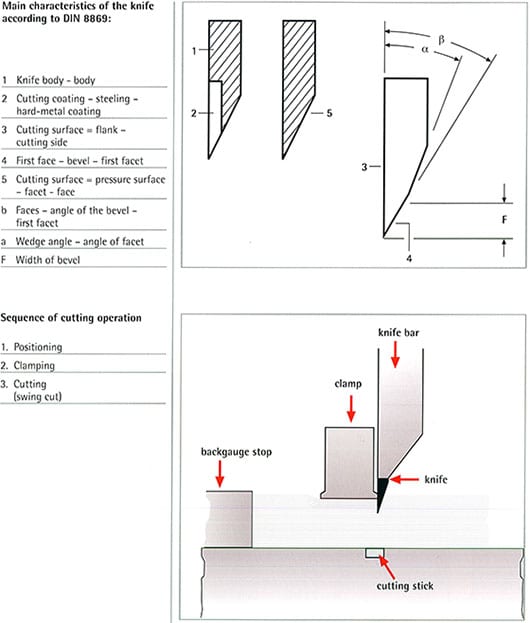
Align the Knife and Cutting Stick
Knife misalignment causes uneven wear on both the blade and the cutting stick. Inspect the stick every month for deep grooves, flattening, or hardening damage. Rotate or flip it according to manufacturer guidelines to extend its service life.
To check alignment:
- Place a straightedge along the blade edge.
- Look for any gap between the blade and the cutting stick.
- Measure clearance at the front, center, and rear.
If the misalignment exceeds 0.002 inches, do not attempt adjustment without proper training. Incorrect realignment can cause catastrophic failure. Contact a certified technician for accurate calibration.
Recalibrate Digital Systems
Electronic back gauges and programmable cut sequences depend on precise sensors and encoders. Run a series of test cuts on scrap paper and measure the results. Any discrepancy greater than 1/64 inch means the system needs recalibration.
Reset reference points and confirm that software values match physical measurements. Update firmware whenever your model supports it, especially after retrofits or new control installations.
Spot Warning Signs Before They Become Failures
Fix Inconsistent Cuts Right Away
Uneven, slanted, or crushed cuts mean something is wrong. Common causes include:
- A dull or chipped blade
- A worn cutting stick
- A loose or misaligned clamp
- Hydraulic pressure imbalance
Inspect each component systematically and document the issue with photos or notes for your service provider. Catching problems early keeps repair costs low and prevents secondary damage.
Investigate Unusual Noises
Grinding, clicking, or whining sounds almost always point to a mechanical issue. A grinding noise during clamping may signal motor bearing failure. Clicking often traces back to a solenoid or valve problem on hydraulic models.
Make a note of when the sound appears, whether during startup, the cutting stroke, or gauge movement. This detail helps technicians diagnose the system quickly. Never ignore abnormal sounds; they usually appear just before a component fails completely.
Track Electrical and Software Errors
Modern cutters display error codes for motor, sensor, or control faults. Keep a log of recurring messages, even when the machine resets itself. Patterns often reveal intermittent failures that grow worse over time.
Common error code examples include:
- “Motor Overload” can indicate worn brushes or failing drivers
- “Position Lost” suggests encoder or rail obstruction
- “Communication Error” may come from loose cables or outdated firmware
Use remote troubleshooting when available. Colter & Peterson offers phone and video support to help diagnose minor issues before scheduling an on-site visit.
Plan Maintenance Around How You Actually Use the Machine
Build a Usage-Based Service Schedule
There is no universal maintenance interval. A cutter handling 20,000 cuts per week needs far more attention than one used occasionally. Base your service schedule on several factors:
- Total cut volume
- Material type, such as cardstock versus synthetic sheets
- Age of the machine
- Operating environment, including dust and humidity
Use these general guidelines to start:
- Light use: Service every 6 months
- Moderate use: Service every 4 months
- Heavy use: Service every 2 to 3 months
Adjust based on observed wear. Track every service in a logbook or digital maintenance system to spot trends early.
Upgrade Older Cutters Proactively
Aging paper cutters do not always need replacement. Modern retrofits can restore precision and safety. Popular upgrade options include:
- Installing Microcut Transcend safety controls
- Upgrading to digital back gauge systems
- Replacing obsolete hydraulic valves with electronic controls
These improvements reduce operator fatigue, improve repeatability, and bring legacy machines up to current ANSI B65 compliance. Always provide hands-on operator training after any upgrade so your team can use the new features safely and effectively.
Know When to Call a Professional Technician

Schedule Preventive Maintenance Visits
Even with strong in-house habits, professional inspections are essential. Certified technicians perform deep diagnostics that go beyond routine care, such as hydraulic fluid contamination analysis, motor winding resistance testing, and control board evaluation.
A typical preventive service visit includes:
- A full safety system audit
- Blade sharpening or replacement
- Mechanical and electronic calibration
- Replacement of worn seals, belts, or hoses
Colter & Peterson technicians carry manufacturer-approved parts and can reproduce obsolete components in-house, which keeps downtime short even for legacy equipment.
Request Emergency Repairs for Critical Failures
If your cutter stops mid-shift or creates a safety hazard, do not wait for a normal service window. On-site emergency repairs are available outside regular business hours to restore operation quickly. Common emergencies include:
- Complete hydraulic failure
- Electrical short circuits
- Safety system lockouts
- Knife jams or breakage
Have your model number, serial number, and a brief description of the issue ready when you call. This information speeds up diagnosis and helps the technician bring the right parts on the first visit.
Keep Your Operation Compliant and Sustainable
Meet Safety Standards With Targeted Retrofits
Older machines often fall short of current ANSI B65 requirements. Rather than risk non-compliance, consider installing modern safety upgrades such as dual-palm buttons, light curtains, or blade guards with automatic retraction.
These upgrades do more than satisfy regulations. They reduce accident risk and give operators more confidence on every shift. Experienced technicians can integrate new systems without disrupting the core function of the machine.
Recycle Old Parts the Right Way
Responsible disposal matters when replacing components. Colter & Peterson partners with local scrap processors to recycle metal parts, hydraulic oil, and electronic waste in line with environmental guidelines.
Never pour used oil down a drain or throw circuit boards into regular trash. Set up a clearly labeled bin for recyclable machine parts and train staff on proper handling procedures.
Frequently Asked Questions About Paper Cutter Maintenance
How often should I schedule professional maintenance for my paper cutter?
Service intervals depend on how heavily you use the machine and what materials you cut. Light-use machines typically need professional service every six months, while heavy-use cutters cutting abrasive or thick materials should be serviced every two to three months. A usage-based schedule always outperforms a fixed calendar.
Can I sharpen the blade on-site, or does it require a technician?
Light honing is possible on some models, but full sharpening requires professional equipment. Attempting a full sharpen without training risks blade damage, poor cut quality, or safety issues. Schedule blade sharpening through a certified technician for the best results.
What are the most common warning signs of paper cutter problems?
Watch for inconsistent or crushed cuts, unusual noises during operation, and recurring error codes on the display. Each of these symptoms usually points to a specific issue, such as a dull blade, failing motor bearing, or sensor misalignment. Documenting the issue helps your service provider diagnose and fix it faster.
Do you offer emergency repair services outside regular business hours?
Yes. Colter & Peterson provides on-site emergency repairs outside standard business hours to address sudden breakdowns. This rapid response helps minimize production disruption and protects your team from unsafe operating conditions.
How do you handle parts for older or legacy paper cutters?
For obsolete or hard-to-source components, we use an in-house machine shop to reproduce parts. This approach shortens lead times and keeps legacy equipment from sitting idle while waiting for rare components.
Can older paper cutters be upgraded to meet modern safety standards?
Absolutely. Retrofits such as the Microcut Transcend package, updated control systems, and new safety hardware can bring older machines into ANSI B65 compliance. Operator training is included so your team can take full advantage of the improved features.
Final Takeaways on Paper Cutter Maintenance
Consistent paper cutter maintenance is an investment that pays back through longer equipment life, safer operation, and fewer production interruptions. Daily inspections catch small issues, weekly lubrication and cleaning prevent wear, and monthly calibration keeps cut accuracy tight.
Build your schedule around actual usage rather than a fixed calendar. Document every inspection and service call. When warning signs appear, respond quickly, and partner with experienced technicians for preventive and emergency support.
Machines from Polar, Challenge, and Harris-Seybold can deliver decades of reliable service when cared for properly. Schedule your next professional inspection today and keep your operation running without interruption.