
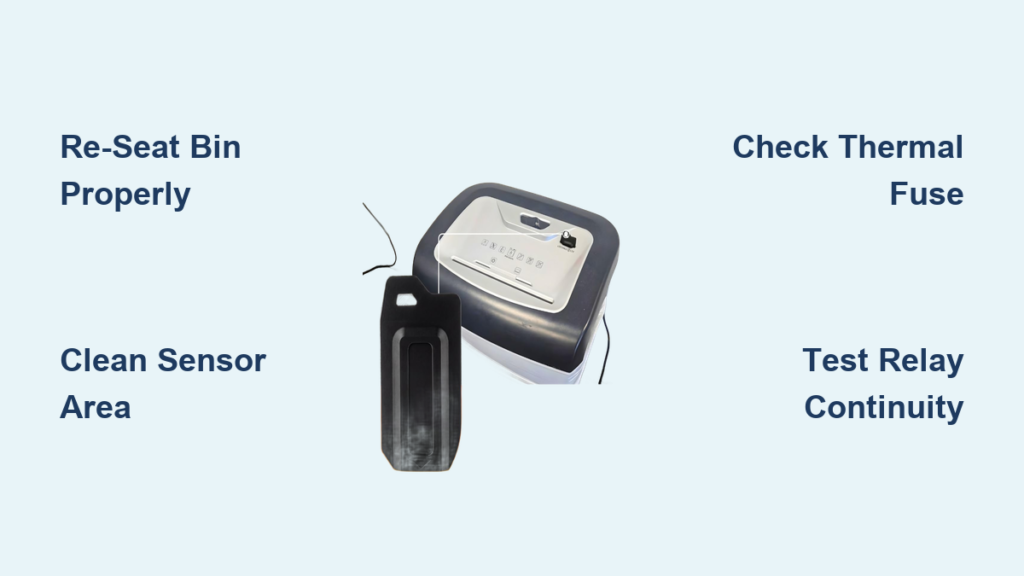
Is your Staples SPL-TXC10A shredder suddenly dead, jammed, or acting up? You’re not alone. This crosscut shredder with a 10-sheet capacity can stop working due to simple user errors or deeper internal failures. The good news: most issues are fixable without replacing the entire unit. Whether your shredder won’t power on, jams frequently, runs continuously, or trips your circuit breaker, this guide delivers step-by-step solutions based on real failure patterns and component diagnostics.
By the end of this Staples SPL-TXC10A troubleshooting guide, you’ll know exactly how to diagnose, repair, and maintain your shredder, saving time, money, and reducing e-waste.
Bin Seating and Safety Interlock Issues

The most common reason your Staples SPL-TXC10A won’t turn on is a misaligned waste bin or failed safety interlock. This is the first thing to check before attempting any advanced repairs.
Check Bin Alignment
Ensure the bin is fully inserted into the shredder base. The head unit must lock securely over the bin, with alignment tabs seated properly. If the bin isn’t clicked in place, the safety sensor cuts power immediately. Pull it out and reinsert firmly until you hear a distinct click. Always face the bin’s label toward you for correct positioning.
Remove Plastic Liners
Plastic trash bags inside the bin can prevent full seating. Even a slight lift from a liner can break contact with the interlock switch. Always remove plastic liners before reinserting the bin. Use only the bare bin to ensure proper electrical contact and sensor engagement.
Test ShredSafe Tilt Sensor
If your model has ShredSafe or a tilt-protection feature, check that the cover hasn’t been lifted past its first detent. Opening it too far triggers an automatic shutdown. Close the lid gently and avoid forcing it open during use. To reset, unplug the unit, close the cover completely, wait 30 seconds, then plug back in.
Thermal Protection and Overheating Solutions

Your shredder may shut down due to overheating, which is a built-in safety feature designed to protect the motor from damage during extended use.
Wait for Cool-Down Period
If the unit stops after continuous use, wait 30 to 60 minutes before trying again. The SPL-TXC10A isn’t designed for long runs. Overuse causes the thermal fuse to trip, cutting power until the motor cools completely. For heavier-duty models like the SPL-TMC10A, the duty cycle is just 8 minutes on followed by 20 minutes off.
Avoid Immediate Restart After Emptying
Emptying the bin can disturb internal airflow and trigger a heat-related shutdown. If the motor fails right after emptying, leave it unplugged for one full hour. This allows for a complete thermal reset. If it powers on afterward but fails quickly again, the motor may be overworked or the thermal fuse damaged permanently.
Power Supply and Electrical Diagnostics

Before opening the unit, verify the power source and internal electrical components. Many “dead” shredders actually have simple electrical issues that are easy to fix.
Test Outlet and Power Cord
Plug another device into the same outlet to confirm power is available. Try a different outlet entirely to rule out circuit breaker trips or GFCI issues. Inspect the power cord for fraying, kinks, or visible damage. A damaged cord prevents electricity from reaching the shredder motor.
Inspect Power Switch
Some units have a red rocker switch on the back. Make sure it’s fully toggled to the “On” position. If the switch feels loose or doesn’t click, the internal contacts may be misaligned. After unplugging the unit, remove the switch housing, realign the metal contacts so both stand upright, and reassemble. A solid click means it’s fixed properly.
Check Internal Fuse
Many SPL-TXC10A models have a soldered fuse on the control board. Use a multimeter in continuity mode to test it. No continuity means the fuse is blown, often due to a power surge or motor short. Replacement requires soldering skills. If blown, consider bypassing the board or replacing it entirely.
Examine Capacitor Condition
Locate the start/run capacitor on the circuit board. Look for bulging, cracking, or leaking fluid, which are clear signs of failure. A bad capacitor prevents motor startup. Test with a multimeter by first discharging it, then checking for initial continuity that slowly drops. If it fails, replace it with a standard 40 µF capacitor.
Sensor and Feed Slot Problems
A blocked sensor can make the shredder appear completely dead, even when power is flowing to the unit. These issues are particularly common in auto mode.
Clean Activation Sensor
In Auto mode, the shredder relies on a sensor in the center of the feed slot. Dust, oil, or debris can block it. Use a dry cotton swab, never canned air, to gently clean the area. Avoid liquids or sprays that could damage the sensor further.
Reset with Rigid Card
Insert a stiff piece of cardboard, like a file folder or cereal box sheet, directly into the center of the feed slot. Push firmly to dislodge any obstruction and reset the sensor mechanism. This often restores function if the sensor was stuck or blocked.
Center Narrow Paper Feeds
When shredding narrow strips or credit cards, feed them straight down the middle. Off-center insertion may miss the sensor entirely, preventing motor activation even if the unit is otherwise fully functional.
Control Board and Relay Failures

If basic fixes fail, the internal electronics are likely at fault. The control board manages paper detection, bin-full alerts, LED indicators, reverse functionality, and motor control.
Identify Control Board Damage
Open the casing and inspect the circuit board carefully. Look for burn marks, charred resistors, or a burnt smell, which are clear signs of board failure. If any of these are present, the board must be replaced or bypassed.
Listen for Relay Click
Press the power button and listen carefully near the board. A distinct click means the relay is receiving power. No click suggests a dead board or failed relay. A click with no motor response indicates the board isn’t sending power to the motor.
Bypass Faulty Control Board
If the motor and capacitor are confirmed good, you can bypass the board for basic forward-only operation. Disconnect the motor wires from the board and connect the power cord’s hot and neutral lines directly to the motor terminals. This disables reverse and auto-sensing but restores shredding function. Only attempt this if you’re comfortable with basic wiring.
Reversing Relay Short Diagnosis
A failed reversing relay is a common cause of sudden power loss and tripped circuit breakers in the Staples SPL-TXC10A.
Recognize Relay Failure Symptoms
If the shredder dies mid-use, especially while shredding a CD, and trips the circuit breaker, the reversing relay may be shorted. This happens when both Normally Closed and Normally Open contacts close simultaneously, creating a direct short across the motor terminals.
Test Relay Continuity
Use a multimeter to check continuity across the relay contacts. With power off, test both NC and NO sides. If both show continuity, the relay is shorted and must be replaced immediately.
Replace or Bypass Relay
Replace with a 24V DC coil relay with 10A contact rating and 250V AC/DC voltage rating. Brands like Omron, Tyco, or Panasonic work well. For a quick temporary fix, bypass the relay by connecting the bridge rectifier’s positive output directly to the motor’s positive lead. This locks the motor in forward mode with no reverse function, but shredding returns.
Motor and Gear Problems

Strange noises or failure to spin point to mechanical issues within the drive system. These problems often result from overloading or shredding inappropriate materials.
Diagnose Motor Hum
If the motor hums but won’t start, the start capacitor is likely dead. Replace the 40 µF capacitor. If the motor spins freely by hand but still won’t start under power, check the windings for shorts using a multimeter.
Identify Gear Damage
A high-pitched spooling sound indicates stripped gears. This usually results from overloading or shredding non-paper items like plastic or cardboard. Repair requires disassembling the gear train and replacing damaged parts, which are available from third-party suppliers but is labor-intensive.
Paper Jams and Clearing Procedures
Even minor jams can stop the shredder from pulling in paper. Knowing how to clear jams properly prevents damage to blades and gears.
Clear Visible Jams
Unplug the unit first. Use needle-nose pliers or tweezers to remove stuck paper. Engage Reverse mode if functional to back out the jam. Pull gently to avoid tearing paper deeper into the mechanism.
Oil Severe Jams
For paper fused to blades, drizzle 2 to 3 tablespoons of cooking oil onto the cutting heads. Let it soak for 30 minutes to loosen fibers. Then, force a rigid cardboard sheet through the slot to push debris out. Run in reverse to clear any remnants.
Avoid Problem Materials
Never shred envelopes due to glue and windows jamming blades. Avoid newsprint or tissue because they’re too thin and cause clogs. Skip laminated sheets, transparencies, corrugated cardboard, fabric, or plastic unless the model is specifically labeled as CD-safe. Also avoid shredding large quantities of paper clips or staples at once.
Preventing Constant Running in Auto Mode
If the motor runs nonstop in Auto or On mode, the sensor is likely stuck in the triggered position, preventing normal operation.
Clean Sensor Thoroughly
Dust or oil buildup can keep the sensor permanently triggered. Use a cotton swab to clean the feed slot center thoroughly. Ensure no paper fragment is lodged underneath the sensor.
Clear Persistent Jams
A hidden shred of paper may be holding the sensor open. Insert a rigid card and push through forcefully. Check in reverse mode to back out any residue that might be causing the issue.
Maintenance for Longevity
Prevent future issues with simple regular upkeep. A well-maintained shredder can last many years and perform consistently.
Oil Blades Regularly
Apply shredder oil every 15 to 20 minutes of use or after each bin empty for heavy users. Never use cooking oil for routine maintenance, only for jam removal. Use spray-free oils to prevent flammability and plastic damage.
Empty Bin Frequently
A full bin can block sensors and strain the motor significantly. Empty before it reaches capacity. Wipe contact points on the bin and shredder with a dry cloth to remove paper dust that accumulates over time.
Manage Load Size
Stick to 10 sheets maximum for the SPL-TXC10A. Feed paper in small batches to reduce heat and stress on the motor. Overloading leads to jams, overheating, and accelerated gear wear.
Repair vs. Replace Decision

Should you fix it or buy a new shredder? Consider the cost of replacement parts versus buying a new unit.
Cost Comparison
A new SPL-TXC10A typically costs $150 to $200. Replacement motors run about $115, control boards around $100, capacitors approximately $55, and relays under $20. Replacing expensive components isn’t cost-effective unless you do the labor yourself.
When to Repair
Fixing is worth it for blown fuses, bad relays, misaligned switches, or dirty sensors. These are common issues that cost very little to resolve. It’s not worth repairing burnt motors, melted boards, or stripped gears unless the unit has sentimental value or you’re prioritizing environmental concerns.
Warranty and Support
If within the return period, exchange the unit for a new one. For out-of-warranty units, contact Staples support for part availability. Note that soldered fuses and sealed boards mean most repairs are user-serviceable only for those with skilled hands.
Frequently Asked Questions About Staples SPL-TXC10A Troubleshooting
Why won’t my Staples shredder turn on at all?
The most common cause is a misaligned waste bin that hasn’t fully seated into the safety interlock. Remove the bin and reinsert it firmly until it clicks. Also check that no plastic liner is preventing proper contact, and verify the thermal protection hasn’t triggered from overheating.
How do I fix a shredder that runs constantly in auto mode?
This indicates the activation sensor is blocked or stuck. Clean the sensor area in the center of the feed slot with a dry cotton swab. Insert a rigid card into the slot and push firmly to reset the sensor mechanism and clear any debris.
Can I replace the thermal fuse on my SPL-TXC10A?
The thermal fuse is often soldered directly to the control board, making user replacement difficult without soldering skills. If the fuse has blown permanently, you may need to replace the entire control board or consider whether repair is cost-effective versus buying a new unit.
What causes the circuit breaker to trip when using the shredder?
A tripped breaker usually indicates a shorted reversing relay. When both the NC and NO contacts close simultaneously, it creates a direct short. Test the relay with a multimeter, and if both sides show continuity when off, replace the relay with a 24V DC coil, 10A contact rating unit.
Is it worth repairing a $200 shredder myself?
Yes, especially for simple fixes like reseating the bin, cleaning sensors, or replacing a cheap relay. These repairs can cost under $20. However, if the motor, control board, or gear assembly needs replacement, the cost approaches the price of a new unit.
Key Takeaways for Staples SPL-TXC10A Troubleshooting
Most “dead” SPL-TXC10A shredders aren’t beyond repair. About 90% of failures stem from bin misalignment, overheating, or dirty sensors, all of which are easily fixed. Start with simple solutions: reseat the bin properly, wait for thermal cooldown, and clean the sensor with a cotton swab. If those fail, inspect the internal fuse, capacitor, and relay as these components are common failure points. With basic tools and this guide, you can revive a seemingly dead shredder for under $20. Keep the blades oiled, avoid jamming materials, and never exceed the 10-sheet capacity. A well-maintained SPL-TXC10A can serve you reliably for years, saving money and reducing unnecessary e-waste.





