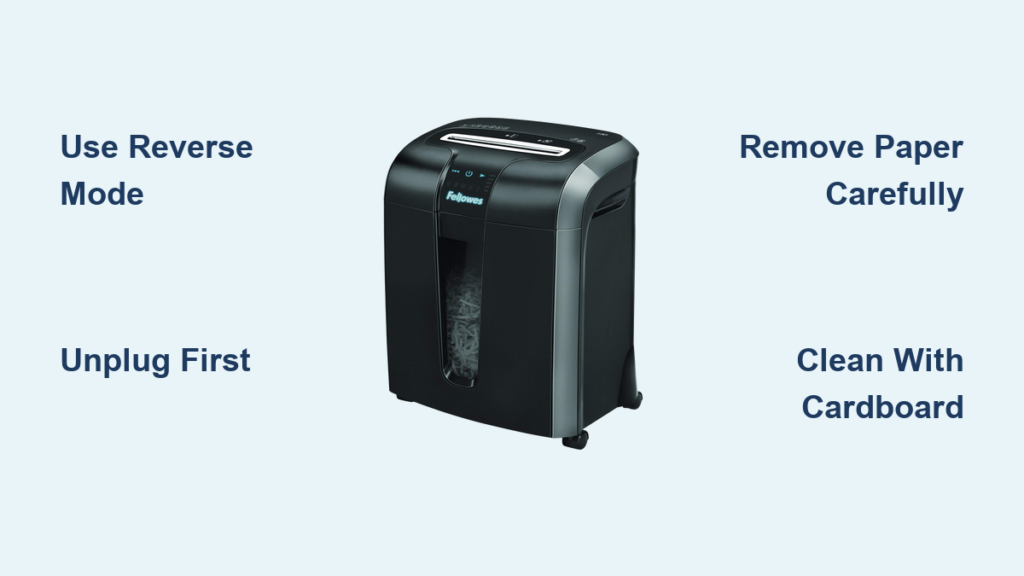

Is your GoECOlife paper shredder only running in reverse? You’re not alone. Many users of the GMA81B-RED model report this frustrating issue where the motor spins backward without responding to forward or auto settings. Even after cleaning, lubricating, and resetting, the shredder refuses to pull paper in. This guide delivers targeted GoECOlife paper shredder troubleshooting steps to diagnose and fix reverse-only operation fast.
You’ve likely already tried basic fixes: unplugging the unit, using tweezers to clear debris, and running lubricant sheets through. Maybe it worked once, only for the problem to return. That’s a sign of a deeper mechanical or sensor issue. In this guide, you’ll learn exactly where to look, how to test critical components, and whether repair or replacement is your best next step.
Identify the Control Mode Issue

Your shredder’s behavior depends on the control knob setting. If it only runs in reverse, the problem lies in forward or auto activation, not motor power.
Test Each Knob Position
Set the control switch to Off, Auto/On, and Reverse (Rev). Now feed 1-2 sheets of paper straight into the slot. Watch and listen:
- Does the shredder pull paper in on Auto/On?
- Do you hear a click, hum, or vibration when inserting paper?
- Does the motor only engage when set to Reverse?
If the motor works in reverse but not forward, the motor itself is functional. The issue is likely in the forward sensor, switch contact, or paper detection system.
Pro Tip: A working reverse mode means the motor and power supply are fine. Focus on control-side failures.
Clean the Paper-Detect Sensor

The auto-feed function relies on a sensor to detect paper entry. If blocked or dirty, the shredder won’t activate forward motion, even if everything else works.
Locate and Clean the Sensor
- Unplug the shredder. Safety first.
- Shine a flashlight into the paper slot.
- Look for a small plastic flap (mechanical sensor) or a black dot/lens (photoelectric sensor) near the opening.
- Use a dry cotton swab or soft brush to gently clean around the area.
- Wipe the sensor lens with a dry microfiber cloth.
- Do not use water, alcohol, or sprays. Moisture can damage electronics.
Warning: Even a thin layer of paper dust can block the sensor. Clean thoroughly.
Test After Cleaning
Plug in the shredder. Set to Auto/On and slowly insert a single sheet. If it still does not pull in, move to the next step.
Success Signal: Paper is drawn in automatically equals sensor was the issue.
Diagnose the Forward/Reverse Switch

If cleaning did not help, the mode switch may be failing. This is a common wear point in the GMA81B-RED after 2-3 years of use.
Check for Physical Wear
- Turn the knob between Auto, Off, and Rev.
- Does it feel loose, stiff, or uneven?
- Does it click in each position?
A worn switch may make contact in reverse but fail in forward, especially if the internal contacts are corroded or bent.
Listen for Electrical Response
Set to Auto/On, insert paper, and listen:
- No sound? Likely no electrical connection in forward mode.
- A faint click but no spin? Possible partial contact or control board delay.
Expert Note: Reverse operation confirms power and motor health. A silent forward mode points to a dead circuit in the switch or wiring.
Test with Lubricant Sheets
Even minor friction can prevent forward startup, especially if the blades are dry or slightly gummed.
Run Lubricant Through Both Directions
- Use a shredder lubricant sheet, not wax paper or buttered paper.
- Insert it label-first into the slot.
- Set to Reverse and run it through.
- Repeat 1-2 times.
- Now try Auto/On mode with a regular sheet.
Why This Works: Lubricant reduces resistance, helping the motor overcome startup inertia, sometimes revealing a marginal electrical issue.
Avoid: Using oil sprays or non-approved lubricants. They attract dust and damage components.
Inspect for Internal Damage (Advanced)

If all else fails, internal inspection may be needed, but proceed with caution.
When to Disassemble
Only open the unit if you are experienced with small appliances, the shredder is out of warranty, or you are prepared for possible permanent damage.
What to Check Inside
- Switch Contacts: Look for burn marks, corrosion, or loose wires.
- Circuit Board: Check for visible damage near the switch terminals.
- Wiring Harness: Ensure no wires are disconnected or frayed.
Critical Warning: Do not touch motor terminals or capacitors. Risk of shock exists even when unplugged.
Better Option: If uncomfortable, skip disassembly. Contact GoECOlife support instead.
Determine Repair vs. Replacement

After testing all steps, decide your next move.
Replace If
- The switch is faulty and not user-replaceable
- The control board shows signs of failure
- The unit is over 3 years old (typical lifespan)
- Cost of repair exceeds $30-$40
Repair If
- Under warranty (contact GoECOlife)
- You can source a replacement switch ($10-$15 online)
- You are comfortable with soldering and reassembly
GoECOlife Support: Visit www.goecolife.com/support, provide your model (GMA81B-RED), and ask about replacement options or service centers.
Prevent Future Reverse-Only Failures
Avoid recurrence with simple maintenance.
Clean Sensor Every 2-3 Months
- Use a dry swab to wipe the paper-entry sensor.
- Do this even if the shredder seems to work fine.
Use Lubricant Sheets Regularly
- After every 200-300 sheets, run a lubricant sheet through.
- Prevents friction buildup that stresses the motor and switch.
Avoid Problem Materials
Never shred staples (can bend blades or jam sensors), plastic cards (damage cutters, melt under heat), or sticky labels (leave residue on rollers and sensors).
Run Reverse After Each Use
After shredding, set to Reverse for 10-15 seconds. This clears residual paper fragments, helps maintain blade alignment, and reduces strain on forward startup.
Pro Tip: This simple habit extends shredder life by up to 40%.
Frequently Asked Questions About GoECOlife Paper Shredder Troubleshooting
Why does my GoECOlife shredder only run in reverse?
This typically indicates a problem with the forward sensor, mode switch, or paper-detect mechanism. Since reverse works, the motor and power supply are functional. The issue is in the control circuitry that activates forward motion.
Can a dirty sensor cause reverse-only operation?
Yes. The paper-detect sensor tells the shredder when to start. If blocked by paper dust or debris, it may fail to trigger forward operation while still allowing reverse function.
How do I clean the sensor on my GMA81B-RED?
Unplug the unit, use a dry cotton swab to clean around the paper slot, and gently wipe any visible sensor lens with a dry microfiber cloth. Avoid using water, alcohol, or cleaning sprays.
Is the mode switch replaceable on GoECOlife shredders?
The switch is not designed for user replacement on most models. If testing confirms switch failure, contact GoECOlife support or consider replacement if the unit is out of warranty.
How often should I lubricate my shredder?
Run a lubricant sheet through every 200-300 sheets of use. This prevents friction buildup that stresses the motor and can cause startup issues.
Should I repair or replace my GoECOlife shredder?
Replace if the unit is over 3 years old, the switch or board is failing, or repair costs exceed $30-$40. If under warranty, contact GoECOlife for replacement options first.
Key Takeaways for GoECOlife Paper Shredder Troubleshooting
A GoECOlife paper shredder that only runs in reverse is usually fixable, often through cleaning the sensor or replacing the mode switch. Start by testing each control position, then clean the paper-detect sensor thoroughly with a dry swab. Test the forward/reverse switch for signs of wear, and run lubricant sheets to reduce blade friction. If the issue persists after these steps, the internal switch or control board is likely failing. For units over 3 years old, replacement is often more cost-effective than repair. Stick to preventive care, including regular sensor cleaning and lubricant use, and your next shredder will last even longer.