

Is your Sentinel paper shredder refusing to start, jamming constantly, or running sluggishly? You’re not alone. Paper shredder issues especially with frequently used models like Sentinel can disrupt workflow and create security risks when sensitive documents pile up. Most problems, however, aren’t permanent. With the right troubleshooting steps, you can restore full function in minutes or hours, often without professional help.
The key to fixing your Sentinel shredder lies in understanding its built-in safety systems, mechanical components, and maintenance needs. Common culprits include power interruptions, paper jams, dry blades, overheating, and sensor malfunctions. Whether your unit won’t turn on, won’t shred, or keeps jamming, this guide delivers step-by-step solutions based on real-world diagnostics and manufacturer-level insights.
By the end of this article, you’ll know how to troubleshoot every major failure mode, clear stubborn jams, reset safety locks, and keep your Sentinel shredder running smoothly for years.
Power Issues: No Lights or Sound
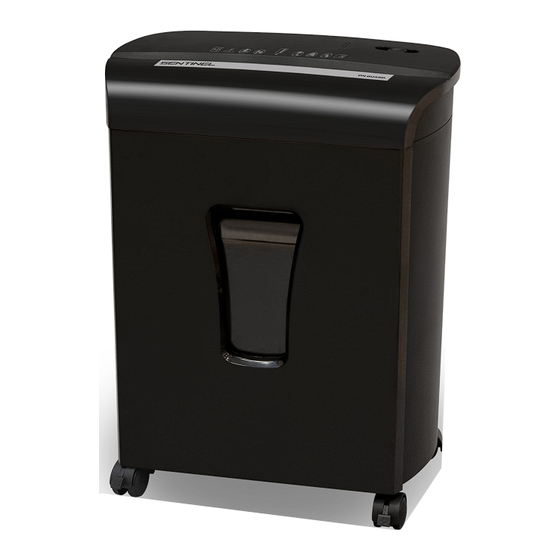
When your Sentinel shredder shows no signs of life, the issue may seem serious, but it’s often a simple fix. Start with the basics before assuming motor or board failure.
Check Outlet and Plug First
Always verify the power source before proceeding:
• Plug a lamp or phone charger into the same outlet to confirm it is live
• If using a power strip or surge protector, bypass it and plug directly into the wall
• Inspect the shredder power cord for fraying, kinks, or loose connections at the plug or unit
A faulty outlet or tripped circuit breaker is more common than internal failure.
Confirm Safety Interlock Is Engaged
Sentinel shredders have multiple safety switches that cut power if the unit is not assembled correctly.
Basket Must Be Fully Seated
The wastebasket tabs must align with slots on the shredder head. Lift and reseat the head with firm pressure until it clicks into place. If a plastic liner is inside the bin, ensure it is flat and not bunched up, as this can prevent full seating.
Pull-Out Bin Fully Inserted
For models with sliding bins, push the bin all the way in until it stops. A small bracket or switch underneath detects partial insertion and disables power.
Lid Closed and ShredSafe Reset
On models with ShredSafe, lifting or tilting the lid during use cuts power. Return the lid to the closed position before attempting to restart. Some units require a 10-second pause after closing the lid.
Overheating: Shredder Shuts Off Mid-Use
If your Sentinel starts, runs for a few seconds, then shuts down with no error light, it is likely in thermal protection mode.
Wait 30-45 Minutes to Cool Down
Thermal cutouts activate after exceeding the duty cycle. Do not unplug if the model has a cooling fan that runs while powered, as unplugging stops the fan and prolongs reset time. Leave the unit switched on or unplugged for at least 30 minutes.
Burning Smell Means Stop Immediately
A burning odor indicates overuse beyond duty cycle, dry blades creating excessive friction, or motor strain from repeated jams. Let the unit cool completely and lubricate the blades immediately after restart.
Sensor Problems: Shredder Won’t Start in Auto Mode
Auto-sensing models rely on a sensor in the feed slot to detect paper. If the shredder won’t start or runs nonstop, clean or reset the sensor.
Feed Paper to the Center
The activation sensor is centered in the feed throat. Insert paper straight into the middle, not the edges. Use a full-width sheet to ensure contact.
Clean the Sensor with Alcohol
Dust, oil, or paper fibers can block the sensor. Unplug the shredder first. Use a cotton swab dipped in isopropyl alcohol and gently wipe the sensor area. Let dry for 2 minutes before testing. Never use canned air, as it can blow debris deeper or damage optical sensors.
Fix Constant Running in Auto Mode
If the shredder runs nonstop without paper, the sensor is stuck in paper detected mode. Clean it as described above. Insert a stiff index card into the center and push firmly to reset the internal lever.
Paper Jams: How to Clear Them Safely

Jams are the most common Sentinel shredder issue. Clear them quickly to prevent motor strain and overheating.
Step 1: Reverse Immediately
At the first sign of strain, flip the switch to Reverse and run for 3-5 seconds. This often backs the paper out.
Step 2: Alternate Forward and Reverse
If reverse alone fails, try Forward 1 second then Reverse 5 seconds. Repeat up to 10 times. Stop if the motor hums but blades do not move, as this may indicate a deeper jam.
Step 3: Manual Extraction (Unplugged First)
Always unplug before inserting tools or hands. Use needle-nose pliers or tweezers to pull out visible paper ends. Use scissors or a small knife to carefully cut shreds wrapped around shafts. Use an index card or file folder to push jams through.
Step 4: Cardstock Push-Through Method
For stubborn jams, cut a piece of cereal box or file folder to full width. Insert into the center of the feed slot and push down firmly until it passes through. The rigid card helps dislodge compacted paper.
Step 5: Oil Soak for Severe Jams
When paper is fused in place, unplug the unit and drizzle 2-3 tablespoons of shredder oil onto the jammed area. Let soak for 30 minutes, then try reverse or cardstock push again. Note that cooking oil works in emergencies but turns sticky over time.
Step 6: Final Check for Leftover Fragments
Even a small shred stuck in the blades can cause another jam. Shine a flashlight into the cutting head and remove all visible debris.
Motor Runs But Blades Don’t Turn
If the motor spins but paper is not shredded, the drive system is likely damaged.
High-Pitched Whirring Means Check Gears
A loud, high-pitched sound with no blade movement indicates stripped drive gears. This is common after overloading or shredding staples. Plastic gears wear out under stress. Try lubricating and running reverse to free any binding. Permanent fix requires disassembly and gear replacement.
Low Hum With No Movement
A low hum suggests the motor is trying to turn but is blocked. Causes include a broken drive belt, seized blade assembly from a jam, or a foreign object lodged in cutters. Unplug and inspect visually. Remove any obstruction with pliers. If the belt is snapped, replacement is needed.
Blades Won’t Cut: Sluggish or Ragged Shreds

Poor performance does not always mean broken parts. Often it is a maintenance issue.
Dull or Dry Blades Need Lubrication
Blades rarely dull under normal use but they dry out quickly. Use shredder oil and apply a thin line across the feed opening. Run in Reverse for 5-10 seconds to spread oil. This resolves 80% of sluggish shredding cases.
Ragged or Uneven Cuts
This may indicate blade misalignment, not wear. High-security micro-cut models are precision-aligned at the factory. If lubrication does not help, contact support rather than attempting DIY realignment.
Auto-Feed Not Picking Up Paper

If your Sentinel has an auto-feed tray but won’t pull documents in, the rollers are likely the issue.
Clean Paper Dust from Rollers
Dusty rollers lose grip. Wipe rollers with a slightly damp cloth. Use isopropyl alcohol for sticky residue. Let dry completely before use.
Replace Worn Rollers
If rollers are smooth or cracked, they cannot grip paper. Replacement parts are available through the manufacturer. Check your manual to see if rollers are user-replaceable on your model.
Preventing Future Problems
Most shredder failures are preventable. Follow this routine to extend your Sentinel life.
Oil After Every Half Bin (Cross-Cut)
Different shredder types need different oiling frequencies. Cross-cut models need oil every 30 minutes or half a bin. Micro-cut models need oil every 15-20 minutes. Strip-cut models need oil every 2 hours or full bin. Always run in Reverse after oiling to distribute oil evenly.
Clean Sensors Monthly
Use an alcohol swab on the feed sensor monthly or when activation issues arise. This prevents false triggers and non-starts.
Never Shred These Items
Avoid jams and damage by never inserting these materials:
• Staples or large paper clips
• Envelopes with windows or glue
• Laminated paper or transparencies
• Adhesive labels or tape
• Cardboard, plastic, or fabric
• Wet or damp paper
Follow Duty Cycle Limits
Run for 5 minutes then cool for 30 minutes (typical). Exceeding this causes thermal shutdowns and shortens motor life.
When to Replace vs. Repair
For most personal desktop Sentinel models, consider replacement if gears are stripped, the motor is dead, or the control board fails. Repair costs often exceed new unit price.
For commercial standing models, gears, belts, and sensors are replaceable. Contact Sentinel service for parts and support.
Frequently Asked Questions About Sentinel Paper Shredder Troubleshooting
Why does my Sentinel shredder not turn on at all?
Check the outlet first by plugging in another device. Verify the power cord is undamaged and securely connected. Ensure the wastebasket is fully seated and the lid is closed properly. If the unit has overheated, wait 30-45 minutes for the thermal cutout to reset.
How do I fix a paper jam in my Sentinel shredder?
Start by switching to Reverse for 3-5 seconds. If that fails, alternate between Forward and Reverse. For stubborn jams, unplug the unit and use a stiff cardstock to push through the jammed area. Apply shredder oil and let soak for 30 minutes for severe jams.
Why does my Sentinel shredder run constantly in auto mode?
The activation sensor is likely blocked by dust or oil buildup. Unplug the unit and clean the sensor with a cotton swab dipped in isopropyl alcohol. Let it dry completely before testing. If the problem persists, insert a stiff index card firmly into the center to reset the internal lever.
How often should I oil my Sentinel paper shredder?
Oil frequency depends on the shredder type. Cross-cut models need oil every 30 minutes or half a bin full. Micro-cut models need oil every 15-20 minutes due to finer cutting action. Strip-cut models can go longer, about every 2 hours or when the bin is full.
What causes a burning smell from my Sentinel shredder?
A burning smell indicates the unit has overheated from exceeding the duty cycle, the blades are severely dry causing excessive friction, or the motor is straining against a jam. Stop using the unit immediately, let it cool for 30-45 minutes, and lubricate the blades before restarting.
Can I repair my Sentinel shredder myself, or should I replace it?
For personal desktop models, replacement is usually more cost-effective than repair. For commercial standing models, you can replace gears, belts, and sensors. If the motor or control board fails on a personal model, purchasing a new unit is typically the better choice.
Key Takeaways for Troubleshooting Your Sentinel Shredder
Most Sentinel paper shredder problems stem from simple causes: a misseated bin, dry blades, or a paper jam. By following a logical troubleshooting order, you can fix nearly any issue quickly. Start with power and safety interlock checks, then move to thermal reset, sensor cleaning, jam clearance, and lubrication.
Regular maintenance is your best defense against shredder failures. Oil your blades according to your model type, clean sensors monthly, and never exceed the duty cycle. Keep this guide handy, and your Sentinel shredder will stay reliable for years to come.





