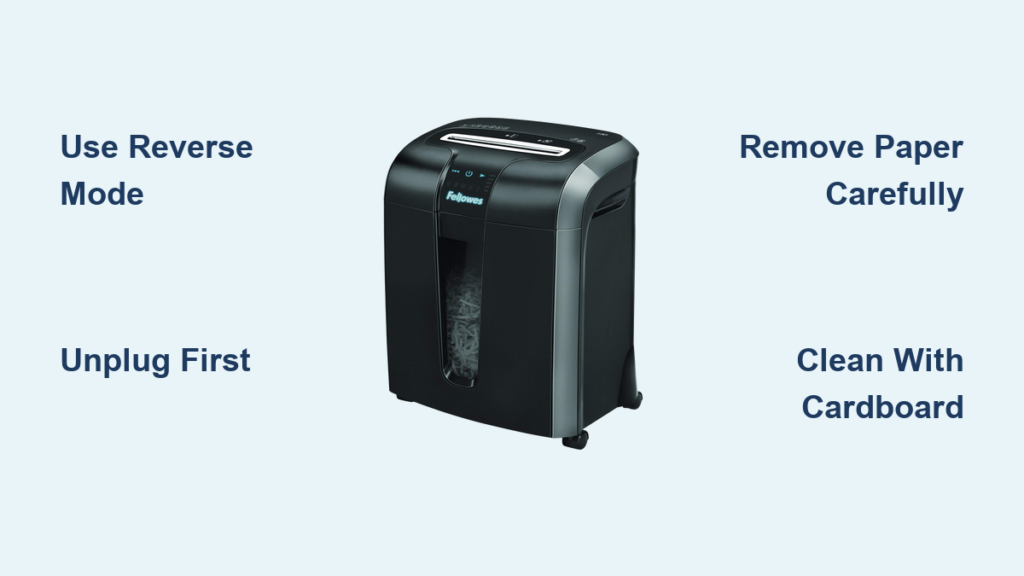

Your Ativa paper shredder powers on but won’t shred. The red light flashes. It stops mid-cycle. You’re left with half-fed documents and zero privacy. You’re not alone—ativa paper shredder not working is one of the most common office equipment complaints. But here’s the good news: most failures are either thermal overload, paper jams, or fixable mechanical breaks—not total death.
This guide reveals exactly why your Ativa shredder fails and how to bring it back to life—fast. Whether it’s a simple reset, a hidden jam, or a broken plastic boss (a known flaw in models like the MDM6000), you’ll get step-by-step fixes. No guesswork. Just results.
Red Light On? Fix Thermal Overload First

If your Ativa shredder powers up with a blue light but quickly turns red and stops, thermal overload is the culprit 8 out of 10 times. This isn’t a defect—it’s a safety feature. The motor overheats and shuts down to avoid permanent damage.
Why the Red Light Activates
The red light means overheating, not electrical failure. It kicks in after:
– Shredding more than 6–8 sheets at once
– Running continuously for over 10–15 minutes
– Poor ventilation or dusty environments
Even if the shredder feels cool to the touch, the internal thermal sensor detects unsafe motor temps. If the unit works again after 30+ minutes of rest, thermal overload is confirmed.
Cool Down & Reset Procedure
- Unplug immediately when red light appears
- Wait 30–60 minutes—no exceptions
- Clear debris from feed slot and bin area
- Plug back in, set to Auto mode, and test with 1–2 sheets
⚠️ Pro Tip: Never force operation during cooldown. Repeated overheating can burn out the motor permanently.
After reset, limit sessions to 10 minutes max and allow 30-minute breaks. This extends motor life dramatically.
No Power? Check These 4 Basics First
Before tearing the unit apart, eliminate simple causes. Many “dead” shredders simply aren’t getting power or detect a bin error.
Power Source & Outlet Test
- Plug into a different wall outlet—test with a lamp or phone charger
- Ensure the power cord is fully seated at both ends
- Avoid extension cords or power strips that can interrupt flow
If the blue light doesn’t appear, the issue is power-related.
Bin Installation Check
Ativa models have bin presence sensors. If the bin isn’t seated correctly, the shredder won’t run.
- Remove and reseat the waste bin firmly
- Listen for a click—this confirms sensor engagement
- Ensure bin isn’t overfilled (triggers full-bin lockout)
Top Unit Alignment
The shredder head must align perfectly with the bin. A misaligned top unit prevents activation.
- Lift and reseat the top unit on the bin
- Check for debris blocking the base
- Ensure no paper fragments interfere with seating
Reset the Sensor System
Sometimes the sensor latches in error.
- Unplug the shredder
- Remove the bin
- Wait 30 seconds
- Reinsert bin and plug back in
Try shredding again in Auto mode.
Hidden Paper Jam? Clear It in 5 Minutes

Even if you see no jam, micro-jams can lock up the mechanism. These are bits of paper, staple fragments, or dust packed deep in the cutter housing.
Reverse Mode Clearance Steps
- Switch to Reverse using the mode dial
- Press and hold Reverse button for 3–5 seconds
- Let the motor run backward to eject debris
- Repeat 2–3 times
✅ Visual Cue: Look for tiny paper strips or dust exiting the blade area.
Manual Debris Removal
If reverse doesn’t help:
- Unplug the shredder
- Use tweezers or needle-nose pliers to pull out stuck material
- Shine a flashlight into the feed slot to spot hidden fragments
- Focus on the blade entrance and pivot hinge zones
Avoid metal tools that could damage blades.
Prevent Future Jams
- Shred 1–2 sheets at a time when possible
- Use lubricant sheets every 100–200 sheets
- Never shred staples, paper clips, or cardboard
Intermittent Operation? Fix the Broken Pivot Boss
If your Ativa MDM6000 (or similar model) works sporadically or makes grinding noises, you likely have a broken plastic pivot boss—a known design flaw.
This isn’t a user error. It’s a structural failure caused by missing screws and stress on ABS plastic parts.
How to Diagnose Pivot Failure
Open the unit and look for:
– Uneven silver pivot bar (one side higher than the other)
– Loose plastic pieces inside the housing
– Missing screw near the hinge
– Cracked or broken tab on the plastic support
If any of these are present, mechanical repair is required.
Disassembly: Access the Cutting Head
Tools needed: Phillips screwdriver, rubbing alcohol, cotton swabs
- Unplug the shredder
- Flip it over and locate screws on the bottom
- Remove all visible screws
- Peel off any stickers hiding a screw underneath
- Lift the top cover gently to expose internal components
🔍 Note: The MDM6000 has a hidden screw under a warranty void sticker—remove it carefully.
Repair the Broken Plastic Boss
The broken boss supports the cutting head. Without it, the mechanism wobbles and fails.
Materials needed: Plastic weld adhesive (ABS-compatible), replacement screws
- Clean the broken area with rubbing alcohol
- Align the broken plastic pieces precisely
- Apply plastic weld to the fracture line
- Press and hold for 30 seconds until set
- Reinforce with a second weld layer for strength
💡 Pro Tip: Plastic welding creates a bond stronger than the original—don’t skip this step.
Reinforce the Pivot Assembly
To prevent recurrence:
- Reinstall the original pivot screw
- Add two additional screws into unused holes near the hinge
- Tighten the opposite hinge to stabilize alignment
This redistributes stress and stops future breaks.
Reassemble & Test Like a Pro
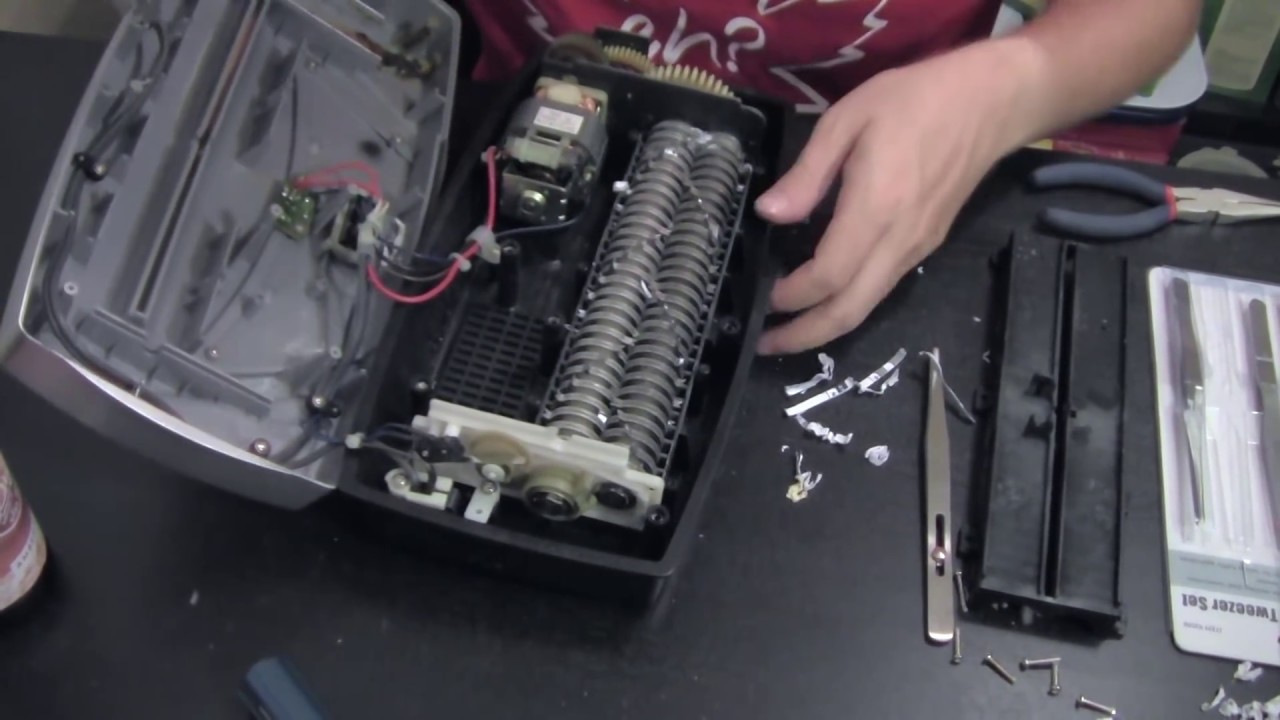
After repair, reassembly must be precise.
Reassembly Checklist
- Reinsert cutting head into housing
- Secure motor mounts and wiring
- Replace bottom cover and all screws
- Tighten hinge screws evenly
Final Operational Test
- Set to Auto mode
- Press Start button
- Feed 1–2 sheets slowly
- Success signs:
– Smooth paper feed
– Consistent micro-cut shreds
– No grinding or stuttering
If it works, run a lubricant sheet through to protect the blades.
Prevent Future Breakdowns: 3 Maintenance Rules

Most Ativa shredder failures are preventable. Follow these rules:
1. Respect the Duty Cycle
- Run time: Max 10–15 minutes
- Cool down: 30–60 minutes between uses
- Sheet limit: Never exceed 6–8 sheets (check model specs)
⏱️ Time-Saving Hack: Shred in batches. Set a timer to avoid overuse.
2. Lubricate Monthly
- Use Ativa-approved oil or lubricant sheets
- Apply every 100–200 sheets or monthly
- Reduces friction, heat, and blade wear
❌ Never use WD-40—this attracts dust and damages plastic.
3. Inspect for Stress Cracks
Monthly, check:
– Pivot bar alignment
– Screw tightness on hinges
– Cracks or warping in plastic supports
Catch small issues before they become big failures.
When to Call Support or Replace
If you’ve tried everything and the shredder still doesn’t work, it may be time for professional help.
Warranty Replacement Steps
- Visit Ativa’s official website
- Enter model and serial number
- Check warranty status
- Submit service request if eligible
Many MDM6000 units under 2 years old qualify for free replacement due to known defects.
Contact Ativa Support
If no warranty:
– Call Ativa Customer Service
– Provide symptoms and repair attempts
– Request motor or sensor diagnostics
🛠️ Note: Motors and thermal sensors are not user-replaceable—these require factory service.
Frequently Asked Questions About Ativa Paper Shredder Issues
Why does my Ativa shredder stop and show a red light?
The red light indicates thermal overload. The motor has overheated from continuous use or overloading. Unplug the shredder and wait 30–60 minutes before restarting. This is a safety feature, not a defect.
How do I fix a paper jam in my Ativa shredder?
Switch to Reverse mode and hold the reverse button for 3–5 seconds. If that doesn’t work, unplug the shredder and use tweezers to remove stuck paper from the blade area. Always check for hidden debris with a flashlight.
Can I repair a broken plastic pivot boss on my MDM6000?
Yes. Use plastic weld adhesive designed for ABS plastic. Clean the area first, align the broken pieces precisely, apply the weld, and reinforce with additional screws. This creates a stronger bond than the original plastic.
Why does my shredder only work intermittently?
Intermittent operation usually indicates a broken pivot boss or loose screws in the hinge assembly. Disassemble the unit and inspect the pivot bar for unevenness or loose plastic fragments.
How often should I lubricate my Ativa shredder?
Lubricate every 100–200 sheets or at least once monthly. Use manufacturer-approved lubricant sheets. Never use WD-40 as it damages plastic components and attracts dust.
Is my Ativa shredder still under warranty?
Check Ativa’s official website with your model and serial number. Many MDM6000 units under 2 years qualify for free replacement due to known defects in the pivot assembly.
Key Takeaways for Fixing Your Ativa Shredder
Most Ativa paper shredder problems aren’t permanent. Thermal resets fix overheating—just unplug and wait 30–60 minutes. Jam clearing restores function—use reverse mode and tweezers for hidden debris. Plastic welding can save a broken MDM6000 for under $10 in materials.
The three biggest failure points are thermal overload, hidden paper jams, and broken plastic pivot bosses. Address thermal issues first by respecting duty cycles. Clear jams before they compound. And if your MDM6000 runs intermittently, inspect the pivot assembly—you likely need plastic welding and screw reinforcement.
With the right steps, your shredder can last years longer. Respect the duty cycle, lubricate monthly, and inspect for stress cracks. Now go fix it—and shred with confidence.