
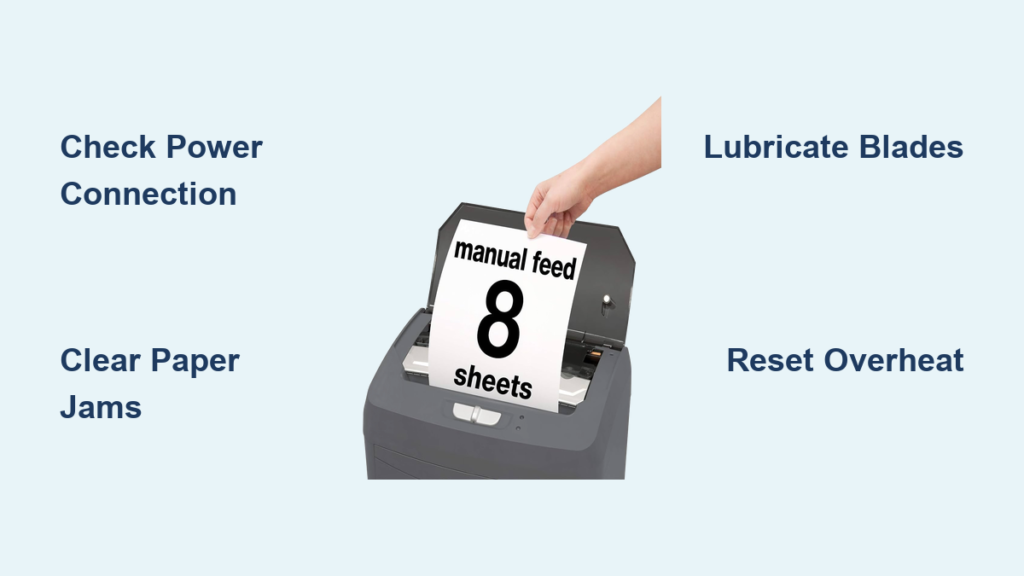
If your Boxis shredder stops working mid-job or won’t start at all, you’re not alone. Many users of the Boxis AutoShred 110-Sheet Microcut model face sudden shutdowns, paper jams, and strange knocking noises, especially after months of regular use. The good news? Most of these problems have quick fixes that don’t require opening the machine or voiding your warranty. This guide gives you a step-by-step breakdown of how to diagnose and resolve the most common Boxis shredder issues safely and effectively.
You’ll learn how to clear jams, prevent overheating, maintain proper lubrication, and avoid mistakes that trigger safety sensors. Whether you rely on the auto-feed tray for bulk shredding or use the manual slot for quick jobs, this Boxis shredder troubleshooting guide keeps your machine running smoothly without risking electric shock or invalidating your warranty.
Power Failure: Boxis Shredder Won’t Turn On

When your Boxis shredder doesn’t respond, start with a systematic check of four key components. Never assume the motor is dead. Most power failure cases stem from preventable oversights.
Check Power Connection and Outlet
Ensure the power cord is fully inserted into both the shredder and a working wall outlet. Test the outlet by plugging in another device like a lamp or phone charger. If that device doesn’t power on, the issue lies with the outlet or circuit breaker, not the shredder.
Verify Switch Position
The unit only operates when the slide switch is set to Auto On. If it’s in Off or Manual Reverse, the shredder won’t activate, even if plugged in. Slide the switch firmly into the Auto On position before attempting to feed paper.
Confirm Bin Is Empty and Seated
The Boxis shredder has a built-in safety sensor that disables operation when the bin is full or improperly seated. Check if the Yellow Bin Full LED is lit. If so, remove the bin completely, empty its contents, then reinsert it until it clicks securely into place.
Rule Out Thermal Overload
If the motor overheated from continuous use, the thermal protection circuit will disable the unit. Wait at least 30 to 60 minutes for the motor to cool down before trying again. Avoid feeding 110-sheet batches back-to-back to prevent future overheating.
Auto-Feed Tray Not Pulling Paper

When the auto-feed tray fails to pull sheets, it halts high-volume workflows. This issue rarely indicates a mechanical defect. Instead, it’s usually caused by incorrect loading practices.
Correct Paper Stack Preparation
Open the top paper tray cover and inspect the stack. All pages must be flat and unfolded, free of crumples or dog-eared corners, and aligned neatly at the edges. Misaligned or bent paper prevents the feed rollers from gripping sheets properly.
Position Staples at the Top
Staples must be located at the top edge of the stack, the end farthest from the shredder opening. If staples enter the feed path first, they can snag rollers or blades, triggering a jam or stoppage.
Reduce Sheet Count
Even if below 110 sheets, overfilling the tray can overwhelm the feed mechanism. Try reducing the load to 60 to 80 sheets to see if the unit pulls paper. Gradually increase volume once consistent feeding is confirmed.
Jam in Manual Feed Slot

A jam in the front manual slot stops immediate shredding tasks. The machine detects resistance and halts automatically to protect internal components.
Clear Jam Using Reverse Mode
Slide the control switch to Manual Reverse. This backs the paper out partially. Once reversed, gently pull the paper forward by hand. Do not force it. If resistance persists, repeat the reverse cycle.
Remove Fragments with Tweezers
If only part of the paper was shredded, small fragments may remain near the blades. Use tweezers or the included jam release lever to extract remnants. Shine a flashlight into the slot to ensure no scraps are stuck.
Avoid Overloading the Manual Slot
Never insert more than 10 sheets at once. Exceeding this limit causes immediate jams. For thicker stacks, use the auto-feed tray instead.
Knocking Noise During Operation
A loud knocking sound followed by sudden stoppage is one of the most concerning Boxis shredder issues. This symptom points to multiple possible causes, from simple fixes to serious wear.
Clear All Paper Jams First
Before diagnosing further, run the Manual Reverse function and visually inspect both feed paths. Even a tiny scrap caught between blades can cause rhythmic knocking as the rollers try to turn.
Lubricate the Cutting Blades
Insufficient lubrication increases friction, making the motor strain and produce knocking or grinding noises. Apply 2 to 3 drops of shredder-specific oil or cooking oil directly into the feed slot. Run the machine for a few seconds to distribute the oil. Repeat monthly for heavy use.
Warning: Never use WD-40, 3-IN-ONE oil, or silicone spray. These degrade rubber rollers and damage blade coatings over time.
Inspect for Motor Coupling Damage
If knocking continues after clearing jams and lubricating, the motor coupling may be worn or broken. This small plastic or rubber component connects the motor to the drive system. When damaged, it creates a rhythmic thud as it slips. This repair requires professional service. Do not open the shredder head. Contact Boxis support at 1-866-707-1854 for authorized repair or replacement.
Shredder Stops Mid-Operation

Sudden shutdowns disrupt workflow and are often mistaken for permanent failures. In reality, two safety systems are likely responsible: thermal protection or bin sensing.
Allow Time to Cool Down
Running long batches without breaks causes the motor to overheat. The shredder will shut off automatically and refuse to restart until cooled. Wait 30 to 60 minutes before resuming use. For continuous jobs, shred 50-sheet batches with 5-minute pauses in between.
Recheck Bin Insertion
Even if recently emptied, the bin might not be fully seated. Remove it, empty any loose shreds from the sensor area, and reinsert firmly until it clicks. A misaligned bin triggers the full sensor and disables operation.
Prevent Overheating and Extend Lifespan
Frequent overheating shortens motor life and leads to premature failure. Simple usage habits can prevent this common issue.
Limit Continuous Use
Avoid pushing the shredder to its 110-sheet capacity repeatedly. Instead, shred 60 to 80 sheets at a time, pause for 3 to 5 minutes between batches, and use the auto-feed tray for consistency. This reduces thermal stress and keeps the motor within safe operating temperatures.
Monitor Ambient Temperature
Operating the shredder in a hot room or near heat sources like radiators or direct sunlight increases internal temperature. Place the unit in a well-ventilated area away from enclosed spaces.
Lubrication Best Practices for Boxis Shredders
Regular lubrication prevents jams, reduces noise, and protects cutting blades. Skipping this step is a leading cause of performance decline in Boxis shredder troubleshooting.
Use the Right Oil
Only use shredder-specific lubricating oil, food-grade cooking oil like olive, vegetable, or canola, or cooking spray lightly applied. Avoid all aerosol lubricants like WD-40. They attract dust and degrade internal parts over time.
Lubricate Monthly or Per 5 Batches
For average office use, apply oil once per month. For heavy use, lubricate after every 5 full batches. Fold a piece of paper, spray or drip oil on the top third, then feed it through using the manual slot.
Pro Tip: Some models include a pre-oiled sheet in the box. Do not save it for later. Use it early and establish a routine.
When to Contact Boxis Support
If all troubleshooting steps fail, the issue may require professional attention. Do not open the shredder head. This voids the warranty and risks electric shock from high-voltage components.
Signs You Need Professional Help
The knocking persists after lubrication and jam removal, the motor hums but blades do not turn, the unit won’t power on despite verified outlet, switch, and bin status, or there is a burning smell during operation.
Contact Boxis Support
Call the official support line at 1-866-707-1854. Have your model number ready and describe the steps you have already taken. Support can determine if the unit qualifies for repair or replacement under warranty.
Frequently Asked Questions About Boxis Shredder Troubleshooting
Why does my Boxis shredder suddenly stop mid-shredding?
This is usually caused by either thermal overload or the bin being full or improperly seated. Check the Yellow Bin Full LED indicator. If it’s lit, empty the bin and reseat it firmly. If the LED is off, the motor likely overheated. Wait 30 to 60 minutes before attempting to use the shredder again.
How do I fix a paper jam in my Boxis shredder?
Slide the control switch to Manual Reverse to back the paper out. Then gently pull the paper forward by hand. Use tweezers or the jam release lever to remove any remaining fragments. For auto-feed jams, flip the safety cover upward, remove the jammed paper, then close the cover securely before resuming.
Why is my Boxis auto-feed tray not pulling paper?
This typically happens due to incorrect paper preparation. Ensure all sheets are flat and unfolded, staples are positioned at the top edge of the stack, and the sheet count is below 110. Try reducing to 60 to 80 sheets to test if feeding improves.
Can I use WD-40 to lubricate my Boxis shredder?
No. WD-40, 3-IN-ONE oil, and silicone spray damage rubber rollers and blade coatings. Use only shredder-specific lubricating oil or food-grade cooking oil like olive or vegetable oil. Apply sparingly.
What should I do if my Boxis shredder makes a knocking noise?
Clear any paper jams first using the Manual Reverse function. Apply 2 to 3 drops of shredder-specific oil into the feed slot and run the machine briefly. If the knocking persists, the motor coupling may be damaged. Contact Boxis support at 1-866-707-1854 for professional repair.
Key Takeaways for Boxis Shredder Troubleshooting
Most Boxis shredder issues stem from overloading, poor maintenance, or misunderstanding safety features, not mechanical defects. By following these troubleshooting steps, you will resolve common problems quickly, extend your shredder’s lifespan, and avoid unnecessary repairs. Always verify power connections, switch position, and bin status before assuming a serious malfunction. Keep the unit clean, lubricated with proper oil, and within capacity limits, and it will handle years of reliable service. If problems persist after trying these solutions, contact Boxis support at 1-866-707-1854 for professional assistance.





