

If your Casemate shredder motor runs forward but won’t reverse or pull in paper, you’re likely dealing with a hidden electronic fault. This issue commonly affects models like the WM675XB, where the motor powers on in one direction but fails to respond to reverse commands or paper insertion. Despite no visible jams and proper power cycling, the shredder may still refuse to operate normally, leaving users frustrated and unsure of the next step. The root cause often lies beyond simple blockages, pointing instead to internal control failures.
In this guide, you’ll learn how to diagnose alignment issues, test safety features, identify sensor problems, and determine if the mainboard has failed. By the end, you’ll know exactly what’s stopping your Casemate shredder troubleshooting process and how to fix it safely and effectively.
Check Wastebasket Alignment for Casemate Shredder
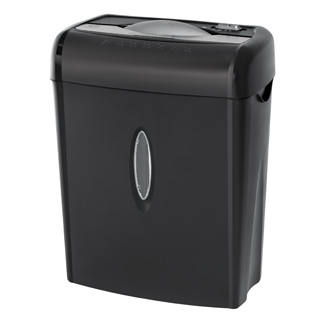
The Casemate WM675XB uses a mechanical interlock that requires precise positioning on the wastebasket. A curved plastic tab on the back of the shredder head must fit securely over a ridge on the wastebasket’s outer edge. If misaligned, the shredder interprets this as an unsafe condition and disables operation, even if the unit appears seated.
Verify the Curved Flap Position
To verify proper alignment, lift the shredder head off the bin and locate the curved plastic tab on the rear underside. Align it with the raised ridge on the wastebasket, then lower the unit straight down until it clicks into place. A poorly seated head prevents paper feed and disables reverse mode, mimicking electronic failure when the fix is simply repositioning.
Test Stability Before Powering On
Once aligned, gently wiggle the shredder head. It should not rock or shift. Any movement can trigger the safety cutoff. Ensure the bin is on a level surface and free of debris around the rim. Misalignment here commonly causes both no paper intake and loss of reverse function, even when the motor spins forward.
Reset ShredSafe Lock on Casemate Shredder

The ShredSafe feature automatically cuts power if the lid is opened too far. The cover has a preset angle stop, and lifting it past this point activates the safety lock, disabling motor response in all modes. Users often do this accidentally when inspecting the feed slot.
Avoid Over-Tilting the Lid
To reset the ShredSafe lock, close the lid completely and press down lightly until it clicks into the closed position. Wait 10 seconds, then try feeding a single sheet. If the motor previously worked forward but now does nothing, over-tilting may be the culprit. This lockout can persist even after closing the lid if not fully reset.
Recognize Lid Position Errors
You cannot open the lid beyond the first detent to inspect rollers without triggering ShredSafe. Doing so breaks the internal continuity signal. Always keep the lid within its normal operating arc during troubleshooting. If you’ve opened it fully, the system may take several seconds to re-engage once properly closed.
Diagnose Casemate Shredder Motor Direction Issues
With the shredder powered and correctly seated, test forward and reverse response separately. Push the switch fully forward and listen for motor engagement. Return to center, where the motor should stop immediately. Pull the switch into reverse and expect audible reversal or vibration.
Identify One-Way Motor Operation
If the motor runs forward but is completely silent in reverse, the issue isn’t mechanical. It’s electrical. The motor itself is functional, but the control circuit for reverse operation has failed or is blocked by a safety signal. This one-direction operation rules out total motor failure and points to switch, wiring, or board-level issues.
Recognize Partial Circuit Breakdown
A working forward motor with dead reverse suggests reverse circuit damage on the mainboard, a control switch not sending reverse signal, a safety interlock that’s partially engaged, or an internal fuse or trace failure. Since paper also isn’t pulled in, the feed rollers aren’t engaging, indicating the board isn’t activating drive systems in either direction despite forward motor noise.
Clear Hidden Blockages in Your Casemate Shredder
Even without a full jam, small paper fragments, dust, or sticky residue can prevent roller engagement. Use a soft brush or compressed air to clean the entry rollers at the feed throat, lower cutting shafts near the bin opening, and photo sensor windows if visible.
Clean Feed Rollers and Sensors
Debris here can fool the sensor into thinking paper is already present or block detection entirely. Some Casemate models use infrared sensors to detect paper insertion. These are typically small dark lenses near the feed slot. If covered in dust or paper fibers, they won’t trigger the intake sequence.
Wipe Sensor Lenses Gently
Wipe the sensors gently with a cotton swab dampened with isopropyl alcohol. A blocked sensor explains why the motor runs forward manually but no auto-feed activates, and why reverse doesn’t engage because the system thinks the shredder is busy.
Test Casemate Shredder Switch Function
The direction switch is a common failure point. Over time, repeated use wears internal contacts, especially in reverse mode. Signs of switch failure include a loose or spongy switch feel, delayed motor response, and working forward but no click or action in reverse.
Check for Sticking or Worn Contacts
Try wiggling the switch gently while in reverse position. If the motor briefly engages, the switch is failing. Note that this switch is not user-serviceable. Replacement requires disassembly and soldering.
Rule Out Intermittent Electrical Flow
If the switch sends inconsistent signals, the mainboard may disable reverse as a protective measure. This can also prevent paper feed activation since the control logic relies on clean input from the switch to initiate cycles.
Identify Mainboard Failure in Casemate Shredder
The combination of motor running forward only, no reverse response, no paper intake, no visible jams, and correct alignment and safety resets strongly indicates a failed internal mainboard. This board manages motor direction control, sensor input processing, safety interlock verification, and auto-feed activation.
Recognize Board Malfunction Symptoms
When damaged, the mainboard may allow basic forward operation via direct power path but fail to process reverse commands or paper detection signals. Mainboard failures in Casemate shredders often stem from voltage spikes during power cycling, moisture or dust ingress over time, overheating without thermal shutdown, or manufacturing defects in solder joints or components.
Understand Why Boards Fail
These issues can degrade performance gradually or cause sudden failure after a month of inactivity. The electronic control system is sensitive to power irregularities and environmental conditions.
Decide Between Repair or Replacement for Casemate Shredder
If purchased within the last year, contact the retailer or manufacturer. Casemate shredders typically come with a limited warranty covering electronic components. Since the mainboard is not user-replaceable, authorized service is required.
Contact Retailer for Warranty Support
When calling for support, provide the model number WM675XB and describe symptoms as motor runs forward but no reverse or paper feed. Confirm no physical damage or liquid exposure. Ask about replacement or repair options. Many retailers offer free replacements for confirmed board failures.
Consider Cost of Professional Repair
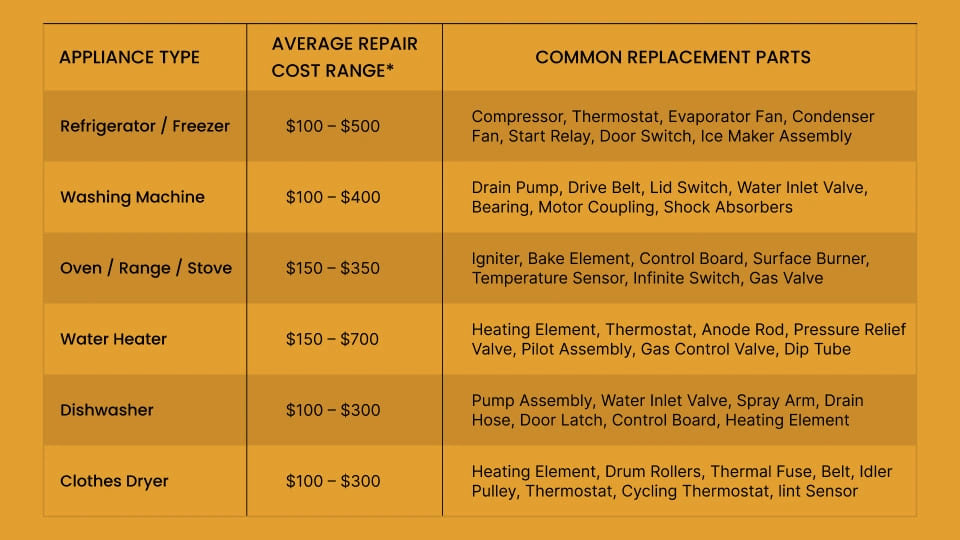
If out of warranty, board replacement requires full disassembly. Parts may not be available to consumers, and labor often exceeds $50 to $75. In most cases, replacement is more cost-effective than repair. Compare prices of new Casemate WM675XB or equivalent cross-cut shredders before investing in fixes.
Prevent Casemate Shredder Future Failures
Unplug the shredder after each session to avoid voltage surges. Use a surge-protected outlet if leaving it plugged in. Sudden power spikes can damage sensitive control boards over time.
Perform Monthly Maintenance
Run a lubrication sheet every 2 to 3 months. Wipe sensor lenses with alcohol monthly. Check wastebasket alignment before use. Preventive care extends motor and board life significantly.
Store Properly During Inactivity
If not using for weeks, unplug completely. Cover the feed slot to prevent dust buildup. Store in a dry, temperature-stable area. Long idle periods can lead to condensation or contact oxidation on internal circuits.
Frequently Asked Questions About Casemate Shredder Troubleshooting
Why does my Casemate shredder run forward but not reverse?
This typically indicates an electronic control issue rather than a mechanical problem. The motor itself works, but the reverse circuit on the mainboard has failed or the direction switch isn’t sending the reverse signal properly.
Can I fix the mainboard myself?
No. The mainboard is not user-replaceable without technical expertise. Attempting to open or replace internal components may void any remaining warranty or cause further damage.
How do I know if the wastebasket is properly aligned?
Look for the curved plastic tab on the rear underside of the shredder head. It must fit over the corresponding ridge on the wastebasket. The unit should click into place and not wiggle when seated.
What is ShredSafe and how do I reset it?
ShredSafe is a safety feature that cuts power if the lid is opened too far. To reset it, close the lid completely, press down until it clicks, wait 10 seconds, and try operating normally.
Is the shredder worth repairing out of warranty?
In most cases, no. Professional repair costs often exceed $50 to $75, and parts may not be available. Replacement is usually more cost-effective than repair.
Key Takeaways for Casemate Shredder Troubleshooting
When your Casemate shredder runs forward but won’t reverse or accept paper, start with alignment and safety checks. The wastebasket must seat properly and the ShredSafe lid must be in the correct position. If these are correct and the problem persists, suspect mainboard failure. This electronic issue stops both paper feed and reverse operation even with a working motor. While not repairable at home, warranty support may cover replacement. For long-term reliability, choose models with accessible components or extended service options.





