
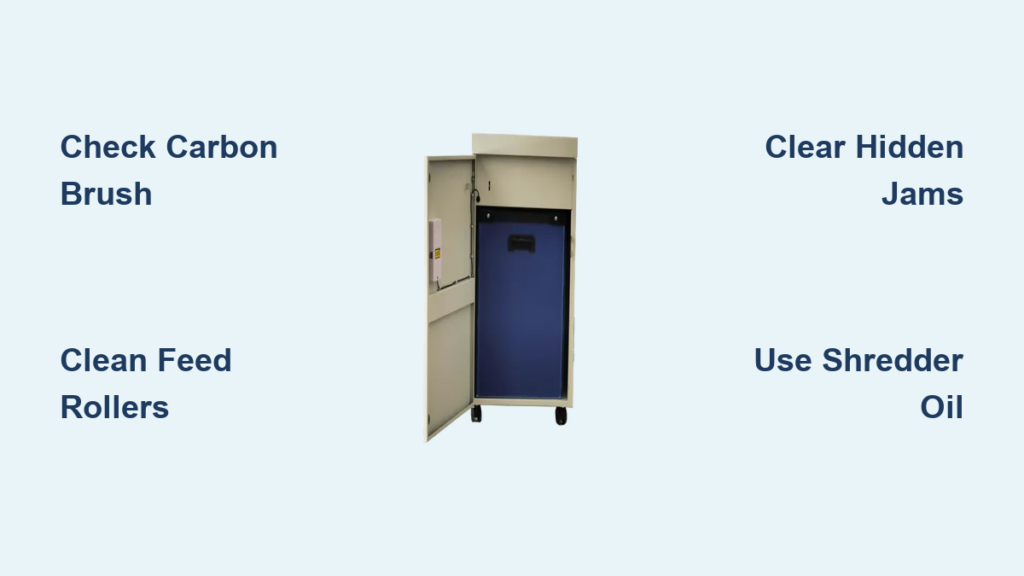
Your Embassy paper shredder powers on but won’t shred, or it runs without pulling paper in. These frustrating issues are more common than you might think, and they often stem from overlooked components that are easy to fix. Most problems fall into two categories: electrical failures that prevent cutting or mechanical issues that stop paper feed. This guide walks you through proven troubleshooting steps based on real field diagnostics, so you can identify the exact problem and apply the right fix.
Decode Symptoms Before Disassembling
Accurate symptom identification saves time and prevents unnecessary repairs. Embassy shredders typically fail in two distinct ways. Either the unit shows power but the blades won’t turn, or the motor runs but paper isn’t pulled in. Each symptom points to a different root cause, and understanding which one you’re dealing with is the first step toward a solution.
Motor Hums But Won’t Cut
If your shredder lights up and makes a brief humming sound when activated but doesn’t shred paper, the motor is receiving partial power but failing to engage the cutting assembly. This is not a blown fuse or dead motor in most cases. The fault lies in the electrical bridge between the control board and the rotating blades. A resistance test showing 10 ohms or less at the wheel connector indicates a compromised circuit, often due to a missing or damaged component critical for power transfer.
Shredder Runs But Won’t Pull Paper
When the motor spins and may even sound normal, but inserted paper sits untouched at the feed slot, the problem isn’t power delivery. It’s mechanical feed failure. Common culprits include dirty rollers, blocked sensors, hidden jams, or internal gear damage. Units inactive for over a year are especially prone to this issue due to hardened lubricants and dust buildup.
Fix No-Cut Issues: Check the Carbon Connector

When the motor hums but blades don’t turn, the real culprit is often a tiny overlooked part: the carbon brush connector. This small conductive component transfers electricity from the stationary control board to the rotating cutting head. If it’s missing or degraded, the circuit breaks, no matter how healthy the rest of the system appears.
Missing Carbon Brush? Use a Wick Fix
Embassy shredders use a carbon connector with two center posts that align with housing holes. Over time, this part can detach or wear out, leaving a hollow socket. Since OEM replacements may be unavailable, a field-tested workaround uses a fibrous wick as a conductive bridge.
Steps to Install:
- Unplug the shredder and remove the cutting assembly.
- Inspect the wheel housing and look for an empty socket where the carbon brush should be.
- Cut a short piece of wick and insert it firmly into the socket.
- Apply a light dab of WD-40 to clean contact points. Do not overuse.
- Reassemble and test.
The wick restores continuity, allowing current to reach the motor. While not a permanent solution, fibers may burn or compress under pressure. It’s effective for immediate use and confirms the diagnosis.
Warning: WD-40 is used only here for contact cleaning. It should never be applied to blades or rollers during routine maintenance.
Restore Paper Feed Function
If your shredder runs but won’t pull paper, the feed mechanism is compromised. This section covers the most common causes and how to fix them in order of likelihood.
Clean the Feed Rollers
Rubber feed rollers lose grip when coated with dust, paper fibers, or old lubricant. They become slick, causing paper to slip instead of being pulled in.
Cleaning Steps:
- Turn off and unplug the unit.
- Wipe rollers with a damp microfiber cloth to remove surface grime.
- Use compressed air to blow out debris from crevices.
- Let rollers dry completely before testing.
- Try feeding a stiff filing folder. If it’s pulled in, the rollers were the issue.
Avoid oils or household cleaners. They degrade rubber and attract more dust.
Clear Hidden Jams
Even if no jam is visible, small paper fragments can block the feed path or bind the rollers.
How to Clear:
- Shine a flashlight into the feed slot and cutting chamber.
- Use tweezers or a plastic tool to remove debris. Never use metal.
- Run the shredder in reverse for 5 to 10 seconds to dislodge internal obstructions.
Reverse operation often frees stuck parts and realigns gears without full disassembly.
Check the Paper Sensor
Embassy shredders use an optical paper sensor near the feed slot to detect when paper is inserted. If blocked by dust, the machine thinks no paper is present, even if it’s right at the entrance.
Sensor Fix:
- Locate the small sensor window near the paper entry.
- Clean it with a dry cotton swab or soft brush.
- Ensure no paper dust or smudges obstruct the optical path.
A clean sensor restores automatic feed response.
Diagnose Internal Mechanical Failures
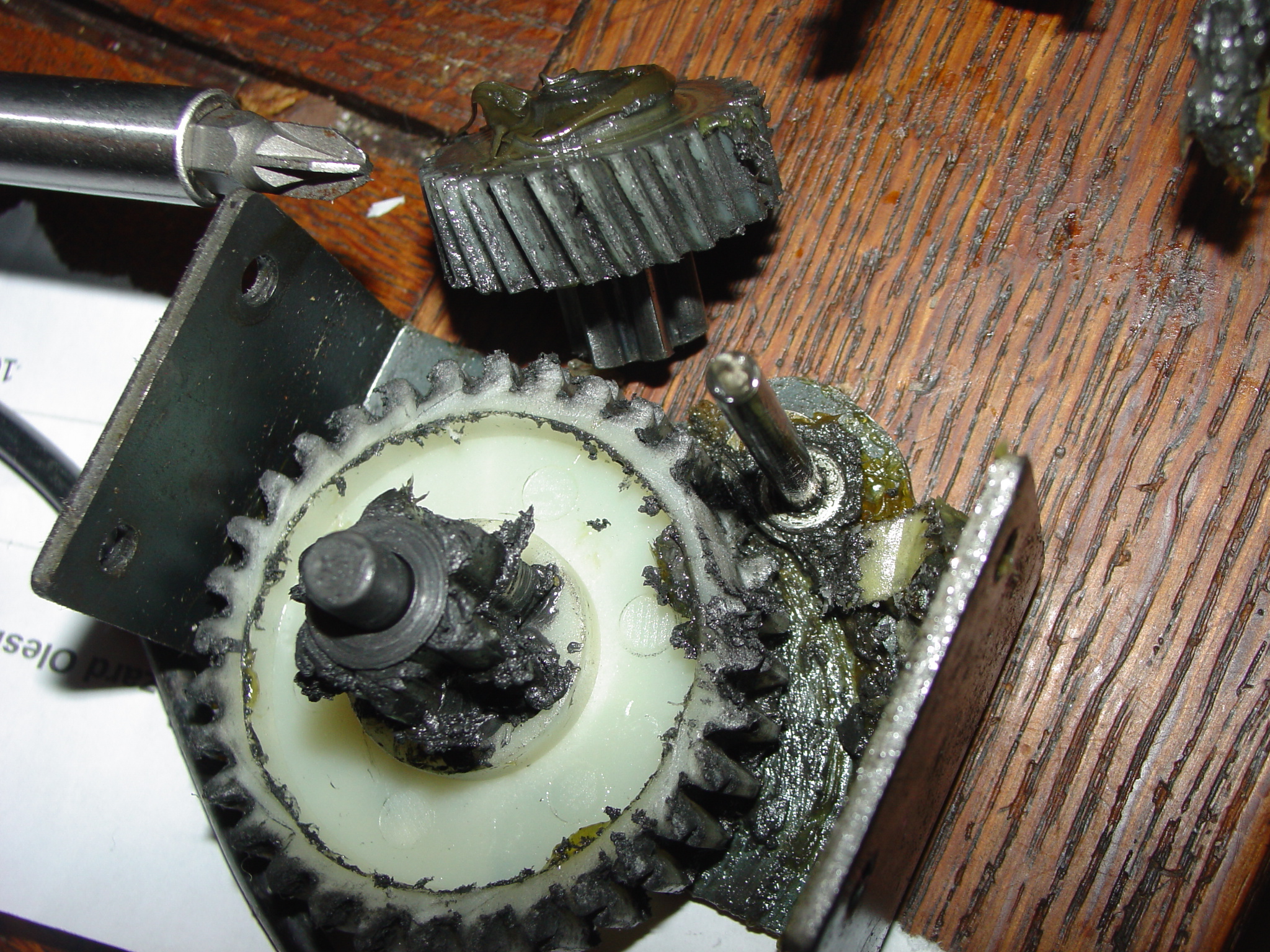
If rollers are clean, the sensor is clear, and the motor runs but no paper is pulled, the problem is likely internal. These issues require deeper inspection.
Broken Gears or Worn Belts
Some models use plastic gears or belts to drive the feed rollers. Over time, especially after long inactivity, these components can crack, strip, or snap.
Signs of Failure:
- Motor runs, but feed rollers don’t move.
- Grinding or clicking noises during operation.
- Visible belt slack or gear misalignment upon inspection.
If gears are stripped or belts are broken, repair is often impractical. Replacement parts are rarely available, and labor exceeds the value of most Embassy units.
Seized Mechanism from Long Inactivity
Shredders stored for a year or more can seize due to dried lubricants and corrosion.
Revival Steps:
- Apply 2 to 3 drops of shredder-specific oil into the feed slot.
- Run the shredder in reverse for 10 seconds.
- Repeat daily for up to 3 days if needed.
This softens old grease and frees stuck components. Do not use vegetable oil, WD-40, or generic lubricants. They attract dust and degrade plastics.
Use the Right Lubricant
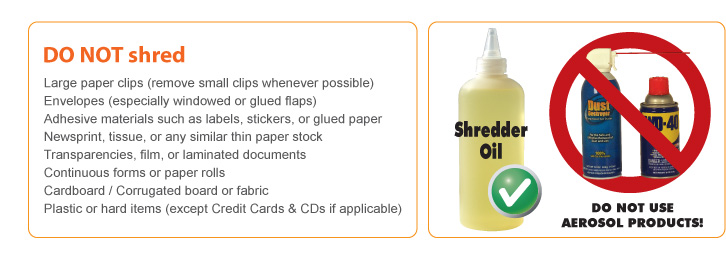
Proper lubrication prevents most mechanical failures, but using the wrong product causes more harm than good.
Only Use Shredder Oil
Approved: Specially formulated paper shredder oil. It’s viscous enough to coat blades and gears, resists gumming, and doesn’t attract dust. It also preserves rubber and plastic components.
How to Apply:
- Insert 2 to 3 drops into the paper slot.
- Run the shredder in reverse to distribute oil.
- Repeat every 15 to 20 reams of paper or monthly with heavy use.
Never Use Household Oils
Prohibited: Cooking oil, vegetable oil, or 3-in-1 oil. These turn sticky and attract debris. WD-40 on blades or rollers degrades rubber, evaporates quickly, and offers no lasting protection.
Exception: WD-40 is acceptable only for cleaning electrical contacts like the carbon brush socket, not for lubricating moving parts.
Prevent Future Failures
Regular maintenance prevents 90% of Embassy shredder issues. Follow these best practices to extend lifespan and avoid downtime.
Feed Paper Correctly
- Insert paper straight without bending or curling.
- Stay within the maximum sheet capacity listed on the unit.
- Never force paper into the slot.
Misfed paper stresses gears and increases jam risk.
Clean Rollers and Sensors Monthly
Even with light use, dust accumulates. Wipe rollers with a dry or slightly damp cloth monthly. Clean the sensor with a cotton swab every few months.
Oil After Every Few Reams
Don’t wait for sluggish performance. Oil the blades after every 15 to 20 reams or once a month with regular use. This keeps internal parts moving freely and prevents overheating.
Decide: Repair or Replace
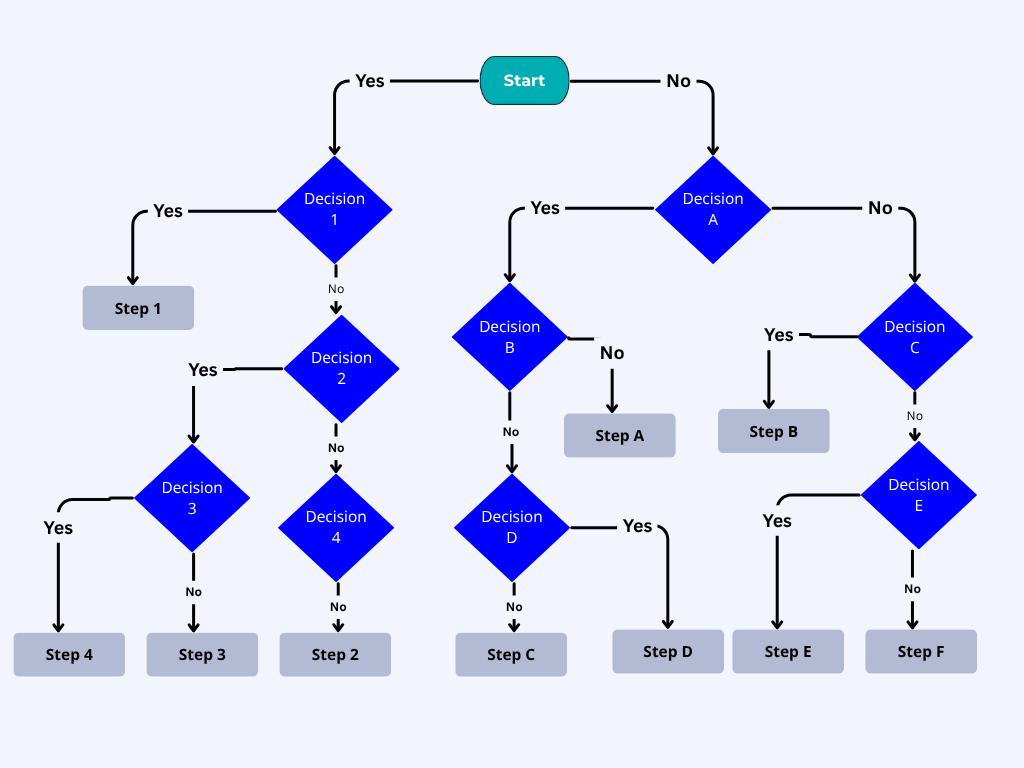
Not every failure warrants repair. Use this decision matrix to determine the best next step.
Repair If:
- Carbon brush is missing. A wick fix costs pennies and works immediately.
- Rollers or sensors are dirty. Cleaning takes minutes and restores function.
- Unit has been idle. Lubrication and reverse cycling may revive it.
These are low-cost, high-success fixes any user can perform.
Replace If:
- Feed rollers don’t turn but motor runs. This indicates broken internal gears.
- Belt is snapped or gear is stripped. No practical DIY repair exists.
- All troubleshooting fails after 3 days. Internal wear is likely too advanced.
For older or out-of-warranty units, replacement is often cheaper than sourcing rare parts.
Call Support If:
- The unit is under warranty.
- You detect burning smells or sparks.
- You’re uncomfortable opening the chassis for electrical work.
Embassy customer service or a certified technician should handle complex internal repairs.
Frequently Asked Questions About Embassy Paper Shredder Troubleshooting
Why does my Embassy shredder power on but not shred?
This typically indicates an electrical issue rather than a mechanical one. The most common cause is a missing or damaged carbon brush connector that breaks the circuit between the control board and the cutting blades. Check the wheel housing for an empty socket where the carbon brush should be.
How do I fix a shredder that runs but won’t pull paper in?
Start by cleaning the feed rollers with a damp microfiber cloth, then clear any hidden jams using reverse mode. If that doesn’t work, clean the optical paper sensor with a dry cotton swab. If all else fails, the internal gears or belt may be broken.
Can I use WD-40 to lubricate my shredder?
No. WD-40 should only be used to clean electrical contacts like the carbon brush socket. For lubricating blades and gears, use only shredder-specific oil. Household oils attract dust and damage rubber components.
How do I know if my shredder needs oiling?
Your shredder needs oiling if it has been sitting idle for months, runs slowly, or makes unusual noises during operation. Apply 2 to 3 drops of shredder oil into the feed slot and run in reverse. Repeat every 15 to 20 reams of paper.
Is the wick fix permanent for a missing carbon brush?
No. The wick fix is a temporary workaround. The fibrous material can burn or compress over time. It’s effective for immediate use and confirms the diagnosis, but plan to replace the unit or find an OEM part for a permanent solution.
When should I replace my Embassy shredder instead of repairing it?
Replace the unit if the motor runs but feed rollers don’t turn (indicating broken gears), if belts are snapped, or if all troubleshooting steps fail after multiple attempts. For older units, replacement is often more cost-effective than sourcing rare internal parts.
Key Takeaways for Embassy Paper Shredder Troubleshooting
Embassy paper shredder troubleshooting hinges on precise diagnosis. A humming motor with no cut usually means a missing carbon brush connector. Check the wheel housing for an empty socket and try the wick fix as a temporary solution. If the shredder runs but won’t pull paper, clean the rollers, clear hidden jams, and verify the sensor is unobstructed. Always use shredder-specific oil for lubrication, never household substitutes. With routine care, most issues are preventable. But when they strike, this guide gives you the tools to fix it fast or know when it’s time for a new machine.





