
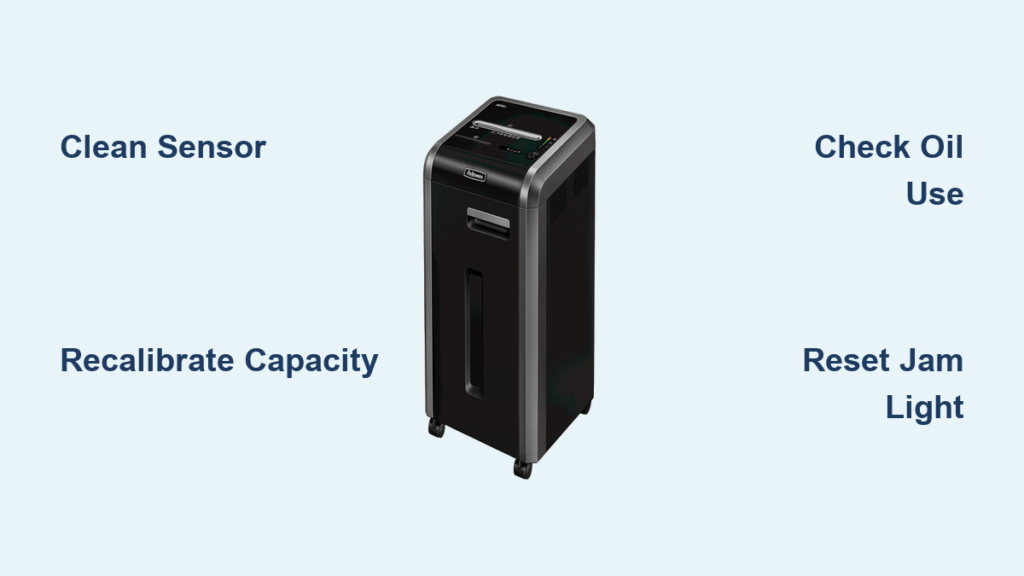
If your Fellowes 225Ci shredder suddenly runs only in reverse, flashes the Jam light with a single sheet, or refuses to start forward operation, you are not alone. This commercial-grade shredder, built for small offices handling up to 20 sheets per pass, is known for reliable performance, but a recurring sensor issue can mimic serious mechanical failure. The root cause is often not a jam or motor defect, but a sticky paper presence sensor coated in oil and paper dust. This guide delivers targeted, step-by-step solutions to restore full function, recalibrate capacity detection, and prevent future failures using only facts verified from technical service data.
You will learn how to fix reverse-only operation, perform proper calibration, identify false versus real errors, and maintain the unit without triggering sensor contamination.
Fix Reverse-Only Operation

When your Fellowes 225Ci spins only in reverse even with one sheet of paper, the motor and gears are likely fine. The real issue is the control system misreading a constant jam due to sensor failure.
Clean the Paper Presence Sensor
The primary cause of reverse-only behavior is a contaminated paper presence sensor, often called the clothespin sensor, located in the feed throat. Over time, oil from manual lubrication migrates and mixes with paper dust, forming a sticky residue that prevents the sensor from moving freely.
What to look for:
• Jam light activates immediately
• Forward button triggers reverse motion
• Sensor feels stiff when gently pressed
Cleaning procedure:
1. Power off and unplug the shredder using the rear rocker switch.
2. Remove the top cover if needed to access the feed throat.
3. Use a cotton swab dipped in isopropyl alcohol to wipe visible debris around the sensor.
4. Spray electronics contact cleaner directly onto the sensor arms. This dissolves gummy residue better than alcohol.
5. Manually press the sensor several times to free any stickiness. It should snap back smoothly.
6. Reassemble and test with one sheet.
Pro Tip: Never use household cleaners or water. Only electronics-safe solvents prevent damage.
Replace the Sensor if Stuck
If cleaning fails and the sensor still does not move freely, it is likely degraded or warped. Replacement is inexpensive and prevents unnecessary motor or board replacement.
Part details:
• Part type: Fellowes paper presence sensor (model-specific; verify compatibility)
• Installation: Disconnect power, unclip old sensor, snap in new unit
• Post-replacement: Recalibrate paper capacity (see next section)
Recalibrate Paper Capacity
After cleaning or replacing the sensor, recalibrate the unit to restore accurate sheet detection. Without calibration, the shredder may reject full 20-sheet loads or falsely trigger overloads.
Prepare for Calibration
Use standard 20 lb, 8.5″ x 11″ paper only. Non-standard paper skews sensor readings.
Stacks needed:
• 17 sheets for calibration baseline
• 20 sheets for final verification
Prep steps:
1. Power off the unit via the rear rocker switch.
2. Wait 5 to 10 seconds for the control board to reset.
3. Ensure bin is empty and door is fully latched.
Enter Calibration Mode
- Press the front Power button to turn on the unit.
- Simultaneously hold Reverse + Power + Forward buttons.
- Watch the LED display: an alternating light pattern confirms entry into Calibration Mode.
- Release all buttons.
Warning: All three buttons must be pressed at the exact same time. Use the palm of your hand for even pressure.
Reset Sensor Baseline
- Press and hold the Reverse button.
- Keep holding until all LEDs illuminate, then turn off completely.
- This resets the internal sensor reference point.
Load Calibration Stack
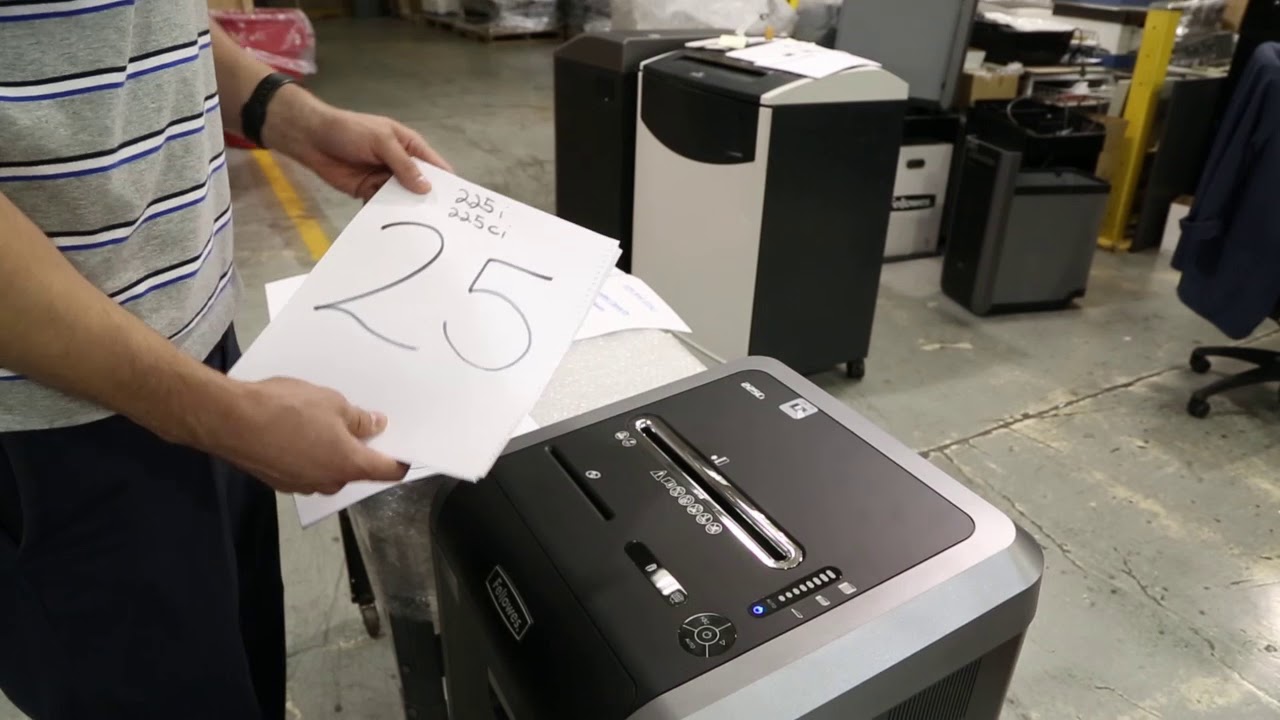
- Insert exactly 17 sheets into the feed tray.
- The LEDs will flash briefly, then go dark. This means the thickness has been registered.
- For some 225Ci firmware versions, use 25 sheets. Check your service tag or manual.
Note: Do not force paper. If the unit starts shredding, stop and restart the process.
Run 225Ci Calibration Cycle
This step is specific to the 225Ci and must not be skipped.
- Turn the unit OFF using the rear rocker switch.
- Power it back ON.
- Re-enter Calibration Mode: Reverse + Power + Forward (hold until alternating lights).
- Now, press and hold the Forward button.
- The Jam Light will illuminate, and the motor will run automatically.
- The shredder processes the paper and powers down when complete.
Visual cue: Once the machine stops on its own, calibration is finished.
Verify Full Capacity
- Power on normally.
- Insert 20 sheets of standard paper.
- Success: All sheets feed and shred in one pass with no jam light.
If the unit stops or reverses, repeat calibration. Contaminated sensors or incorrect sheet count are the most common failure points.
Diagnose False vs. Real Jams
Many users mistake sensor errors for mechanical jams. Knowing the difference prevents unnecessary disassembly.
False Overload: Sensor Failure
• Symptoms: Jam light on, reverse-only, single sheet triggers error
• Cause: Sticky paper sensor
• Fix: Clean or replace sensor, recalibrate
True Overload: Too Many Sheets
• Symptoms: Motor strains, paper bunches at entrance
• Cause: More than 20 sheets inserted
• Fix: Reduce to 20 sheets or fewer; recalibrate if persistent
Bin Full or Door Open
• Bin Full light: Stop operation. Empty bin fully. Reset by closing door.
• Door Open light: Check for obstructions. Ensure door latches flush. Listen for interlock click.
Overheat Protection
• Overheat light: Rare on 225Ci due to continuous run motor
• Cause: Blocked vents, extreme ambient heat, or jammed cutters
• Fix: Power down. Wait 30 to 60 minutes. Clear any debris. Oil cutters.
Maintain Cutters Without Damaging Sensors
The Fellowes 225Ci lacks an Auto-Oil system, so manual lubrication is required, but improper oiling causes sensor failure.
Oil Cutters Correctly
- Use shredder-specific oil only (not WD-40 or household oils).
- Feed a few oil sheets or spray directly onto cutting teeth.
- Run the shredder in forward mode to distribute oil.
- Frequency: After every heavy use session or when paper feeds slowly.
Critical Warning: Avoid spraying oil near the feed throat. Excess oil migrates to the paper sensor, creating sticky residue that triggers reverse-only mode.
Prevent Sensor Contamination
The single most preventable cause of 225Ci failure is oil migration to the sensor.
Best Practices
• Wipe excess oil from paper strips after oiling.
• Never over-lubricate. One or two sprays per session are enough.
• Clean sensor monthly with contact cleaner as part of maintenance.
• Use oil sheets instead of spray for more controlled application.
Pro Tip: Schedule sensor inspection every 3 months if used daily by multiple users.
Replace Faulty Components
When cleaning and calibration fail, targeted part replacement saves cost and downtime.
Paper Sensor Replacement
• Part cost: Low (typically under $20)
• Time required: 10 minutes
• Steps: Power off and unplug. Remove top housing. Unclip old sensor from mounting. Plug in new sensor and test.
Note: Use OEM or Fellowes-approved replacements. Aftermarket sensors may not calibrate correctly.
Control Board Issues
• Symptoms: Unresponsive buttons, no LED response, fails to enter calibration
• Fix: Reset power. If unresponsive, replace control board.
• Verification: Try recalibration after replacement.
Optimize for Small Office Use
The 225Ci is built for shared workspaces with 1 to 3 users. Maximize uptime with proper usage.
Ideal Workload
• Daily volume: Up to 500 sheets
• Run time: Continuous (no mandatory cool-down)
• User count: 1 to 3 people
Avoid: Back-to-back shredding of 20-sheet stacks without brief pauses. Let the unit breathe for 10 to 15 seconds between loads.
Shred Credit Cards and CDs
• Credit cards: Insert one at a time into the manual feed slot if available.
• CDs and DVDs: Feed slowly. May require hand-guiding.
• Never place hard materials in an auto-feed tray if applicable on similar models.
Warning: Shredding thick materials frequently accelerates cutter wear and increases oil needs.
Troubleshoot Indicator Lights
LEDs provide diagnostic clues. Learn what each pattern means.
Jam Light On
• During use: Check for paper jam. Reverse to clear.
• At startup: Indicates sensor fault or calibration needed.
Bin Full Light
• Action: Empty bin completely. Wipe interior to remove dust buildup.
• Still lit: Check bin interlock switch for damage.
Door Open Light
• Cause: Misaligned door, debris in latch, faulty interlock
• Test: Close firmly. Listen for click. Inspect for cracks or warping.
Overheat Light
• Rare on 225Ci, but possible under extreme conditions
• Cool down: 30 to 60 minutes off
• Prevent: Keep vents clear, avoid overloading
Warranty and Support Info
Fellowes offers tiered coverage. Know what is protected.
Warranty Breakdown
| Coverage | Duration | Notes |
|---|---|---|
| Machine (motor, electronics) | 1 to 3 years | Verify by serial number |
| Cutters | Up to 20 years | Against defects and premature wear |
Filing a Claim
- Locate model and serial number (bottom of unit).
- Contact Fellowes Customer Care.
- Describe symptoms and steps attempted.
- Provide proof of purchase if required.
Note: Sensor cleaning and calibration are not covered. They are considered user maintenance.
Final Verification Checklist
After any repair or calibration, confirm full function:
• Unit powers on normally
• Forward button runs forward (not reverse)
• Accepts 20 sheets without jamming
• Bin Full and Door Open lights reset when corrected
• No unusual noises or resistance
If all checks pass, the Fellowes 225Ci is fully restored.
Frequently Asked Questions About Fellowes 225Ci Shredder Troubleshooting
Why does my Fellowes 225Ci only run in reverse?
The most common cause is a contaminated paper presence sensor. Oil from lubrication and paper dust create sticky residue that prevents the sensor from moving freely, tricking the control board into thinking there is a constant jam.
How do I recalibrate my Fellowes 225Ci after cleaning the sensor?
Power off the unit, wait 5 to 10 seconds, then power on. Press and hold Reverse, Power, and Forward simultaneously until the LEDs alternate. Hold Reverse until all LEDs flash, insert 17 sheets, then follow the 225Ci-specific calibration steps including turning off and back on before running the final cycle.
Can I use any oil on my Fellowes 225Ci shredder?
No. Only use shredder-specific oil. Household oils like WD-40 can damage components and create residue that contaminates the paper sensor, leading to reverse-only operation.
How many sheets can the Fellowes 225Ci handle at once?
The rated capacity is 20 sheets of standard 20 lb bond paper per pass. The calibration process uses 17 sheets to establish a baseline before verifying full 20-sheet capacity.
What does it mean if the Jam light stays on with no paper in the feed?
This indicates a paper presence sensor problem rather than an actual jam. The sensor is either stuck in the “paper present” position due to contamination or requires cleaning and recalibration.
Is the Fellowes 225Ci covered under warranty?
Yes. The machine (motor and electronics) is typically covered for 1 to 3 years, while cutters carry up to 20 years coverage against defects. Sensor cleaning and calibration are considered user maintenance and are not covered.
Key Takeaways for Fellowes 225Ci Shredder Troubleshooting
The Fellowes 225Ci is a reliable commercial shredder when maintained correctly, but the paper presence sensor is its weakest link. Oil migration from manual lubrication creates sticky residue that triggers false jam signals and reverse-only operation. Clean the sensor with electronics contact cleaner, never over-lubricate the cutters, and recalibrate after any sensor work to restore accurate paper detection.
For persistent electronic faults or unresponsive controls, contact Fellowes support or a certified technician. Never attempt motor disassembly without professional training.
Your 225Ci is built to last. When maintained correctly, it delivers years of reliable, high-capacity shredding for small office environments.





