
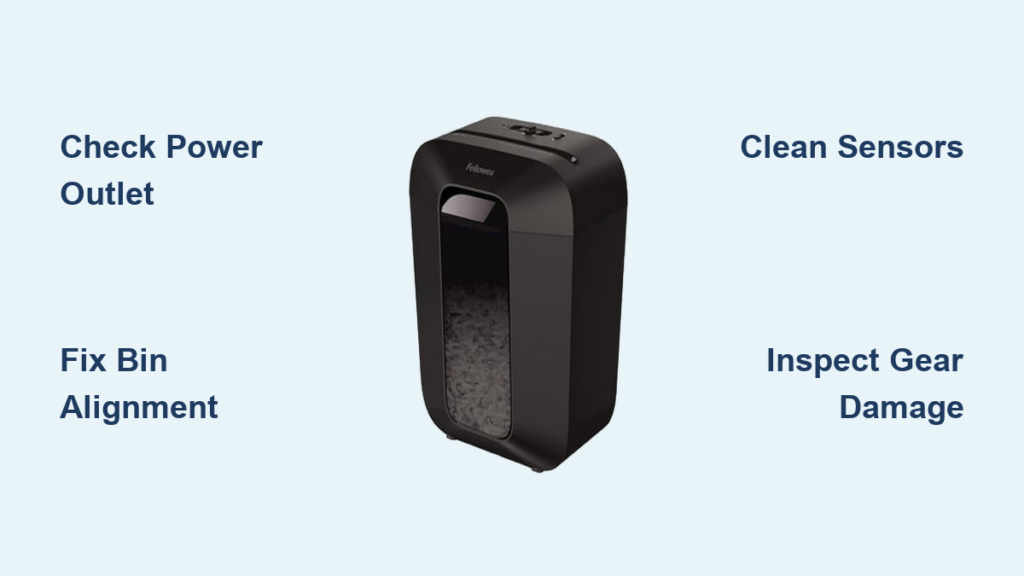
Is your Fellowes H6C shredder not working? You’re not alone. This reliable cross-cut shredder can suddenly stop responding, with no power, no spinning blades, or lights flashing with no action. The good news is most issues are fixable without replacing the unit. Common culprits include misaligned safety sensors, debris blockages, gear slippage, or thermal overload. In this guide, we’ll walk you through a step-by-step troubleshooting process using real mechanical insights from Fellowes service documentation. You’ll learn how to diagnose the exact cause, restore function, and prevent future breakdowns, often in under 15 minutes.
Whether your shredder shows no signs of life, hums but won’t cut, or flashes red and green lights, we’ve got you covered. By the end, you’ll know exactly what’s wrong and how to fix it safely and effectively.
Check Power and Outlet First
Before diving into internal repairs, confirm the basics. A Fellowes H6C that appears dead may simply have a power issue.
Test the Wall Outlet
Plug in another device like a lamp or phone charger to verify the outlet works. If nothing powers on, the issue is electrical, not with the shredder. Try a different outlet on a separate circuit.
Inspect the Power Cord and Connection
Ensure the cord is fully inserted into the shredder’s base. Over time, repeated plugging and unplugging can loosen the connection. Gently wiggle the cord where it enters the unit. If the lights flicker, the internal socket may be damaged, requiring professional repair or replacement.
Verify the Power Switch
Some H6C models have a physical switch on the side or front. Make sure it’s turned on. If the switch feels stuck or unresponsive, it may be internally fused or broken. In such cases, the switch or control board needs replacement.
Fix Red and Green Lights Issue

When both red and green lights are on but the shredder won’t run, the problem is almost always the safety interlock system, not a motor or electrical failure.
Confirm Bin Alignment
The H6C uses a safety tab on the waste bin that must align with a groove in the shredder head. If the bin is even slightly misaligned, the machine won’t start.
• Remove the bin completely
• Look for a small plastic tab about half an inch long on the inside wall of the bin
• Reinsert the bin firmly, pushing it all the way in until you hear a click
• Ensure the tab slides into the groove on the shredder head
If the bin is seated correctly but the lights remain on, proceed to the next step.
Inspect the Safety Tab and Groove
Over time, the plastic tab can crack, break, or bend. If damaged, do not bypass the safety switch with tape or a screw. Instead, replace the bin or repair the tab with strong epoxy if structurally sound. Clean the groove in the shredder head with a dry cloth to remove dust or paper debris that might block the switch.
Warning: Never operate the shredder without the bin properly engaged. The safety system prevents paper from jamming in the cutting head and protects your fingers.
Clear Sensor Blockages

Even with the bin correctly installed, your H6C may refuse to run due to a blocked sensor.
Clean the Paper Entry Slot
Tiny paper scraps or dust can accumulate in the feed opening, tricking the auto-shred sensor into thinking there’s a jam.
• Unplug the shredder
• Use tweezers or a soft brush to remove visible debris
• Shine a flashlight into the slot to check for hidden shreds
• Avoid using metal tools that could damage internal components
Check the Auto-Shred Sensor
The H6C uses a trigger pulley near the intake that activates when paper is inserted. If this pulley becomes dislodged, the shredder won’t detect paper.
• Open the casing (see disassembly steps below)
• Locate the small plastic pulley near the feed chute
• Ensure it’s snapped securely into place and moves freely when pressed
• Gently reseat it if loose
If the pulley is broken, it must be replaced. No workaround exists. The auto-start function depends on this physical mechanism.
Diagnose Motor Humming Without Shredding
If the motor runs but the blades don’t spin, the issue is mechanical, likely in the gear train.
Listen for the Type of Noise
• Humming with no blade movement: Gears are slipping or broken
• Grinding or clicking: Worn or chipped gear teeth
• Silent but powered: Possible motor or switch failure
Access the Gear Assembly
To inspect the gears:
- Unplug the shredder
- Turn it upside down
- Remove all visible screws from the base
- Check under rubber feet or near the motor for hidden screws
- Carefully separate the casing. Don’t force it
Once open, locate the plastic drive gears connected to the motor and cutting shaft.
Inspect for Gear Damage
Look for worn or chipped teeth, misaligned meshing, or loose or dislodged gears. If gears are misaligned but intact, gently reposition them so they mesh tightly. If teeth are damaged, replace the gear kit. Fellowes offers model-specific kits compatible with H6C or similar W1C and T7CM designs.
Check the Drive Shaft
A bent or broken shaft prevents proper gear engagement. If the shaft wobbles or won’t spin freely, attempt to straighten it carefully with pliers. If damaged beyond repair, replace the motor assembly.
Resolve Thermal Overload Protection
Frequent or prolonged use can trigger the H6C’s thermal safety cutoff, shutting down the motor to prevent burnout.
Recognize Overheat Symptoms
• Shredder stops mid-use
• No lights or power after extended running
• Unit feels hot to the touch
Perform a Cool-Down Reset
• Unplug the shredder
• Wait at least 30 minutes for the motor to cool
• Plug it back in and test with a single sheet
Pro Tip: The H6C is designed for short bursts, 3 minutes on and 5 minutes off. Exceeding this cycle repeatedly can cause permanent motor damage.
Prevent Future Overheating
• Shred in small batches
• Oil the blades weekly
• Let the unit rest between heavy jobs
If the shredder still won’t power on after cooling, the motor may be permanently damaged and require replacement.
Lubricate for Smooth Operation
Lack of lubrication is a leading cause of gear wear and motor strain.
Use Proper Shredder Oil
Never use WD-40 or household oils. These attract dust and gum up the blades. Use Fellowes-brand shredder oil or a quality alternative.
Oil the Blades Weekly
- Turn off and unplug the shredder
- Spray or drip oil across the entire cutting width
- Run the shredder in forward mode for 20 to 30 seconds to distribute oil
- Optional: Run in reverse to clean residual buildup
Note: If the shredder struggles to accept oil or jams during lubrication, a jam may still be present. Inspect first.
Prevent Future Breakdowns
Keep your H6C running like new with these simple habits.
Follow Capacity Limits
The H6C handles 6 to 8 sheets per pass. Overloading causes jams, gear stress, and motor burnout. When in doubt, go slower.
Avoid Problem Materials
• Staples: Remove if possible. Some models tolerate them, but they accelerate wear
• Paper clips: Always remove. These can lodge in gears
• Credit cards or plastic: Only shred if your model is rated for it
• Wet or wrinkled paper: Causes jams and rust
Empty the Bin Regularly
A full bin can trigger false bin full signals, block the safety tab, and cause paper to back up into the cutting head. Empty when three-quarters full to avoid issues.
Clean Sensors Monthly
Use a dry microfiber cloth to wipe the paper entry slot, the bin safety groove, and the auto-sensor area. This prevents false shutdowns and keeps the unit responsive.
Key Takeaways for Fixing Your Fellowes H6C

A Fellowes H6C shredder not working is rarely a lost cause. Most issues stem from simple misalignments, debris, or lack of maintenance. By following this guide, you can diagnose and fix the problem quickly, often without tools. Focus on the safety bin, sensors, and gears first. With proper care, your H6C can last years longer. If all else fails, contact Fellowes support or consider a replacement motor or gear kit. Don’t throw it out. Fix it.
Frequently Asked Questions About Fellowes H6C Shredder Not Working
Why does my Fellowes H6C show red and green lights but won’t shred?
This indicates a safety interlock issue, not a motor failure. The waste bin is likely not fully seated or the safety tab is damaged. Remove and reinsert the bin firmly until it clicks. If the problem persists, inspect the plastic tab on the bin for cracks or breaks.
How do I fix a Fellowes shredder that hums but doesn’t cut?
The gear train is slipping or damaged. Unplug the unit, remove the casing, and inspect the drive gears for worn teeth or misalignment. Replace damaged gears with a Fellowes-compatible kit. If gears look intact, reseat them properly so they mesh tightly.
Can I bypass the safety switch on my Fellowes H6C?
Never bypass the safety switch. This feature prevents injury by ensuring the bin is properly positioned. Tampering with it risks serious injury and voids your warranty. Always repair or replace the bin if the safety mechanism fails.
How long should I let my shredder cool down after overheating?
Allow at least 30 minutes for the motor to cool completely. The H6C is rated for 3 minutes of continuous use followed by a 5-minute rest period. Repeatedly exceeding this limit can cause permanent motor damage.
What oil should I use for my Fellowes H6C shredder?
Use Fellowes-brand shredder oil or a high-quality alternative specifically designed for shredders. Never use WD-40, household oils, or aerosol lubricants. These attract dust and gum up the cutting mechanism.
How often should I oil my Fellowes H6C shredder?
Oil the blades weekly or after every 15 to 20 minutes of continuous use. Regular lubrication reduces friction, prevents wear, and extends the life of the cutting mechanism and gears.





