
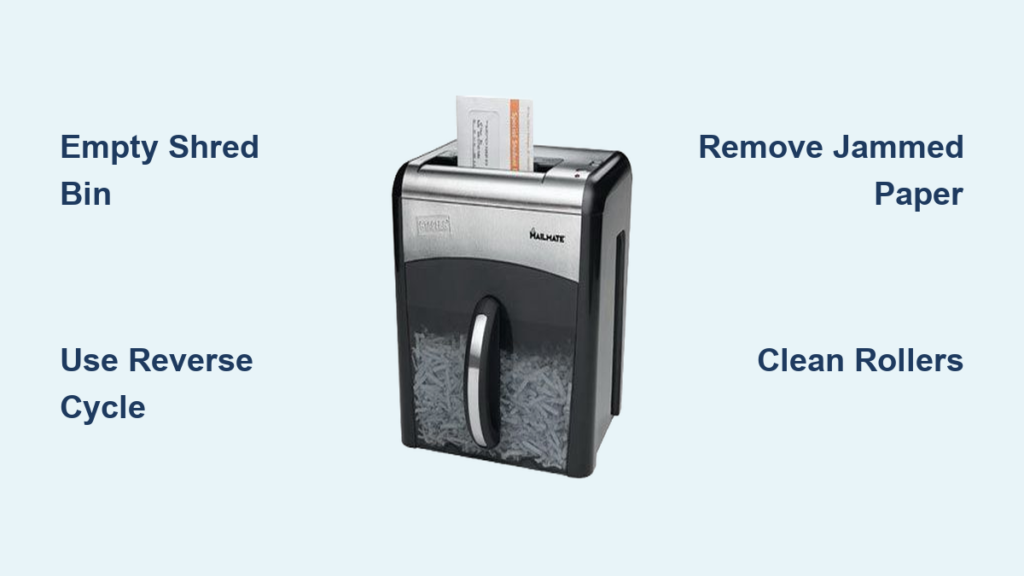
You’re ready to shred a stack of documents when suddenly, the Mailmate shredder is jammed. The motor runs but nothing feeds, or worse, it makes a grinding noise and stops completely. You’re not alone. A “Mailmate shredder jammed” problem is one of the most common complaints among home and office users. The good news? Most jams are fixable in under 20 minutes with basic tools and the right steps.
A jammed shredder usually means paper, plastic, or adhesive debris is blocking the cutting blades or feed rollers. Sometimes, safety switches or a blown fuse mimic jam symptoms. This guide walks you through diagnosing and fixing your Mailmate shredder jammed problem step by step using only safe, proven techniques. You’ll also learn how to prevent future jams with proper maintenance and feeding habits.
Check the Bin and Safety Switches First
Before tearing into the machine, rule out simple causes. A full bin or blocked safety switch can stop operation even if no paper is stuck.
Empty the Shred Bin Completely
A packed bin pushes paper back into the cutting head, creating resistance. This tricks the motor into stalling or refusing to start. Remove the bin and empty all contents. Re-seat it firmly until you hear a click. This action resets the internal safety switch.
Clean the Bin Safety Switch
Over time, dust and paper fragments clog the switch under the bin’s base. Use a dry cloth or small brush to clean around the rib that presses the switch. If it is stuck or obstructed, the shredder won’t power on, even when plugged in.
Test the Feed Slot Activation
The shredder starts only when paper depresses an internal lever in the feed slot. If a paper scrap is jammed beneath it, the lever stays down and disables feeding. Shine a flashlight into the slot and use a plastic tool to gently lift the lever. It should spring back up when released. If not, remove the obstruction with tweezers.
Run Reverse and Forward Cycles to Free the Jam
If the motor runs but won’t pull paper, try reversing the jam loose before reaching for tools.
Switch to Reverse Mode
Unplug the unit and clear any visible paper from the top. Plug it back in and set the switch to Reverse. Run for 2 to 3 seconds. This often backs the paper plug out slightly.
Alternate Between Reverse and Forward
Repeat the cycle: 2 seconds reverse, 2 seconds forward. Do this 5 to 7 times. The back-and-forth motion breaks up tightly packed paper. Feed a single sheet of plain paper after to test if the jam cleared.
Pro Tip: Never force paper in during a jam. You’ll pack it tighter and risk motor burnout.
Extract Jammed Paper Manually

When reverse cycles fail, you’ll need to remove the blockage by hand.
Unplug and Open the Shredder Head
Remove the shredder head from the bin. Some models detach with a latch; others need screws removed. Once open, inspect the cutting blades from above and below.
Use Pliers and Tweezers Carefully
Grab exposed paper ends with needle-nose pliers. Pull gently in the direction it entered. If it tears, flip the unit and try from the bottom. Use tweezers for small fibers stuck deep in the blades.
Cut Thick Wads with Scissors
If paper is compressed into a tight plug, use scissors or a razor blade to slice it into smaller pieces. Cut across the grain of the paper strands and remove fragments one by one.
Warning: Never use metal tools near blades unless necessary. A slip can damage the cutting edges and ruin shred quality.
Clear Plastic and Adhesive Debris
Envelopes, labels, and plastic windows cause stubborn jams that paper-only methods can’t fix.
Remove Envelope Windows
Plastic from envelopes melts slightly under friction, binding rollers. Use a plastic probe or dull knife to pry the piece loose. Work slowly from both sides.
Clean Adhesive Buildup
Sticky residue from labels acts like glue. Wipe rollers with a dry cloth. For heavy buildup, use a small amount of rubbing alcohol on a cotton swab. Let it dry before testing.
Avoid These Materials Going Forward
| Material | Risk |
|---|---|
| Envelopes with windows | High, causes plastic jams |
| Self-adhesive labels | High, glue binds rollers |
| Laminated paper | Avoid, melts and blocks blades |
| Credit cards | Avoid, shreds plastic into gears |
Try the Wooden Wedge Method
No reverse function? Use leverage to free stuck rollers.
Insert a Wood Wedge
Find a scrap piece of hardwood. Slide it into the feed slot at a 45-degree angle against the roller on one side.
Tap Gently with a Hammer
Tap the wedge with a hammer to force the roller to turn forward. Flip to the opposite side and tap again to reverse it. Repeat gently until movement returns.
Note: This method works best when the motor is dead but blades are mechanically bound. It avoids disassembly.
Disassemble for Severe Jams
When nothing else works, open the casing to access the gears.
Remove Outer Screws
Turn the shredder upside down. Remove 4 to 8 screws securing the base and lift the top cover. Some models have an inner casing requiring another 7 to 8 screws to expose the gear train.
Manually Rotate the Gears
Locate the main drive gear. Push it gently toward the back to reverse the blades. This opens the cutting gap and releases compressed paper. Pull out debris by hand or with pliers.
Inspect for a Blown Fuse
If the unit still won’t power on, check the circuit board. Look for a 5-amp, 250-volt fuse. If the internal wire is broken, it has blown, usually from motor strain during a severe jam.
Warning: Replacing or bypassing a fuse requires soldering skills. A temporary fix like adding a parallel fuse increases fire risk. Replace the fuse properly or retire the unit if unsure.
Lubricate to Prevent Future Jams

Dry blades and rollers are prime jamming zones. Lubrication keeps your shredder running smoothly.
Use the Right Oil
- Vegetable oil: Effective and safe. Apply 2 to 3 drops directly between blades.
- Shredder oil sheets: No-mess alternative. Feed one through monthly.
- Gun oil with Teflon: Long-lasting protection. Avoid silicone sprays.
Oil Application Steps
- Apply oil or insert an oil sheet.
- Run in Reverse for 5 to 10 seconds to spread oil.
- Feed a plain sheet to absorb excess.
- Run forward and reverse to finish distribution.
Frequency: Oil every 3 to 6 months or after shredding 5 or more batches.
Follow Safe Feeding Practices

Most jams start with user error. Avoid these common mistakes.
Don’t Overload the Shredder
Even if your model claims a 12-sheet capacity, older units handle only 2 to 3 sheets safely. Test your machine with small batches. If it strains, reduce the load.
Feed Paper Flat and Centered
Fold large sheets in half lengthwise and insert them straight. Bunched or crumpled paper jams instantly.
Avoid Wet or Folded Paper
Damp paper swells and sticks. Folded paper creates thick edges that rollers can’t grip. Always feed dry, flat sheets.
Know What Not to Shred
Feeding the wrong material causes most severe jams.
Safe to Shred
- Standard printer paper
- Envelopes without windows
- Greeting cards (thin)
- Receipts (thermal paper leaves residue, so clean after)
Never Shred
- Staples or paper clips – metal damages blades
- CDs/DVDs – shatter and destroy gears
- Laminated documents – plastic binds tightly
- Cardboard – too thick for small motors
- Wet paper – swells and jams
Fact: Staples create burrs on blades. Even “staple-safe” claims are misleading. Remove them first.
Troubleshoot Power and Motor Issues
Sometimes, a “jammed” shredder isn’t jammed at all.
No Power? Check These First
- Is the unit plugged in?
- Is the bin seated correctly?
- Is the switch set to On/Auto?
- Does the outlet work? Test with another device.
Motor Runs But Won’t Feed?
- Clean the feed slot lever, as debris may block activation.
- Lubricate blades, since dry cutters increase resistance.
- Reduce paper load and try one sheet at a time.
Motor Strains and Stops?
- Overheating: Unplug and wait 10 to 15 minutes.
- Overload: Cut batch size in half.
- Blade wear: Inspect for nicks or dullness. Replace if damaged.
Prevent Jams with Regular Maintenance
A well-maintained shredder rarely jams.
Daily
- Empty bin before it’s full.
- Remove paper scraps from the feed slot.
Weekly
- Wipe down rollers with a dry cloth.
- Check for adhesive buildup.
Monthly
- Lubricate blades with oil or oil sheet.
- Inspect safety switches for debris.
Every 6 Months
- Deep clean the cutting assembly.
- Test motor performance with light loads.
Frequently Asked Questions About Mailmate Shredder Jams
Why does my Mailmate shredder jam so often?
Frequent jams usually result from overloading, feeding prohibited materials like envelopes with windows, or skipping regular lubrication. Older units also jam more because blade edges dull over time.
Can I use WD-40 to fix a jammed shredder?
Avoid spraying WD-40 directly onto a paper jam, as it can swell the paper and worsen the blockage. Use vegetable oil or shredder oil sheets for lubrication after clearing the jam instead.
How do I know if the fuse is blown?
If the shredder has no power at all after a severe jam, and the bin and switches are working, the 5-amp fuse may have blown. Check the circuit board for a broken internal wire inside the fuse.
Is it worth repairing an old Mailmate shredder?
Yes, if the motor and gears are intact. Most jams cost nothing to fix beyond time. Replace the unit only if the motor is burned out or repair costs exceed replacement value.
How long should a Mailmate shredder last?
With proper care, a Mailmate shredder can last 5 to 10 years. Regular lubrication, avoiding prohibited materials, and respecting duty cycles (10 to 15 minutes max) extend its life significantly.
Key Takeaways for Fixing Your Mailmate Shredder
A Mailmate shredder jammed issue is rarely irreparable. Most problems stem from overfeeding, improper materials, or lack of lubrication. Start with safety checks like the bin and switches, then try reverse cycles before moving to manual extraction. Stick to safe feeding habits and regular oiling, and your shredder will last years longer. If the motor remains dead after clearing the jam, inspect the fuse or consider retiring the unit, especially if repair risks outweigh replacement cost.





