
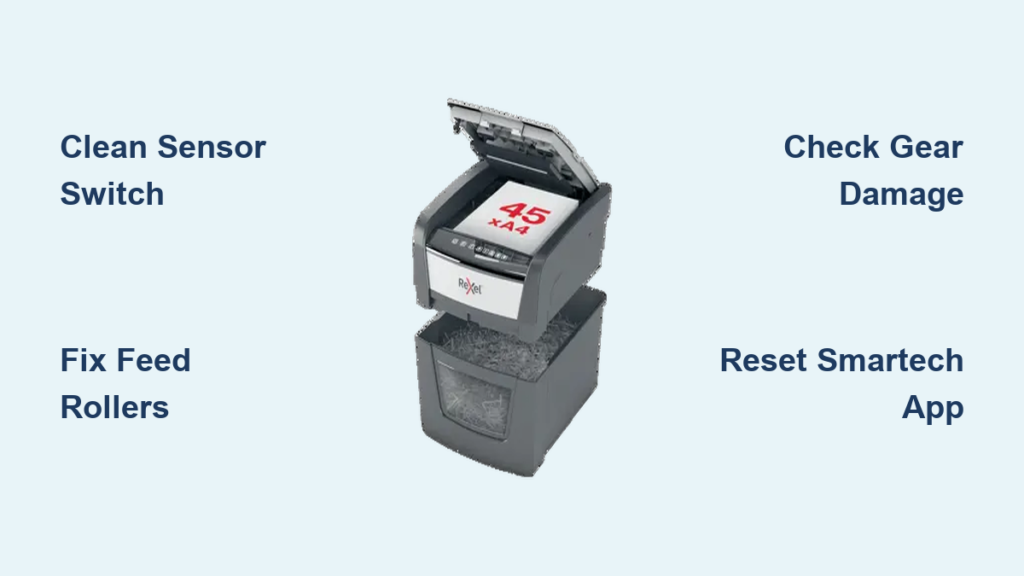
Is your Rexel paper shredder making noise but not pulling in paper? Or maybe it won’t turn on at all, even though the power light is on? You’re not alone. Thousands of users face similar issues with their Rexel shredders, especially models like the Auto+ SmarTech 300X, 600X, and 750X. This guide breaks down each failure mode, shows you how to diagnose the issue step by step, and reveals whether repair is possible or if it’s time to replace the unit.
Whether you’re dealing with a jam, a stripped gear, or a malfunctioning app notification, you’ll find actionable solutions here. We’ll cover sensor fixes, roller maintenance, gear diagnostics, and SmarTech connectivity issues.
Decode Common Failure Symptoms
Understanding what your shredder is trying to tell you is the first step to fixing it. Rexel models typically fail in predictable ways, and identifying the symptom cluster helps narrow down the cause.
Motor Runs But No Paper Intake
You press the auto or manual button, the motor hums, and the reverse function works, but the paper just sits there. This means the motor and control board are functional, but the feed mechanism isn’t engaging.
Likely Causes:
- Clogged or dirty paper sensor
- Worn or slippery feed rollers
- Partial gear damage preventing roller drive
Visual Cues: Check if the rollers rotate when empty. If they don’t move at all, the issue is mechanical or sensor-related.
Pro Tip: Even if the motor runs, a broken sensor arm can prevent the shredder from seeing paper, so never skip the sensor check.
Blades Stationary Despite Motor Running
The motor switches between forward and reverse, but the cutting blades remain still. This is a mechanical drive failure, meaning power isn’t reaching the cutting head.
Primary Cause: Stripped internal gear, broken drive belt, or sheared drive pin.
High-Risk Models: Confetti-cut units with hybrid plastic-metal gears, such as the Rexel Auto+ 600X.
Irreversible Damage: Once the gear teeth shear off, replacement is often impossible due to fused metal inserts.
Warning: Forcing paper into a unit with blade drive failure can worsen internal damage.
No Power or Feed Despite Indicator Lights
The unit powers on, lights illuminate, and reverse mode may activate, but the feed rollers don’t pull in paper. This combines electronic detection failure with potential mechanical breakdown.
Common Triggers:
- Sensor switch failure
- Dust-clogged contact points
- Dual failure: sensor plus gear damage
Test First: Use a multimeter to check sensor continuity.
Age Factor: Units over 3 to 4 years old are prone to this dual-failure scenario.
Fix the Paper Sensor Switch

If your shredder doesn’t respond to paper insertion, the sensor switch is the prime suspect. Located inside the feed slot, this small lever detects paper and signals the motor to engage.
Locate and Inspect the Sensor
- Unplug the shredder for safety.
- Use a flashlight to look inside the feed throat.
- Identify the sensor: a small plastic arm or spring-loaded lever near the roller assembly.
- Check for broken or missing arm, bent lever that doesn’t move freely, and heavy dust buildup around the base.
Visual Clue: If the arm is snapped off, the shredder cannot detect paper, and no feed will occur.
Clean the Sensor Contacts
Dust and paper fibers insulate the electrical contacts, preventing the switch from closing.
Tools Needed:
- Small flathead screwdriver
- Isopropyl Alcohol (IPA)
- Cotton swabs or lint-free cloth
- Compressed air
Steps:
- Gently pry open the sensor housing, which is often a press-fit plastic case.
- Expose the internal spring and metal contact points.
- Dampen a swab with IPA and wipe both contact surfaces.
- Blow out debris with compressed air.
- Reassemble and test the lever movement, which should snap back smoothly.
Multimeter Test for Continuity:
- Set multimeter to continuity mode (beep setting).
- Touch probes to both terminals of the switch.
- Expected Result: No beep when lever is not pressed, beep when lever is pressed down.
- Faulty Switch: No beep in either state means replace or bypass.
Expert Note: Some users bypass the sensor with a jumper wire for testing, but this disables safety, so only do this temporarily.
Clean and Maintain Feed Rollers
Even with a working sensor, dirty rollers cannot grip paper. This is one of the easiest fixes and most overlooked.
Remove Debris from Feed Slot
- Unplug the unit.
- Shine a flashlight into the feed slot.
- Use a wooden popsicle stick or plastic tool to dislodge stuck paper bits. Never use metal, as it can scratch blades or rollers.
- Spray canned air into the slot to blow out fine dust.
- Wipe the visible roller surface with a damp cloth.
- For deep cleaning, run a manufacturer-approved shredder cleaning sheet through the machine.
Warning: Avoid spraying liquids directly into the slot, as moisture can damage motors and electronics.
Restore Roller Grip
Over time, rollers become glazed or sticky from paper dust and adhesive residues.
Solutions:
- Rubber Reconditioning: Lightly sand rollers with fine-grit sandpaper (200 or higher) to restore texture.
- Cleaning Agents: Use only shredder-safe wipes. Avoid alcohol on rollers; use it only on sensors.
- Lubrication: Apply shredder-specific oil to blades (not rollers) every 15 minutes of use. Never use vegetable oil, WD-40, or mineral oil, as they degrade plastic gears.
Pro Tip: Feed a few oiled sheets through the machine monthly to keep internal components lubricated.
Diagnose Gear and Drive Failures

When the motor runs but blades don’t spin, the problem is internal. This section helps you identify whether the gearbox is salvageable or if replacement is the only option.
Access the Gearbox
- Flip the shredder upside down.
- Remove screws from the bottom plate.
- Carefully separate the housing to expose the motor and drive system.
- Locate the white plastic gearbox (approximately 6 by 4 inches) connected to the motor shaft.
Visual Check: Look for stripped gear teeth, cracked housing, and disconnected drive belt or pin.
Assess Hybrid Gear Damage
Many Rexel confetti-cut models use a hybrid gear (plastic body with metal inserts for strength). These are prone to catastrophic failure.
Failure Signs:
- Only 4 to 6 teeth sheared off near the edge
- Gear spins freely on the shaft (press-fit failed)
- Motor runs but no torque transfer
Why Repair Fails:
| Method | Result | Reason |
|---|---|---|
| Solder bridges | Fails instantly | No structural strength |
| Metal panel pins | Works less than 30 seconds | Shears under load |
| 3D printed gear | Jams immediately | Plastic cannot handle stress |
Fact: Rexel does not sell replacement hybrid gears for consumer models. No OEM parts means no real fix.
Source Replacement Parts (If Possible)
- Check Rexel Support: Visit Rexel.com/support and enter your model number.
- Search eBay or Amazon: Use keywords like Rexel 600X gearbox or hybrid drive gear.
- Provide a Template: If a seller offers custom matching, mail your broken gear for duplication.
- Verify Fit: Match shaft diameter, tooth count, gear thickness, and rotation direction.
Reality Check: Finding an exact match takes weeks. Cost often exceeds a new 50 to 80 pound unit.
Troubleshoot SmarTech Auto+ Connectivity
For Rexel Auto+ models (300X, 600X, 750X), wireless issues can mimic mechanical failures. Missing notifications or pairing errors are common.
Pair Shredder with the App
The SmarTech system uses Bluetooth plus Wi-Fi for full functionality.
Setup Steps:
- Plug in shredder and turn on rear power switch.
- Open Rexel SmarTech App (iOS or Android).
- Enable Bluetooth on phone (required for initial scan).
- Tap Add Device and scan for shredder.
- Select your model when it appears.
No PIN Required: If a pairing code is requested, cancel it. Authentication is handled by the app.
Fix Connection Drops
Units lose connection due to ghost pairings or network conflicts.
Quick Reset:
- Power off shredder using rear switch.
- Force-close the SmarTech app.
- Reopen app and retry pairing.
- Keep phone within 3 meters during setup.
Prevent Cross-Connection:
- Place multiple shredders at least 8 meters apart.
- Use unique names in the app, such as Finance 600X.
Interpret App Status Notifications
The SmarTech app sends alerts based on user roles: Users and Administrators.
| Status | Who Gets Alert? | Action Required |
|---|---|---|
| Cooling | Admin only | Wait. Resumes automatically. |
| Bin Full | User and Admin | Empty bin. |
| Jam | User and Admin | Clear paper manually. |
| Low Oil | Admin only (once per day) | Oil blades. |
| Job Complete | User only | None. |
Missing Alerts? Check: App notification permissions in iOS or Android settings, internet on both shredder and phone, and whether the app was open during the job to register the user.
Decide: Repair or Replace?
With non-replaceable gears and limited parts, many Rexel shredders are not economically repairable.
When to Repair
- Sensor switch failure
- Dirty rollers or clogged feed slot
- App pairing or notification issues
- Unit is under warranty (register via app)
When to Replace
- Stripped hybrid gear
- No OEM parts available
- Repair cost exceeds 50% of new unit price
- Unit older than 4 years
Economic Reality: A 60 pound home shredder isn’t worth 80 pounds in labor and parts.
Recommended Service Providers
For professional assessment, consider Solent Office Services (Technician: Mark) for reliability and affordability, Fix-It Now (Dave) for home visits, or TechFix Solent, which specializes in office equipment.
Warranty Tip: Register your unit in the SmarTech app under Settings > Product Registration.
Prevent Future Failures
Extend your shredder’s life with these simple habits.
Follow Load Limits
- Rated for 5 sheets? Feed only 3.
- Never force cardstock, staples, or sticky notes.
- Overloading is the number one cause of gear stripping.
Oil Blades Regularly
- Apply shredder-specific oil every 15 minutes of use.
- Use oil sheets or spray directly onto blades, not rollers.
- Frequency: Once per week for moderate use.
Clean Sensors and Slot
- Blow out dust monthly with canned air.
- Wipe feed rollers with a dry cloth.
- Inspect sensor arm for damage.
Empty Bin Before Full
- A packed bin creates back-pressure jams.
- Interlock switch may prevent startup if bin is misaligned.
- Replace bin when seams weaken.
Consider Sustainable Alternatives
For non-sensitive documents, compost shredded paper with yard waste and reserve the shredder for confidential data only. This reduces wear and environmental impact.
Frequently Asked Questions About Rexel Paper Shredder Troubleshooting
Why does my Rexel shredder run but not feed paper?
This typically indicates a faulty paper sensor or dirty feed rollers. The motor is functional, but the detection system isn’t recognizing paper, or the rollers have lost grip. Clean the sensor with isopropyl alcohol and check roller condition.
Can I replace the gear in my Rexel shredder myself?
No. Rexel does not sell replacement hybrid gears for consumer models. The gears feature plastic bodies with fused metal inserts, making them non-repairable. Attempted fixes using solder, metal pins, or 3D prints fail within seconds.
How often should I oil my Rexel shredder?
Apply shredder-specific oil every 15 minutes of operation. For moderate home use, oil the blades once per week using oil sheets or direct application. Never use vegetable oil or WD-40.
Why is my SmarTech app not receiving notifications?
Check that app notification permissions are enabled in your phone settings, ensure both the shredder and phone have internet connectivity, and verify the app was open during the shredding job. Administrators do not receive Job Complete alerts, and Users do not receive Low Oil alerts.
Is it worth repairing a 4-year-old Rexel shredder?
Generally no. Units over 3 to 4 years old experience dual failures (sensor plus gear damage), and replacement gears are unavailable. Professional repair costs often exceed the price of a new unit.
How do I reset my Rexel Auto+ shredder wireless connection?
With the unit on and AutoPwr lit, hold FWD plus REV simultaneously for 6 to 10 seconds until the REV button lights up for 3 seconds. This disables wireless permanently.
Key Takeaways for Rexel Paper Shredder Troubleshooting
Most Rexel paper shredder issues stem from sensor clogs, dirty rollers, or non-repairable gear failure. While electronic and feed problems can be fixed at home with basic tools (screwdriver, IPA, compressed air), mechanical drive failures often mean the end of the unit’s life. Focus on prevention by cleaning regularly, oiling every 15 minutes, and never exceeding the rated sheet capacity. When in doubt, consult a certified technician or consider replacement, especially for models over 4 years old. With proper care, your next Rexel shredder can last years longer.





